

Project Overview
Arduino + 4-channel relay module motor reversing: In this build, you wire a 4-channel relay module as a simple H-bridge so an Arduino can drive a DC motor forward and reverse for high-current on/off motion projects.

An H-bridge built from four contactor relays is a low-cost way to drive a high-current DC motor forward and reverse from an Arduino. Two relays do direction, and two more can be used for braking or current-limiting behavior. A programmable 4-channel relay module with built-in timer logic works well for tasks like a linear actuator extending and retracting on a schedule, an aquarium pump alternating its flow direction, or electric blinds opening and closing on a daily routine.
This guide builds a working motor-reversing system around a 4-channel relay module, a 12 V DC motor, and an Arduino. The same wiring scales to lock actuators, valve drivers, sliding doors, and roller blinds.
- Time: 30 to 60 minutes
- Skill level: Intermediate
- What you will build: A relay-based H-bridge that lets an Arduino reverse a DC motor and stop it safely with a software interlock.
Parts List
From ShillehTek
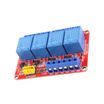
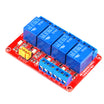
- 4-Channel 12V Relay Module - the workhorse for this build.
- 4-Channel 5V Relay Module - if you are driving the coils from a 5V Arduino.
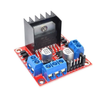
- L298N Motor Driver - the electronic-only alternative for under 2A loads.
- Arduino Nano V3.0 - controller for relay outputs and safety interlocks.
- HC-SR04 Distance Sensor - optional for end-stop detection.
External
- 12 V or 24 V DC motor (or linear actuator).
- An appropriate power supply rated for the motor’s stall current.
- Two limit switches (mechanical micro-switches) for end-stop safety.
- A fuse inline with the motor - size to motor running current plus 50%.
Note: Many relay modules are active LOW (a LOW turns the relay on). Also match relay coil voltage (5V or 12V) to the module you choose, and never power a motor directly from the Arduino.
Step-by-Step Guide
Step 1 - Decide if relays are the right H-bridge choice
Goal: Understand why a relay H-bridge is useful for high current and what you give up.
What to do: If you only need on/off control and your motor current is beyond typical small H-bridge driver chips, a 4-relay H-bridge can be a good fit. It is simple, cheap, and galvanically isolated.

Expected result: You know when to use relays (high current, on/off reversing) and when not to (PWM speed control and ultra-high cycle life requirements).
Step 2 - Wire the 4-relay H-bridge for forward and reverse
Goal: Connect the relays so the motor polarity can be swapped safely.
What to do: Wire four relays in two “sides,” so you can energize a diagonal pair for forward, and the opposite diagonal pair for reverse.
Wiring reference:
             +12V
              |
              +-------+-------+
              |               |
            [REL1]           [REL3]
            COM-NO           COM-NO
              |               |
              +---- MOTOR ----+
              |               |
            [REL2]           [REL4]
            COM-NO           COM-NO
              |               |
              +-------+-------+
                      |
                     GND

To drive forward:   REL1 + REL4 closed (the diagonal)
To drive reverse:   REL3 + REL2 closed (the other diagonal)
To brake:           any two on the same side closed
To coast:           all four open
Critical: Never close REL1 + REL2 (or REL3 + REL4) at the same time. That is a direct short across the supply. You must add an interlock in your code.
Expected result: Your wiring matches the diagonal-pair logic for forward and reverse without creating a supply short condition.
Step 3 - Upload Arduino code with a software interlock (dead-time)
Goal: Ensure both relay pairs are opened before switching directions.
What to do: Use an “all off” function, then add a short delay (dead-time) before turning on the next relay pair.
Code:
const int RELAYS[4] = {2, 3, 4, 5};   // REL1..REL4

void allOff() {
  for (int r : RELAYS) digitalWrite(r, HIGH);   // active LOW
}
void forward() {
  allOff(); delay(50);                          // dead-time
  digitalWrite(RELAYS[0], LOW);                 // REL1
  digitalWrite(RELAYS[3], LOW);                 // REL4
}
void reverse() {
  allOff(); delay(50);
  digitalWrite(RELAYS[1], LOW);                 // REL2
  digitalWrite(RELAYS[2], LOW);                 // REL3
}
void brake() {
  allOff(); delay(50);
  digitalWrite(RELAYS[0], LOW);                 // REL1
  digitalWrite(RELAYS[2], LOW);                 // REL3 (high side together)
}

void setup() {
  for (int r : RELAYS) {
    pinMode(r, OUTPUT);
    digitalWrite(r, HIGH);
  }
}
void loop() {
  forward();  delay(5000);
  brake();    delay(500);
  reverse();  delay(5000);
  brake();    delay(500);
}
The delay(50) dead-time between modes helps guarantee both relay pairs are open before either pair closes.
Expected result: The motor runs forward, brakes, runs reverse, and brakes again without ever energizing an unsafe relay combination.
Step 4 - Add end-stop limit switches for safer motion
Goal: Stop motion at the physical endpoints even if timing is wrong.
What to do: Install and wire two limit switches, then read them using INPUT_PULLUP so a pressed switch reads LOW. If either end-stop triggers, call brake().

Code:
const int LIMIT_FWD = 6;
const int LIMIT_REV = 7;

void setup() {
  pinMode(LIMIT_FWD, INPUT_PULLUP);
  pinMode(LIMIT_REV, INPUT_PULLUP);
}

void loop() {
  if (digitalRead(LIMIT_FWD) == LOW) brake();
  if (digitalRead(LIMIT_REV) == LOW) brake();
  // ... rest of motion logic ...
}
For a sliding door or window opener, limit switches help the motor stop precisely at the open and closed positions. Do not rely on timing alone for safety-critical motion.
Expected result: Pressing either limit switch forces the motor to brake, preventing overtravel.
Step 5 - Choose applications that fit the 4-relay approach
Goal: Match this design to real projects where high-current reversing matters.

What to do: Use the relay H-bridge when you want robust reversing with on/off control.
- Electric linear actuator for a desk-height changer, kitchen pop-up monitor, or solar-tracking panel.
- Automatic chicken coop door that opens at sunrise and closes at sunset (sun-tracking plus RTC).
- Sliding window opener for greenhouse ventilation that reverses on a rain sensor trigger.
- Pet feeder auger reversal to clear jams by briefly running backward.
- Aquarium current reverser to alternate flow direction every hour.
- 3D printer build-plate elevator for tall prints with a small Z motor.
Expected result: You can quickly decide whether your project is a good match for relay reversing.
Step 6 - Know when to use an L298N motor driver instead
Goal: Avoid using relays when you need PWM speed control.
What to do: If your motor is under 2 A and you want PWM speed control and smooth ramping, use an electronic H-bridge like our L298N motor driver. The relay approach is best for high-current, on/off only reversing.
Expected result: You select relays for high-current switching, and a motor driver when speed control is required.
Conclusion
With four relays, an Arduino, and a small dead-time interlock, you can build a DC motor reverser that handles serious current. The same relay H-bridge pattern is widely used for actuators, doors, valves, and other reversing motion systems.
Want the exact parts used in this build? Grab them from ShillehTek.com. If you want help customizing this project or building something for your product, check out our IoT consulting services.
Credit: Inspired by DC Motor Controller With Two Relay on Instructables.



.png?v=25000753014097803521791168436)

.png?v=68677308723310773341791168436)


