NEO-M8N GPS Module with Antenna & Battery for Arduino, Raspberry Pi & ESP32Default Title · $16.99 · In stock
Overview
The GY-GPSV3-NEO-M8N GPS module is built around the u-blox NEO-M8N, a 72-channel receiver that tracks multiple satellite constellations at once — GPS, GLONASS, Galileo, and BeiDou. Seeing more satellites means faster fixes and better accuracy than older single-constellation modules: typical position accuracy is around 2.5 m, with a hot start in about a second.
The board takes care of the supporting details. An external active antenna connects through a U.FL socket (included in the kit), a rechargeable backup battery keeps the real-time clock and satellite ephemeris alive while the main power is off so the module can hot-start instead of cold-starting, and an on-board EEPROM stores configuration. Power is flexible — feed it 3.3–5 V and the on-board regulator handles the rest.
Talking to it could not be simpler: the module streams standard NMEA sentences over UART at 9600 baud, one position report per second by default. Any board with a serial port can read it. This manual covers wiring for Arduino, ESP32, Raspberry Pi, and Raspberry Pi Pico, working position-parsing code for each, and answers to the usual first-fix questions.
At a Glance
GNSS Receiver
u-blox NEO-M8N, 72 channels
Constellations
GPS · GLONASS · Galileo · BeiDou
Interface
UART, 9600 baud NMEA
Supply Voltage
3.3 – 5 V
Antenna
External, U.FL connector
Backup Battery
Hot starts in ~1 s
Specifications
Parameter
Value
Receiver
u-blox NEO-M8N, 72-channel engine
Constellations
Concurrent GPS / GLONASS / Galileo / BeiDou
Position accuracy
~2.5 m CEP
Update rate
1 Hz default, configurable up to 10 Hz
Time to first fix
Cold ~26 s · hot ~1 s
Tracking sensitivity
−167 dBm
Interface
UART, 9600 baud 8N1 (NMEA 0183 + UBX)
Supply voltage
3.3 – 5 V (on-board regulator)
Logic level
3.3 V UART
Antenna
External active antenna via U.FL / IPEX
Backup
Rechargeable battery + EEPROM config storage
Header
4-pin: GND · TXD · RXD · 5V (VCC)
Pinout Diagram
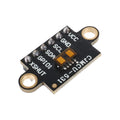
Four pins run the whole show: VCC (marked 5V, accepts 3.3–5 V), GND, TXD (NMEA data out of the GPS), and RXD (commands into the GPS — optional if you only read positions). The U.FL socket in the corner takes the antenna, and the coin-shaped backup battery sits on the underside of the board.
Wiring Guide
Arduino Uno Wiring
GPS Pin
Arduino Uno Pin
Notes
5V (VCC)
5V
On-board regulator handles it
GND
GND
Common ground
TXD
D4
SoftwareSerial RX — GPS data in
RXD
D3
SoftwareSerial TX — optional, only for sending config
Cross the serial lines. The GPS transmit pin (TXD) goes to the pin your board listens on, and vice versa. If you see nothing on the serial monitor, swapped TX/RX is the first thing to check — it causes no damage, just silence.
ESP32 Wiring
GPS Pin
ESP32 Pin
Notes
5V (VCC)
VIN (5V) or 3V3
Either works — the board regulates
GND
GND
Common ground
TXD
GPIO 16 (RX2)
UART2 receive
RXD
GPIO 17 (TX2)
UART2 transmit — 3.3 V logic matches directly
Hardware UART, no compromises. The ESP32 has three hardware UARTs; UART2 on pins 16/17 is free on nearly every dev board, so the GPS gets a clean full-speed serial link while UART0 stays connected to the USB serial monitor.
Raspberry Pi Wiring
GPS Pin
Raspberry Pi Pin
Notes
5V (VCC)
5V (Pin 4)
Board regulator on the module
GND
GND (Pin 6)
Common ground
TXD
GPIO 15 / RXD (Pin 10)
GPS data into the Pi — 3.3 V logic, safe
RXD
GPIO 14 / TXD (Pin 8)
Optional, for sending configuration
Free the serial port first. Run sudo raspi-config → Interface Options → Serial Port: answer No to the login shell and Yes to enabling the hardware port. Skip this and the Linux console fights the GPS for /dev/serial0, producing garbage on both ends.
Raspberry Pi Pico Wiring
GPS Pin
Pico Pin
Notes
5V (VCC)
3V3(OUT) (Pin 36) or VBUS (Pin 40)
Either supply works
GND
GND (Pin 38)
Common ground
TXD
GP1 / UART0 RX (Pin 2)
GPS data into the Pico
RXD
GP0 / UART0 TX (Pin 1)
Optional, for configuration
Give the antenna sky. Indoors next to a window can take minutes; outside with a clear view, the first cold fix typically lands in under a minute and hot fixes are near-instant thanks to the backup battery.
import serial
import pynmea2

# One-time setup:
#   sudo raspi-config > Interface Options > Serial Port
#   login shell: No / hardware serial: Yes
#   pip3 install pyserial pynmea2

port = serial.Serial("/dev/serial0", baudrate=9600, timeout=1)

while True:
    line = port.readline().decode("ascii", errors="replace").strip()
    if line.startswith("$GNGGA") or line.startswith("$GPGGA"):
        msg = pynmea2.parse(line)
        print(f"Lat: {msg.latitude:.6f}  Lng: {msg.longitude:.6f}  "
              f"Sats: {msg.num_sats}  Alt: {msg.altitude} m")
Raspberry Pi Pico — MicroPython NMEA Parser
pico_neo_m8n.py
from machine import UART, Pin
import time

# GPS TXD -> GP1 (UART0 RX), GPS RXD -> GP0 (UART0 TX)
uart = UART(0, baudrate=9600, tx=Pin(0), rx=Pin(1))

def to_degrees(raw, hemi):
    """NMEA ddmm.mmmm to decimal degrees."""
    if not raw:
        return None
    dot = raw.find(".")
    degrees = float(raw[:dot - 2])
    minutes = float(raw[dot - 2:])
    value = degrees + minutes / 60
    if hemi in ("S", "W"):
        value = -value
    return value

buf = b""
while True:
    if uart.any():
        buf += uart.read()
        while b"\n" in buf:
            line, buf = buf.split(b"\n", 1)
            text = line.decode("ascii", "ignore").strip()
            if text.startswith("$GNGGA") or text.startswith("$GPGGA"):
                p = text.split(",")
                if p[6] != "0" and p[2]:   # fix quality > 0
                    lat = to_degrees(p[2], p[3])
                    lng = to_degrees(p[4], p[5])
                    print("Lat:", lat, " Lng:", lng, " Sats:", p[7])
    time.sleep(0.05)
Frequently Asked Questions
How long should the first fix take?
Outdoors with a clear sky view, a cold start typically fixes in 30–60 seconds. After that, the backup battery keeps satellite data alive, so power-ups within a few hours hot-start in a second or two. Deep indoors you may never get a fix — GPS signals are extremely weak and do not penetrate buildings well. A windowsill usually works; the middle of a room often does not.
What does the on-board LED tell me?
The position LED stays off (or solid, on some revisions) while the module searches, and blinks once per second when it has a fix. It is the quickest way to tell whether a “no data” problem is a wiring issue (LED blinking, so the GPS is fine) or a reception issue (no blink yet).
How is the NEO-M8N better than the NEO-6M?
The 6M tracks GPS only; the M8N tracks GPS, GLONASS, Galileo, and BeiDou concurrently on 72 channels. In practice that means more visible satellites, faster fixes, fewer dropouts near buildings or under trees, and roughly 2.5 m accuracy versus similar or worse on the 6M. Code written for the 6M works unchanged — same 9600-baud NMEA stream.
Can I power it from 3.3 V?
Yes. The pin is silk-screened 5V but the board accepts 3.3–5 V and regulates internally, and the UART logic is 3.3 V either way. That makes it directly compatible with ESP32, Pico, and Raspberry Pi GPIO without level shifting.
Can I get positions faster than once per second?
The M8N supports update rates up to 10 Hz. You configure it with u-blox UBX commands — either from u-center (u-blox’s free Windows tool, via a USB-serial adapter) or by sending the UBX-CFG-RATE binary message from your microcontroller at startup. Raise the baud rate too if you enable 5–10 Hz, or the extra sentences will not fit through 9600 baud.
What exactly does the backup battery do?
It powers the module’s real-time clock and satellite-data RAM while main power is off. With recent ephemeris data retained, the receiver skips most of the acquisition work at the next power-up — the difference between a ~30 s cold start and a ~1 s hot start. The battery recharges automatically whenever the module is powered.
Anything I should know about the U.FL antenna connector?
U.FL connectors are rated for a limited number of mating cycles, so press the antenna on straight until it clicks and avoid repeated unplugging. Any active GPS antenna with a U.FL plug (or an SMA antenna via a U.FL-to-SMA pigtail) works. Keep the antenna face up with a view of the sky — orientation matters more than cable length.
Reference documents for the NEO-M8N GPS Module with Antenna & Battery for Arduino, Raspberry Pi & ESP32. This manual covers wiring and code; the documents below carry the full electrical specifications.