

Video Tutorial (Optional)
Watch first if you want to see the Raspberry Pi Pico W robot chassis assembly in real time.
Project Overview
In this build, you will assemble a Raspberry Pi Pico W robot using an HC-SR04 ultrasonic sensor (plus a motor driver and motors) so you end with a fully assembled robot that is ready for programming.
This part focuses on the physical build: assembling the chassis, mounting parts, wiring everything together, and cleaning up the wiring so it is secure.
- Time: 30 to 60 minutes
- Skill level: Beginner
- What you will build: A fully assembled Pico W robot chassis wired and ready for code
Parts List
From ShillehTek
- Breadboard - used as a convenient hub for tidy connections
- Jumper wires - connect the Pico W, motor driver, sensor, and optional LEDs
- Zip ties and tape - secure and organize wiring on the chassis
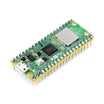
- Raspberry Pi Pico 2W - the WiFi microcontroller board used in this build
External
- Robot chassis kit (frame, wheels, caster wheel, mounting hardware)
- DC motors (typically included with many chassis kits)
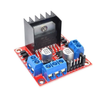
- L298N motor driver - drives the two DC motors
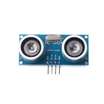
- HC-SR04 ultrasonic distance sensor - mounted on the front for obstacle sensing
- RGB LEDs (optional) - visual feedback
- 8-piece 1.5V battery holder - powers the motor driver
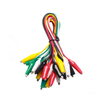
- Alligator clips (optional) - helpful for quick power connections
Note: Match your wiring to the pinout/connection diagram you are using for your specific chassis and Pico W GPIO choices.
Step-by-Step Guide
Step 1 - Assemble the chassis
Goal: Build the rolling base so the robot has a sturdy foundation.
What to do:
- Attach the DC motors to the chassis frame using screws in the designated slots.
- Secure the wheels to the motor shafts. Make sure they are tightly fitted to avoid slipping.
- Attach the caster wheel (if included) to the front or rear of the chassis for balance.
Expected result: The chassis rolls smoothly and the motors and wheels are firmly mounted.
Step 2 - Mount the components
Goal: Place and secure the electronics so they do not shift while driving.
What to do:
- Place the Raspberry Pi Pico W on the chassis and secure it using tape or Velcro.
- Mount the L298N motor driver near the motors for easy wiring.
- Attach the HC-SR04 ultrasonic sensor to the front of the chassis using tape or a small bracket.
- Place the breadboard on the chassis and secure it with tape for convenient connections.
Expected result: The Pico W, motor driver, sensor, and breadboard are mounted securely and will not move during operation.
Step 3 - Connect the components
Goal: Wire the motors, motor driver, sensor, and optional LEDs so the robot is electrically complete.


What to do:
- Connect the DC motors to the L298N motor driver using jumper wires. Refer to the motor driver pinout diagram you are following.
- Connect the L298N motor driver to the Raspberry Pi Pico W using jumper wires. Ensure the connections match the GPIO pins shown in your diagram.
- Wire the HC-SR04 ultrasonic sensor to the Pico W. Connect VCC and GND to power and ground, and connect TRIG and ECHO to your chosen GPIO pins per your diagram.
- Connect the RGB LEDs (if included) to the Pico W for visual feedback.
- Use the 8-piece 1.5V battery holder to power the motor driver. Connect it to the motor driver power input.
Double-check all connections to ensure they are secure and correct.
Expected result: Motors, motor driver, sensor, and optional LEDs are wired, and the motor driver has power from the battery holder.
Step 4 - Clean up with zip ties and tape
Goal: Secure wiring so it does not snag on wheels and stays reliable while driving.
What to do:
- Bundle loose wires together using zip ties.
- Use tape to secure wires to the chassis so they do not interfere with wheels or moving parts.
- Trim any excess length from the zip ties for a clean finish.
Expected result: The wiring is neat, secure, and kept away from moving parts.
Conclusion
You assembled a Raspberry Pi Pico W robot chassis, mounted an L298N motor driver and an HC-SR04 ultrasonic sensor, and finished by organizing the wiring for a secure build that is ready for programming.
Want the exact parts used in this build? Grab them from ShillehTek.com. If you want help customizing this robot, choosing the right parts, or building a similar project for your product, check out our IoT consulting services.




.png?v=25000753014097803521791168436)

.png?v=68677308723310773341791168436)


