

Project Overview
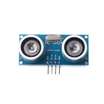
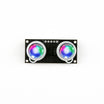
HCSR04+: This overview explains how the HC-SR04+ ultrasonic distance sensor can be used with a Raspberry Pi Pico (and other 3.3V boards) to measure distance without needing a level shifter or external voltage regulation.
The regular HC-SR04 is typically intended for 5V logic. The HC-SR04+ version supports 3.3V and 5V logic, making it easier to connect directly to 3.3V GPIO on boards like the Pico, Pico W, ESP32, and some Arduino variants.
- Time: 5 to 15 minutes
- Skill level: Beginner
- What you will build: A plan for selecting the correct HC-SR04 sensor version for your board voltage (3.3V vs 5V) and where to learn the distance-reading setup
Parts List
From ShillehTek
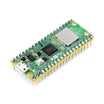
- Raspberry Pi Pico 2W - the microcontroller board used in this build
External
- HCSR04+ (3.3V and 5V logic compatible) - Link to Purchase
- Regular HC-SR04 (5V logic compatible) - shown for comparison in the article photos
Note: The article emphasizes that the HC-SR04+ is helpful for 3.3V GPIO boards because it can be connected without level shifting or an external voltage regulator, while the regular HC-SR04 is intended for 5V logic.
Step-by-Step Guide
Step 1 - Identify your board logic level
Goal: Decide whether you need a 3.3V-friendly ultrasonic sensor.
What to do: Confirm whether your microcontroller uses 3.3V logic (for example, Raspberry Pi Pico / Pico W, ESP32) or 5V logic (many classic Arduino boards).
Expected result: You know whether direct GPIO connection at 3.3V is required for your project.
Step 2 - Choose HC-SR04+ vs regular HC-SR04
Goal: Select the correct sensor version for your voltage needs.
What to do: Use HC-SR04+ if you want compatibility with 3.3V and 5V logic. Use the regular HC-SR04 if you are working fully in a 5V logic environment.
Expected result: You have chosen a sensor that matches your board voltage level and reduces extra parts (like a level shifter) when using 3.3V GPIO.
Step 3 - Review how ultrasonic distance measurement works
Goal: Understand what the sensor is doing so the readings make sense in your application.
What to do: The sensor emits an ultrasonic pulse and measures the time for the echo to return, which can be used to calculate distance. This is commonly used in robotics and automation for obstacle detection and navigation.
Expected result: You understand that distance is derived from the echo time measurement.
Step 4 - Learn how to read distance values
Goal: Follow an existing walkthrough for getting readings from either sensor version.
What to do: Use the author’s videos for the practical reading example.
- Raspberry Pi Pico tutorial reference: https://www.youtube.com/watch?t=1s&v=AwRwlCAQlH4
- Main video link from this article: Youtube Video
Expected result: You have a reference for wiring and code to obtain distance readings for your board and sensor version.
Conclusion
The HC-SR04+ ultrasonic distance sensor is a convenient option when you are working with 3.3V logic boards like the Raspberry Pi Pico, because it avoids the extra work of level shifting or external voltage regulation. The regular HC-SR04 remains common for 5V logic systems, but it is not a drop-in choice for 3.3V GPIO without extra care.
Want parts for your next build? Browse components at ShillehTek.com. If you want help selecting sensors for your board, designing an electronics prototype, or building an IoT solution, check out our IoT consulting services.


.png?v=25000753014097803521791168436)

.png?v=68677308723310773341791168436)


