

Video Tutorial (Optional)
Watch first if you want to see the HC-SR04 wired and tested on the Raspberry Pi Pico in real time.
Project Overview
Raspberry Pi Pico + HC-SR04 ultrasonic distance sensor: In this tutorial you wire the HC-SR04 to a Raspberry Pi Pico and read distance measurements in MicroPython.
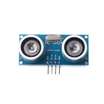
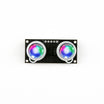
This build is especially useful if you are working with the common HC-SR04 modules that use 5V logic. They can work with the Pico, but using 5V logic may cause damage over time.
If you still need the 5V version, you can find it here: Amazon HC-SR04 with Metal Bracket
- Time: 10 to 20 minutes
- Skill level: Beginner
- What you will build: A Pico + HC-SR04 setup that outputs live distance readings in MicroPython
Parts List
From ShillehTek
- Breadboard - makes the sensor wiring quick and solderless
- Jumper wires (4) - connects VCC, GND, TRIG, and ECHO
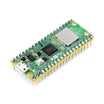
- Raspberry Pi Pico 2W - the microcontroller board used in this build
External
- HC-SR04 ultrasonic distance sensor (commonly 5V logic) - measures distance using trig and echo
- HC-SR04 with metal mounting bracket (Amazon) - optional bracket for easier mounting
- Micro-USB cable - powers and programs the Pico
- Computer with a MicroPython editor (for example, Thonny) - uploads and runs code
Note: Many HC-SR04 modules are powered from 5V and output a 5V ECHO signal. The Raspberry Pi Pico uses 3.3V logic, so using a 5V ECHO directly may risk damage over time.
Step-by-Step Guide
Step 1 - Wire the HC-SR04 to the Raspberry Pi Pico
Goal: Connect power and the TRIG/ECHO signal pins so the Pico can trigger the ultrasonic burst and measure the return pulse.
What to do: Get four jumper wires and connect the HC-SR04 to the Pico. The key pins are TRIG (trigger/transmitter) and ECHO (echo/receiver).

Expected result: Your sensor is powered and both TRIG and ECHO are connected to GPIO pins you will use in your MicroPython script.
Step 2 - Use a working MicroPython code snippet and run it
Goal: Run a known-good MicroPython script that reads distance values from the HC-SR04 without requiring external libraries.
What to do: Copy the code snippet from the bottom of this link: https://www.upesy.com/blogs/tutorials/hc-sr04-ultrasonic-sensor-on-rpi-pico-with-micropython-tutorial.
With the physical setup complete and your Raspberry Pi Pico connected, run the code in your MicroPython environment to start getting distance values.
Expected result: The MicroPython console prints distance readings from the HC-SR04.
Conclusion
You now have a Raspberry Pi Pico reading distance measurements from an HC-SR04 ultrasonic sensor in MicroPython using a known-working code example. This is a solid starting point for robotics and obstacle-detection projects, and the optional metal bracket makes mounting easier.
Want the parts used in this build? Grab breadboards, jumper wires, and more from ShillehTek.com. If you want help adapting this for your robot, enclosure, or product prototype, check out our consulting: https://shillehtek.com/pages/iot-consulting.






.png?v=25000753014097803521791168436)

.png?v=68677308723310773341791168436)


