

Video Tutorial (Optional)
Watch first if you want to see the low-pass filter explained and demonstrated step by step.
Project Overview
Raspberry Pi + MPU6050: In this tutorial, you implement a simple low-pass filter in MicroPython to smooth MPU6050 accelerometer X-axis readings and reduce high-frequency noise in your measurements.
Low-pass filtering keeps lower-frequency signal changes you care about while filtering out higher-frequency noise. In its most basic form, it is straightforward to implement and can improve performance for lower-frequency applications.
- Time: 10 to 20 minutes
- Skill level: Beginner
- What you will build: A MicroPython script that reads accelerometer data and prints both raw and low-pass filtered values
Parts List
From ShillehTek
- No ShillehTek product links were included in the original article.
External
- Raspberry Pi board running MicroPython (as used in the example code)
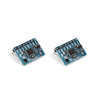
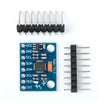
- MPU6050 IMU module (accelerometer/gyroscope) - provides acceleration data to filter
- Jumper wires and a breadboard (optional) - for wiring the sensor to the board
Note: The example code uses I2C(0) with SDA on Pin(0) and SCL on Pin(1), and sets the I2C frequency to 400000.
Step-by-Step Guide
Step 1 - Understand the low-pass filter algorithm
Goal: Learn how the low-pass filter calculation smooths a stream of sensor readings.
What to do: Use the formula below inside a function that takes a previous filtered value and the newest raw value. The tuning parameter is alpha (0 to 1 inclusive). A higher alpha trusts the previous value more, which increases smoothing, but can also make the output respond more slowly to real changes.
Code:
#Native libs
from machine import Pin, I2C
import math
import time
from time import sleep

from imu import MPU6050


i2c = I2C(0, sda=Pin(0), scl=Pin(1), freq=400000)
sensor = MPU6050(i2c)
filtered_ax = 0
alpha = 0.85 # must be between 0 and 1 inclusive


def low_pass_filter(prev_value, new_value):
    return alpha * prev_value + (1 - alpha) * new_value


while True:
    ax_new = sensor.accel.x
    filtered_ax = low_pass_filter(filtered_ax, ax_new)
    print("filtered_ax: ", filtered_ax, "raw ax", ax_new)
    time.sleep(1/10)
Expected result: You have a low-pass filter function that outputs a smoothed value based on the previous filtered value and the newest sensor reading.
Step 2 - Run the script and view the output
Goal: Confirm the filter is smoothing the acceleration signal.
What to do: Run the script and observe the printed values. The loop reads the sensor, applies the filter, prints both the filtered and raw acceleration in the x-direction, and repeats every 1/10 of a second. You can increase the frequency of measurement if you like.

Expected result: Your filtered acceleration is smoother than the raw acceleration while still following the overall trend of the motion signal.
Conclusion
You now know how to implement a basic low-pass filter in MicroPython for an MPU6050 data stream and what it does at a high level to smooth sensor values. Keep in mind that higher filtering can introduce lag and bias, and that there are more sophisticated filters depending on your application.
Want parts for your next Raspberry Pi sensor build? Grab them from ShillehTek.com. If you want help selecting a filtering approach, tuning parameters like alpha, or building a polished prototype, check out our IoT consulting services.
For more video tutorials, follow Shilleh on Youtube.




.png?v=25000753014097803521791168436)

.png?v=68677308723310773341791168436)


