

Video Tutorial
Watch first if you want to see the projects in action.
Long Version:
Short Version:
Project Overview
BME280 Environment Telemetry Over LoRa Mesh with Meshtastic (ESP32 SX1262): learn how to wire a BME280 sensor to an ESP32 LoRa V3 board, enable Meshtastic environment telemetry, and automatically broadcast temperature, humidity, and barometric pressure readings to another node over a private LoRa mesh with no Wi-Fi or internet required.
- Time: 30 to 60 minutes
- Skill level: Beginner to Intermediate
- What you will build: A two-node LoRa mesh where one node reads a BME280 sensor and broadcasts environment data to the other node's OLED display

Parts List
From ShillehTek
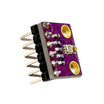
- BME280 Pre-Soldered Atmospheric Temperature, Pressure and Humidity Sensor - the environmental sensor used in this build
- ShillehTek 120pcs 10cm Multicolored Jumper Wire - for connecting the BME280 to the ESP32 header pins
- ShillehTek 400-Point Breadboard - for prototyping the BME280 and Heltec V3 connection
External
- 2x ESP32 LoRa V3 boards (SX1262, OLED, CP2102) - Heltec WiFi LoRa 32 V3 or equivalent (example: https://www.amazon.com/dp/B0DZN87DJX)
- 1x BME280 sensor module (I2C, 3.3V) - measures temperature, humidity, and barometric pressure (we use the ShillehTek BME280 in this guide)
- Female-to-female jumper wires - for connecting the BME280 to the ESP32 header pins (we use ShillehTek jumper wires and a ShillehTek 400-point breadboard)
- USB-C data cables - must support data transfer, not just charging
- 915MHz antennas - attach before powering or transmitting
- Python 3.9+ and pip - used to install the Meshtastic CLI
Note: Port names differ between macOS, Linux, and Windows. On macOS use /dev/cu.* instead of /dev/tty*. The Heltec V3 uses GPIO41 (SDA) and GPIO42 (SCL) for external I2C sensors. Do not use GPIO21/22 as those are reserved for the OLED on V3 boards.
Step-by-Step Guide
Step 1 - Install the Meshtastic CLI
Goal: Create an isolated Python environment and install the Meshtastic command-line tool.
What to do: Run these commands in a terminal to create a virtual environment, activate it, and install Meshtastic.
python3 -m venv meshtastic-env
source meshtastic-env/bin/activate
pip install -U meshtastic
Expected result: The meshtastic CLI is available in the activated environment as the meshtastic command.
Step 2 - Flash Meshtastic Firmware
Goal: Install Meshtastic firmware on each ESP32 LoRa board.
What to do: Use the Meshtastic Web Installer for the easiest flashing experience.
- Open https://flasher.meshtastic.org in Chrome or Edge.
- Plug one board into USB-C on your computer.
- Click Connect and choose the serial port (on macOS look for /dev/cu.usbserial-*).
- Select Heltec v3 as the device type when prompted.
- Flash and wait for completion. Be patient as this takes a few minutes.
- Unplug and repeat for the second board.


Expected result: Both ESP32 LoRa boards run Meshtastic firmware and are ready for configuration.
Step 3 - Wire the BME280 Sensor
Goal: Connect the BME280 to one of the ESP32 boards (the sensor node) so Meshtastic can read temperature, humidity, and pressure.
What to do: Wire the BME280 module to the Heltec V3 board using the external I2C bus. The Heltec V3 uses GPIO41 for SDA and GPIO42 for SCL.
| BME280 Pin | Heltec V3 Pin |
|---|---|
| SDA | GPIO41 |
| SCL | GPIO42 |
| VCC | 3.3V |
| GND | GND |


Note: Do not use GPIO21/GPIO22 for external I2C on the Heltec V3. Those pins are used by the onboard OLED display. If you wire the BME280 to 21/22 the firmware will not detect the sensor. This is a common mistake when following V2 pinout diagrams.
Expected result: After rebooting the board, the OLED screen should show temperature, humidity, and pressure readings on the telemetry screen (press the button to cycle through screens).
Step 4 - Set a Private Channel
Goal: Create a private channel with a random encryption key on one node and replicate it to the other so only your nodes can communicate.
What to do: Connect both boards to your computer via USB. Run the following commands to configure the first board (Board 1), get its channel URL, then apply that URL to the second board (Board 2, the sensor node).
On Board 1:
meshtastic --port /dev/cu.usbserial-0001 --begin-edit
meshtastic --port /dev/cu.usbserial-0001 --ch-index 0 --ch-set name shillehtek
meshtastic --port /dev/cu.usbserial-0001 --ch-index 0 --ch-set psk random
meshtastic --port /dev/cu.usbserial-0001 --set lora.region US
meshtastic --port /dev/cu.usbserial-0001 --commit-edit
Get the channel URL:
meshtastic --port /dev/cu.usbserial-0001 --info | grep "Primary channel URL"Copy the URL that looks like: https://meshtastic.org/e/#CjISI...
On Board 2 (sensor node):
meshtastic --port /dev/cu.usbserial-3 --ch-set-url "https://meshtastic.org/e/#..."
meshtastic --port /dev/cu.usbserial-3 --set lora.region US
meshtastic --port /dev/cu.usbserial-3 --reboot
Reboot Board 1:
meshtastic --port /dev/cu.usbserial-0001 --rebootNote: Your second board's port may differ. On macOS run ls /dev/cu.usbserial-* to find both ports. Replace the port paths in the commands above accordingly.
Expected result: Both nodes share the same private channel and PSK. They can now exchange messages securely over LoRa.
Step 5 - Enable Environment Telemetry on the Sensor Node
Goal: Tell the sensor node (Board 2) to read the BME280 and broadcast environment data to the mesh at a regular interval.
What to do: Run these commands on Board 2 to enable environment telemetry and set the broadcast interval.
meshtastic --port /dev/cu.usbserial-3 --set telemetry.environment_measurement_enabled true
meshtastic --port /dev/cu.usbserial-3 --set telemetry.environment_update_interval 60
meshtastic --port /dev/cu.usbserial-3 --set telemetry.environment_screen_enabled true
Optionally enable environment display on Board 1 too so it shows incoming readings:
meshtastic --port /dev/cu.usbserial-0001 --set telemetry.environment_screen_enabled trueNote: The environment_update_interval is in seconds. Setting it to 60 means the sensor node will broadcast BME280 data every 60 seconds. You can set it as low as 10 but Meshtastic applies airtime throttling so actual broadcast rate may be slower than the configured interval.
Expected result: Board 2 reads the BME280 and broadcasts temperature, humidity, and pressure over LoRa. Board 1 receives the data and displays it on its OLED screen.
Step 6 - Verify Telemetry Reception
Goal: Confirm that Board 1 is receiving environment telemetry from Board 2.
What to do: Separate the boards by at least 2 to 3 feet (LoRa radios can get overwhelmed when too close). Then request environment telemetry from the sensor node via Board 1.
meshtastic --port /dev/cu.usbserial-0001 --dest '!0408a510' --request-telemetry environment --timeout 20Replace !0408a510 with your sensor node's ID. Find it by running:
meshtastic --port /dev/cu.usbserial-0001 --nodesExpected result: You should see output like this confirming live BME280 data arriving over the mesh:
Telemetry received:
environmentMetrics:
  temperature: 21.27
  relativeHumidity: 35.28
  barometricPressure: 990.69
You can also press the button on Board 1 to cycle through the OLED screens. The environment telemetry from Board 2 will appear on one of the display pages.

Step 7 - Common Issues and Fixes
Goal: Resolve frequent issues encountered during setup.
What to do: Use these quick checks if something is not working:
- No sensor data: If the BME280 is not detected, verify the wiring. The Heltec V3 uses GPIO41 (SDA) and GPIO42 (SCL) for external I2C. GPIO21/22 will not work on V3 boards.
- Port busy errors: Only one application can use a serial port at a time. Close the Meshtastic web flasher, any serial monitors, or other scripts before running CLI commands.
- Region not set: If lora.region is UNSET nodes will not transmit. Always set it to US or your local region.
- Nodes too close: LoRa radios need some distance to function well. Move boards a few feet apart or use longer USB cables.
- Telemetry request times out: Reboot the sensor board and wait 20 seconds before retrying. The board scans the I2C bus for sensors at boot time.
- Wrong PSK: Use --ch-set-url from the first node to replicate the exact channel config to the second node.
- BME280 vs BMP280: Some cheap modules are labeled BME280 but are actually BMP280 (no humidity). Both should still return temperature and pressure data.
Expected result: Stable environment telemetry broadcasting between nodes.
Conclusion
You built a wireless environment monitoring system using two ESP32 LoRa V3 boards with Meshtastic and a BME280 sensor. One node reads temperature, humidity, and barometric pressure and automatically broadcasts the data over a private LoRa mesh to the other node, which displays it on its OLED screen. No Wi-Fi, no internet, no cloud services required.
This opens the door to solar-powered remote weather stations, off-grid agricultural monitoring, LoRa-to-MQTT bridges for home automation, and many more IoT projects using long-range, free, and secure communication.
Want the exact parts used in this build? Grab them from ShillehTek.com. For custom work, consulting, or help designing a production LoRa sensor network, hire us on UpWork.




.png?v=25000753014097803521789973449)

.png?v=68677308723310773341789973449)


