

Project Overview
ESP8266 D1 Mini + AC 220V time delay relay module: In this project, you will build a mains-switched timer that can turn a fan, pump, lamp, or aquarium equipment on or off for a set duration using a self-contained AC 220V time delay relay, with an optional WiFi trigger upgrade.
This guide explains the difference between the four classic delay modes (on-delay, off-delay, interval, cyclic), shows how to wire one safely to a real load, and outlines how an Arduino or ESP8266 can trigger and override the timer remotely.

- Time: 30 to 60 minutes
- Skill level: Intermediate
- What you will build: A safe, set-and-forget mains timer using a 220V time delay relay, with an optional ESP8266-trigger upgrade.
Parts List
From ShillehTek
- 1-Channel 12V Relay Module - alternative DC-side relay for low-voltage loads.
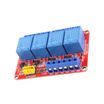
- 4-Channel 12V Relay Module - for multi-zone timers.
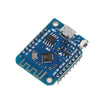
- ESP8266 D1 Mini V3 - the smart WiFi trigger upgrade.
- Arduino Nano V3.0 - optional controller for custom triggering.
- 1-Channel 5V Relay Module - interfaces an ESP8266/Arduino output to the timer trigger input.
External
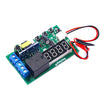
- AC 220V time delay relay module (brick-style with a knob and 4 screw terminals).
- Mains-rated cable, terminal blocks, and a fused enclosure.
- A real load: bathroom fan, aquarium pump, gardening pump, holiday lights.
- A licensed electrician (or equivalent competence) for the actual mains wiring.
Note: AC mains wiring is hazardous. Use an enclosure and cable rated for your local mains voltage/current, add a properly sized fuse, and follow your local electrical code.
Step-by-Step Guide
Step 1 - Safety first
Goal: Reduce the risk of shock, fire, and exposed-conductor hazards before touching AC 220V wiring.

What to do: 220V AC can kill you. Follow these rules:
- Disconnect at the breaker before opening the enclosure. Test with a non-contact voltage probe.
- Use a fused enclosure rated for the load. 5A inline fuse minimum (size appropriately for your load and local code).
- Cover all conductors using heat-shrink, terminal blocks, and strain relief. No exposed copper.
If you are unsure, drive the timer’s trigger from a low-voltage signal and have a qualified electrician do the AC switching. Better still, use a low-voltage solenoid valve or a 12V LED system and avoid mains wiring.
Expected result: You have a safe plan (and the right enclosure/fusing) before any mains connections are made.
Step 2 - Select the delay mode you need
Goal: Choose the correct timing behavior before wiring your trigger and load.
What to do: Most 220V time delay relays have a mode-select switch or jumper. The four standard modes are:
- On-delay (Mode A): apply trigger, wait T seconds, close relay, stay closed until trigger removed.
- Off-delay (Mode B): close relay immediately on trigger; when trigger removed, wait T seconds, then open relay.
- Interval (Mode C): close relay on trigger for exactly T seconds, then open even if trigger is still present.
- Cyclic (Mode D): ON for T1, OFF for T2, repeating while trigger is present.
Expected result: You know which mode matches your use case (for example, off-delay for a fan run-on timer).
Step 3 - Wire the timer power and switched load
Goal: Power the relay’s internal timer and route mains to the load through COM/NO/NC safely.

What to do: Use the terminal labels on your specific module, and verify with the datasheet. A common terminal mapping looks like this:
Mains L (live)   ->  Relay terminal "+" (or "L")
Mains N (neutral)->  Relay terminal "-" (or "N")
                     -- timer-driven contacts --
Mains L (live)   ->  Relay COM
Relay NO         ->  Load (+)
Mains N          ->  Load (-)
Trigger button   ->  Mode trigger terminal
The "+" and "-" (or L/N) terminals power the timer’s internal electronics (often 220V AC on AC models, or 12V DC on DC models). The COM/NO/NC terminals are dry switching contacts that route the load.
Expected result: With the correct mode and time set, the load switches through COM/NO (or COM/NC) based on the timer behavior.
Step 4 - Example configuration: bathroom exhaust fan run-on
Goal: Set up a common real-world use case using off-delay timing.
What to do: Configure the timer for off-delay mode, 10 minutes. Wire the light switch to drive the relay trigger. Wire the fan through the relay’s NO contacts.
Expected result: Flip light on and the fan starts. Flip light off and the fan keeps running for 10 minutes, then stops.
Step 5 - Apply the same wiring and mode logic to other use cases
Goal: Map the four timing modes to practical projects.
What to do: Choose a mode and dial in the time for your application, for example:
- Aquarium / pond pump timer: 4-hour ON / 2-hour OFF cyclic.
- Garden drip irrigation: interval mode, 5 minutes of pump per trigger.
- Greenhouse vent fan: on-delay when temperature rises (with a thermostat upstream).
- Christmas lights with auto-off: push a button, lights run for 4 hours, then off.
- Soldering iron auto-off after walking away: 15-minute interval timer.
- Outdoor security flood lamp: off-delay after motion detection.
Expected result: You can select a timing mode quickly for a new project and wire it consistently.
Step 6 - Smart upgrade: trigger the timer from an ESP8266
Goal: Add WiFi control without replacing the reliable knob-based timing logic.
What to do: Combine an ESP8266 D1 Mini with a low-voltage 5V relay module:
- The ESP8266 hosts a tiny web UI / Home Assistant entity.
- Toggling the entity drives the 5V relay’s NO contacts.
- The 5V relay’s contacts wire to the time-delay relay’s trigger terminal.
- The time-delay knob remains the timing source, while the trigger becomes WiFi-controlled.
Expected result: You can start or override the timer remotely while keeping the time-delay relay’s set-and-forget behavior.
Step 7 - Decide when not to use a 220V time delay relay
Goal: Avoid unnecessary mains wiring when a safer low-voltage approach fits.
What to do: If your load is under 12V DC, use a 12V relay module with an Arduino for a cheaper, smarter, low-voltage solution. Use the 220V brick when you specifically need to switch mains AC and want a set-and-forget mechanical timer.
Expected result: You choose the safest and simplest approach for your voltage and load type.
Conclusion
A 220V time delay relay module is a practical tool for any run-for-X-minutes-then-stop job on mains loads, and it pairs well with an optional ESP8266 D1 Mini trigger when you want WiFi control. By selecting the correct delay mode and wiring COM/NO/NC properly, you get predictable timing without relying on firmware that can crash.
Want the exact parts used in this build? Grab them from ShillehTek.com. If you want help customizing this project or building something for your product, check out our IoT consulting services.
Credits: Inspired by "ESP8266 Wifi Timer Switch for AC Loads" on Instructables. Images credited to the original author.




.png?v=25000753014097803521791168436)

.png?v=68677308723310773341791168436)


