

Project Overview
ESP32-S3 vs ESP32-C3 vs ESP32-C6: This guide compares the ESP32-S3, ESP32-C3, and ESP32-C6 modules so you can pick the right modern ESP32 variant for your project goals, like low-power BLE sensors, WiFi 6 battery nodes, or camera and UI builds.

The original ESP32-WROOM-32 launched in 2016 and dominated the maker world for years. Espressif has since shipped three modern variants: the ESP32-S3 (high-end Xtensa, 8 MB PSRAM, AI), the ESP32-C3 (cheap single-core RISC-V), and the ESP32-C6 (RISC-V plus WiFi 6, Zigbee, Thread). They share the Arduino IDE ecosystem and most of the same code, but they target completely different projects.
This guide focuses on practical buying decisions: specs side-by-side, real-world implications, and which variant fits common maker projects.
- Time: 10 to 20 minutes
- Skill level: Beginner
- What you will build: A clear decision framework for choosing ESP32-S3, ESP32-C3, or ESP32-C6 for your next IoT project
Parts List
From ShillehTek
- ESP-WROOM-32 (original) - for reference comparison
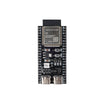
- ESP32-S3 DevKitC-1 (N16R8, pre-soldered) - S3 baseline with 16 MB flash and 8 MB PSRAM for camera, display and ML builds
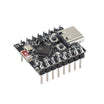
- ESP32-C3 4 MB dev board (pre-soldered) - the low-cost WiFi 4 + BLE 5 option
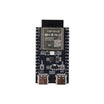
- ESP32-C6-N4 dev board (pre-soldered) - WiFi 6 plus 802.15.4 (Zigbee/Thread) option
External
- USB-C cables
- Arduino IDE 2.x with the Espressif boards package >= 3.0
Note: Board features and pin counts can vary by dev board. Only the ESP32-S3 has a USB OTG controller; the C3 and C6 expose a USB Serial/JTAG port for flashing and logging, not a general-purpose USB device port.
Step-by-Step Guide
Step 1 - Compare headline specs side-by-side
Goal: Understand the biggest spec differences that drive real project outcomes.
What to do: Use the table below to match each variant to your priorities: PSRAM for graphics and ML, 802.15.4 for Zigbee/Thread, and USB capabilities for device-mode projects.
| ESP-WROOM-32 | ESP32-S3 | ESP32-C3 | ESP32-C6 | |
|---|---|---|---|---|
| CPU arch | Dual Xtensa LX6 | Dual Xtensa LX7 | Single RISC-V | Single RISC-V |
| Clock | 240 MHz | 240 MHz | 160 MHz | 160 MHz |
| WiFi | 2.4 GHz n | 2.4 GHz n | 2.4 GHz n | 2.4 GHz ax (WiFi 6) |
| Bluetooth | BT 4.2 + BLE 4.2 | BLE 5 | BLE 5 | BLE 5 |
| Zigbee / Thread | - | - | - | Yes (802.15.4) |
| PSRAM (typical) | 0 | 8 MB | 0 | 0 |
| Flash (typical) | 4 MB | 16 MB | 4 MB | 4 MB |
| USB | No (CP2102 UART bridge) | USB OTG full-speed + USB Serial/JTAG | USB Serial/JTAG only | USB Serial/JTAG only |
| AI vector ops | No | Yes | No | No |
| Camera interface | Yes (parallel DVP) | Yes | No | No |
| GPIO count | 34 | 45 | 22 | 30 |
| ShillehTek board (pre-soldered) | $8.99 (ESP-WROOM-32) | $9.99 (DevKitC-1 N16R8) | $5.99 (C3 4 MB) | $8.99 (C6-N4) |
Expected result: You can quickly see why S3 is the "big memory" pick, C3 is the low-cost BLE pick, and C6 is the WiFi 6 plus Zigbee/Thread pick.
Step 2 - Pick a default variant for a new IoT project
Goal: Make a fast first choice, then refine based on constraints.
What to do: Use this cheat sheet when you are starting fresh and do not yet know what to prioritize.
- Sensor node / button / battery-powered thing that talks to your phone - ESP32-C3. Cheapest, BLE 5, USB Serial/JTAG for flashing, plenty fast.
- Smart-home device that lives on Zigbee or Matter / Thread - ESP32-C6. Only variant with 802.15.4 radio.
- Camera, large LCD UI, ML inference, audio - ESP32-S3. The 8 MB PSRAM is the main reason.
- Existing project with library compatibility concerns - original WROOM-32. The longest tutorial trail.
Expected result: You have a clear short list based on your project type.
Step 3 - Decide if WiFi 6 on the ESP32-C6 matters for you
Goal: Understand why WiFi 6 can matter even when raw speed is similar.
What to do: If you are building a battery-powered WiFi sensor, evaluate whether you want WiFi 6 features like Target Wake Time. The C6 can negotiate exactly when to wake up, helping battery-powered WiFi devices last years instead of months in the right design.
Expected result: You know whether to choose C6 specifically for power behavior on WiFi, not for peak throughput.
Step 4 - Factor in native USB capabilities
Goal: Choose the right chip if you want true USB device behavior over USB-C.
What to do: Remember that the original WROOM-32 commonly uses a CP2102 (or similar) USB-to-UART chip on dev boards. Of the three modern variants, only the ESP32-S3 has a USB OTG controller (full-speed, 12 Mbit/s), which is what enables USB-CDC serial, USB-HID keyboards and mice, USB-MSC mass storage and USB host projects. The C3 and C6 include only a USB Serial/JTAG controller — great for flashing, the serial console and debugging, but not for HID or mass-storage device projects. High-speed USB (480 Mbit/s) exists only on the ESP32-P4.
Expected result: You can choose the S3 when you need USB device or host behaviour, and the C3/C6 when a USB serial port for programming is enough.
Step 5 - Decide whether RISC-V vs Xtensa affects your project
Goal: Avoid over-optimizing for CPU architecture when it does not change your build.
What to do: For most Arduino projects, the core and code feel very similar. Differences usually show up in areas like:
- Toolchain ecosystem: RISC-V has better LLVM and Rust support; Xtensa is improving but more proprietary.
- Vector instructions: only the S3 (Xtensa LX7) has them, which is why it is the AI-friendly variant.
- Per-MHz performance: roughly comparable for embedded workloads.
- Power per task: RISC-V tends to be slightly more power-efficient at low clock speeds.
Expected result: You pick based on radios, memory, and peripherals first, then use architecture as a tie-breaker.
Step 6 - Map common projects to the right ESP32 variant
Goal: Sanity-check your choice against real-world examples.
What to do: Compare your project to the closest match below.
- Battery-powered DHT22 + BLE node - C3. $5.99 board, 5 µA deep sleep, BLE 5.
- Smart Matter / Thread switch - C6. Native 802.15.4.
- ESP32-CAM-style camera with face recognition - S3. PSRAM plus vector ops.
- LVGL touchscreen dashboard - S3. The framebuffer fits in PSRAM.
- Beginner’s first IoT project, follows a 5-year-old tutorial - original WROOM-32.
Expected result: You end with the right default board for your feature set and budget.
Head-to-Head: ESP32-C3 vs ESP32-C6, ESP32-S3 vs ESP32-C6, ESP32-S3 vs ESP32-C3
ESP32-C3 vs ESP32-C6
Both are single-core RISC-V chips clocked up to 160 MHz with Bluetooth 5 (LE). The C6 adds 2.4 GHz WiFi 6 (802.11ax) with Target Wake Time, an IEEE 802.15.4 radio for Zigbee and Thread, a second 20 MHz low-power core, 512 KB SRAM and up to 30 GPIOs (QFN40 package) against the C3's 400 KB SRAM and 22 GPIOs. Neither chip has USB OTG — both expose a USB Serial/JTAG controller for flashing and serial logging only. Choose the C3 for the cheapest WiFi 4 + BLE sensor node (ESP32-C3 4 MB pre-soldered, $5.99); choose the C6 when you need Zigbee/Thread or want WiFi 6 power features on battery (ESP32-C6-N4 pre-soldered, $8.99).
ESP32-S3 vs ESP32-C6
The S3 is the compute chip: dual-core Xtensa LX7 at up to 240 MHz, 45 GPIOs, 512 KB SRAM, vector instructions for AI and DSP workloads, support for octal SPI flash and PSRAM, and a full-speed (12 Mbit/s) USB OTG controller alongside USB Serial/JTAG. The C6 trades that for radios: WiFi 6, BLE 5 and 802.15.4 on a single 160 MHz RISC-V core. Choose the S3 for cameras, LCD/LVGL dashboards, audio and on-device ML (ESP32-S3 DevKitC-1 N16R8 pre-soldered, $9.99); choose the C6 for Zigbee/Thread devices or battery WiFi nodes.
ESP32-S3 vs ESP32-C3
Both carry 2.4 GHz WiFi 4 and Bluetooth 5 (LE); the difference is compute and peripherals. S3: dual-core 240 MHz, 45 GPIOs, PSRAM support, vector instructions, USB OTG. C3: single-core 160 MHz RISC-V, 22 GPIOs, 400 KB SRAM, USB Serial/JTAG only, and the lowest price. If the project is a sensor node, button or BLE beacon, the C3 is enough; if it drives a display, camera or audio, buy the S3.
FAQ
Does the ESP32-C3 or ESP32-C6 have USB OTG?
No. The C3 and C6 include only a USB Serial/JTAG controller, used for flashing, the serial console and debugging. For USB keyboard/mouse (HID), mass-storage or USB host projects you need the ESP32-S3 (full-speed USB OTG) — or the ESP32-P4 for high-speed USB.
Which ESP32 supports Zigbee and Thread?
Only the ESP32-C6 in this trio — it has an IEEE 802.15.4 radio in addition to WiFi 6 and BLE 5.
Which ESP32 has PSRAM?
The ESP32-S3 supports octal SPI PSRAM; the DevKitC-1 N16R8 we stock ships with 16 MB flash and 8 MB PSRAM (see our N16R8 PSRAM verification tutorial). The C3 and C6 boards here have 4 MB flash and no PSRAM.
Conclusion
The classic ESP32-WROOM-32 still works, but for new builds you will usually be choosing among ESP32-S3, ESP32-C3, or ESP32-C6. The C3 is the budget BLE-IoT default, the C6 is the future-proof pick when you need Zigbee/Thread (and WiFi 6 power features), and the S3 is the heavyweight option for camera, ML, audio, and large UIs thanks to PSRAM.
Want the exact boards used in this comparison? Grab them from ShillehTek.com. If you want help picking the right ESP32 for your product or designing an IoT build around it, check out our IoT consulting services.
Attribution: This guide was inspired by "Build Custom ESP32 Boards From Scratch | the Complete Guide to Designing Your Own ESP32-S3 and C3" on Instructables.



.png?v=25000753014097803521791168436)

.png?v=68677308723310773341791168436)


