

Project Overview
ESP32 + reed switch + relay garage door control: An ESP32 reads a magnetic reed switch to detect whether your garage door is open or closed, then pulses a 1-channel relay to trigger the wall-button circuit so you can open, close, and check status over Wi-Fi.
Add a Telegram bot (as shown below) and you can control the door from anywhere with simple commands.
- Time: ~2 hours
- Skill level: Intermediate
- What you will build: An ESP32 reporting door state and triggering the opener on demand over Wi-Fi.

Parts List
From ShillehTek
- ESP32-WROOM Dev Board - runs the Wi-Fi control logic and reads the door sensor.
- 1-Channel 5V Relay Module - momentarily shorts the opener’s manual button leads.
- 120 PCS Dupont Jumper Wires - quick connections for prototyping and testing.
External
- Magnetic reed switch (door-sensor style) - detects open/closed state.
- 5V USB power supply - powers the ESP32 and relay module.
- 2 wires to splice into your garage opener’s manual button leads (low-voltage) - connects to relay COM and NO.
Safety: Splice ONLY into the low-voltage button leads (the wires running from the opener to the wall-mounted button). Never wire mains AC through this relay. If unsure, stop and consult an electrician.
Step-by-Step Guide
Step 1 - Mount the Reed Switch
Goal: Install the sensor so the ESP32 can detect when the door is open or closed.
What to do: Mount the reed switch on the door frame and the magnet on the moving door so they align when the door is closed.

Expected result: When the door moves away from the frame, the reed switch changes state.
Step 2 - Wire the ESP32, Reed Switch, and Relay
Goal: Connect the door sensor to a GPIO input and the relay module to a GPIO output.
What to do: Make the following connections.

- Reed switch one leg to GPIO 13, other leg to GND (use INPUT_PULLUP)
- Relay VCC to 5V, GND to GND, IN to GPIO 27
- Relay COM and NO to the two manual-button leads on the opener
Expected result: The ESP32 can read door state on GPIO 13, and GPIO 27 can activate the relay to simulate a button press.
Step 3 - Upload the Sketch (Telegram Trigger)
Goal: Connect the ESP32 to Wi-Fi, report door state changes, and trigger the relay from Telegram commands.
What to do: Upload the code below, then set your Wi-Fi credentials and Telegram bot values (SSID, PASS, TOKEN, CHAT).

Code:
#include <WiFi.h>
#include <WiFiClientSecure.h>
#include <UniversalTelegramBot.h>

const char* SSID="WIFI", *PASS="PWD", *TOKEN="BOT", *CHAT="CHAT";
const int REED=13, RELAY=27;
WiFiClientSecure client;
UniversalTelegramBot bot(TOKEN, client);
bool lastDoor = HIGH;

void setup() {
  pinMode(REED, INPUT_PULLUP); pinMode(RELAY, OUTPUT);
  WiFi.begin(SSID, PASS);
  while (WiFi.status() != WL_CONNECTED) delay(500);
  client.setCACert(TELEGRAM_CERTIFICATE_ROOT);
}

void trigger() { digitalWrite(RELAY, HIGH); delay(500); digitalWrite(RELAY, LOW); }

void loop() {
  bool door = digitalRead(REED);
  if (door != lastDoor) {
    bot.sendMessage(CHAT, door == HIGH ? "🚪 Garage opened" : "🚪 Garage closed");
    lastDoor = door;
  }
  int n = bot.getUpdates(bot.last_message_received + 1);
  for (int i = 0; i < n; i++) {
    if (bot.messages[i].text == "/open" || bot.messages[i].text == "/close") trigger();
  }
  delay(1000);
}
Expected result: You receive a message when the door opens or closes, and the relay triggers when you send /open or /close.
Step 4 - Control It from Telegram
Goal: Verify remote control and status monitoring.
What to do: Send /open or /close to your bot and watch the door respond. Confirm you also get state change messages as the reed switch opens and closes.


Expected result: Commands trigger the opener and door status updates reflect open/closed state.
Step 5 - Where to Take It Next
Goal: Identify safe, logical feature expansions for this same hardware pattern.
What to do: Consider these extensions.
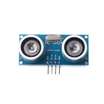
- Add HC-SR04 to measure car presence (or use the reed-switch trick on a second door)
- Auto-close after N minutes of being open
- Stream to Home Assistant via MQTT
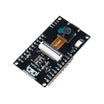
- Snapshot with ESP32-CAM on every door event
Expected result: You have a clear roadmap for expanding the project without changing the core wiring approach.
Conclusion
This build uses an ESP32, a magnetic reed switch, and a 1-channel relay module to monitor your garage door state and trigger the opener remotely over Wi-Fi. You get open/close alerts and simple remote control without needing a garage-specific app or subscription.
Want the exact parts used in this build? Grab them from ShillehTek.com. If you want help customizing this project or building something for your product, check out our IoT consulting services.





.png?v=25000753014097803521791168436)

.png?v=68677308723310773341791168436)


