

Video Tutorial (Optional)
Watch first if you want to follow the full ESP32 + MPU6050 i2cdevlib setup in real time.
Project Overview
ESP32 + MPU6050: In this project, you use an ESP32 Dev Module with an MPU6050 to output accurate orientation values (yaw, pitch, roll) using the i2cdevlib library, without needing to implement sensor fusion math yourself.
Many online examples try to compute angles with simple formulas that often fail in real motion. Here, i2cdevlib handles the heavy work (sensor fusion and calibration workflow) so you can focus on integrating reliable orientation data into your application.
- Time: 30 to 60 minutes
- Skill level: Beginner to Intermediate
- What you will build: An ESP32 project (PlatformIO + Arduino framework) that prints stable ypr (yaw, pitch, roll) values from an MPU6050 DMP example

Parts List
From ShillehTek
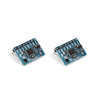
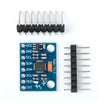
- MPU6050 pre-soldered module (GY-521) - the 6-axis motion sensor used to compute yaw, pitch, and roll
- ShillehTek 400-Point Solderless Breadboard - for solderless wiring between ESP32 and MPU6050
- ShillehTek 120pcs 20cm Dupont Wires - for I2C power and data connections
- ESP-WROOM-32 ESP32 Dev Board CP2102 USB-C Pre-Soldered - the development board used in this build
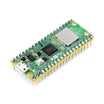
- Raspberry Pi Pico 2W - the microcontroller board used in this build
External
- PlatformIO - IDE extension used in VSCode for building and uploading
- i2cdevlib repository - provides I2Cdev and MPU6050 libraries and examples (including MPU6050_DMP6.ino)
Note: The original post includes a discount mention: “Use Discount Code SHILLEHTEK for 30% Off!”

Step-by-Step Guide
Step 1 - Setup physical connection
Goal: Wire the ESP32 to the MPU6050 using four jumper wires so the board can communicate with the sensor over I2C.
What to do: Set up your connection as shown in the diagram.

Expected result: The MPU6050 is powered and wired to the ESP32 with the I2C lines connected, ready for firmware upload.
Step 2 - Create a PlatformIO project in VSCode
Goal: Set up an ESP32 project using PlatformIO (Arduino framework) so you can build and upload the example code.
What to do: Install the PlatformIO extension in VSCode (details here). Create a new project and choose the board profile ESP32 Dev Module. Make sure your ESP32 is plugged in so VSCode can find it.

Expected result: You have a working PlatformIO ESP32 project that can compile and upload to your board.
Step 3 - Download i2cdevlib and add the required libraries
Goal: Add only the needed i2cdevlib folders to your PlatformIO project so the MPU6050 DMP example compiles.
What to do: Download the repository contents from:
https://github.com/jrowberg/i2cdevlib/tree/master
Unzip it, then move both Arduino/MPU6050 and Arduino/I2Cdev into your project’s lib directory. You do not need the full repo for this use case.

Expected result: Your project structure includes the I2Cdev and MPU6050 libraries and is ready for the example sketch code.
Step 4 - Copy the example code and set the baud rate
Goal: Use the i2cdevlib DMP example so the ESP32 prints orientation data reliably.
What to do: Copy the contents of MPU6050_DMP6.ino into your main.cpp file in the src folder. Change the default baud rate to 9600, then upload the code to the ESP32.

Expected result: The firmware uploads successfully, and the serial output prompts you to enter any key to proceed with the DMP.
Step 5 - Calibrate by applying the offsets, then read ypr output
Goal: Improve angle accuracy by applying the calibration offsets reported on the first run.
What to do: The first time you run the code, it will provide offsets. Substitute those offsets into the code where indicated. Subtracting offsets is needed because sensors have inherent bias and require calibration.
In the original example run, these offsets were used:
Code:
// supply your own gyro offsets here, scaled for min sensitivity
mpu.setXGyroOffset(11);
mpu.setYGyroOffset(-51);
mpu.setZGyroOffset(-19);
mpu.setZAccelOffset(2048); // 1688 factory default for my test chip
Rerun the code after updating offsets to get more accurate angle values. The output displays as ypr (yaw, pitch, roll). Add a delay if needed.
It is best to calibrate the sensor on a tabletop using a breadboard or calibration block so the accelerometer stays as flat as possible. All angles are relative to the initial position, so they should be close to 0 at the beginning until you move the sensor.
If you want the simple theory and math behind calculating offsets for the MPU6050, the original post links this video:
Expected result: The serial monitor shows stable ypr (yaw, pitch, roll) values that are more accurate after applying your sensor’s offsets.
Conclusion
You set up an ESP32 Dev Module with an MPU6050 and used i2cdevlib to output accurate yaw, pitch, and roll values without implementing sensor fusion math from scratch. After copying the DMP example and applying the reported offsets, the ypr output becomes much more reliable for real applications.
Want the exact parts used in this build? Grab them from ShillehTek.com. If you want help customizing this project or building something similar for your product, check out our IoT consulting services.







.png?v=25000753014097803521791168436)

.png?v=68677308723310773341791168436)


