

Video Tutorial (Optional)
Watch first if you want to see the ESP32 and LCD1602 wiring with the logic level shifter in real time.
Project Overview
ESP32 + LCD1602 (Parallel) + Logic Level Shifter: In this build you will control a classic LCD1602 16x2 character screen from an ESP32 and display a blinking "Hello, World!" message. We use a simple logic level converter to shift the ESP32's 3.3V signals up to 5V for stable LCD data output.
- Time: 15 to 25 minutes
- Skill level: Beginner
- What you will build: An ESP32-driven LCD1602 that blinks text on a timed loop
Parts List
From ShillehTek
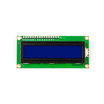
- ShillehTek LCD1602 Blue Backlight (Parallel) - the 16x2 character screen used in this project
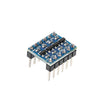
- ShillehTek Logic Level Converter Module (LV to HV) - shifts 3.3V ESP32 signals up to 5V for the LCD data lines
- Breadboard + jumper wires - quick prototyping and clean wiring
- ESP-WROOM-32 ESP32 Dev Board CP2102 USB-C Pre-Soldered - the development board used in this build
Note: We use the LCD in 4-bit mode, so only D4 to D7 are connected (plus RS and E). RW is tied to GND. This tutorial uses a level shifter for the four LCD data lines.
Step-by-Step Guide
Step 1 - Power the LCD and level shifter
Goal: Provide stable power and a shared ground for the whole build.
What to do: Wire power first.
- ESP32 VIN (5V) to LCD VDD
- ESP32 GND to LCD GND
- ESP32 3V3 to level shifter LV
- ESP32 VIN (5V) to level shifter HV
- ESP32 GND to level shifter GND (either GND pin)
Expected result: The LCD is powered. Backlight may be off until Step 4.
Step 2 - Set contrast and lock write mode
Goal: Make characters visible and simplify wiring.
What to do:
- LCD RW to GND (write-only)
- LCD VO to GND (contrast control)
Expected result: You are ready to send text reliably once code is uploaded.
Step 3 - Wire the ESP32 signals to the LCD (4-bit mode)
Goal: Connect RS and E, then shift the four data lines (D4 to D7).
What to do: Use these exact connections.
Control pins (direct to LCD):
- LCD RS to ESP32 D13 (GPIO13)
- LCD E to ESP32 D14 (GPIO14)
Data pins (through level shifter):
- ESP32 D27 (GPIO27) to shifter LV1, shifter HV1 to LCD D4
- ESP32 D26 (GPIO26) to shifter LV2, shifter HV2 to LCD D5
- ESP32 D25 (GPIO25) to shifter LV3, shifter HV3 to LCD D6
- ESP32 D33 (GPIO33) to shifter LV4, shifter HV4 to LCD D7
Expected result: Your wiring is complete and matches the sketch below.
Step 4 - (Optional) Turn on the backlight
Goal: Light up the LCD so it is easy to film and read.
What to do:
- LCD BLA (A) to 5V
- LCD BLK (K) to GND
Expected result: The LCD backlight turns on.
Step 5 - Upload the Hello World blink sketch
Goal: Confirm everything works by blinking "Hello, World!" on the screen.
What to do: Upload this sketch in the Arduino IDE.
Code:
#include <LiquidCrystal.h>

// RS, E, D4, D5, D6, D7
LiquidCrystal lcd(13, 14, 27, 26, 25, 33);

const unsigned long BLINK_MS = 1000; // 1000 = 1 second

void setup() {
  lcd.begin(16, 2);
  lcd.clear();
}

void loop() {
  // ON
  lcd.clear();
  lcd.setCursor(0, 0);
  lcd.print("Hello, World!");
  delay(BLINK_MS);

  // OFF
  lcd.clear();
  delay(BLINK_MS);
}
Expected result: "Hello, World!" appears, clears, and repeats every second.

Conclusion
You wired an ESP32 to a parallel LCD1602 using 4-bit mode (D4 to D7) and used a logic level converter to shift 3.3V signals up to 5V for stable display output. This setup is a solid base for future builds like sensor readouts, timers, counters, and simple dashboards.
Want the exact parts used in this build? Grab them from ShillehTek.com. If you want help customizing this project or building something for your product, check out our IoT consulting services (or reach us via ShillehTek.com).





.png?v=25000753014097803521791168436)

.png?v=68677308723310773341791168436)


