

Project Overview
ESP32 smart greenhouse with DHT22 + soil moisture sensor: In this build, an ESP32 reads air temperature and humidity from a DHT22 and soil moisture from an analog probe, then switches a fan and water pump using a 2-channel relay based on simple thresholds.
You will also output live readings over Serial, and you can optionally stream the data to a phone dashboard (Blynk) or MQTT for remote monitoring.
- Time: ~2 hours
- Skill level: Intermediate
- What you will build: An ESP32 monitoring air + soil, auto-controlling fan + pump, and streaming readings to Serial (with optional Blynk/MQTT dashboard).

Parts List
From ShillehTek
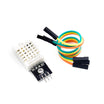
- DHT22 Temperature & Humidity Sensor - measures greenhouse air temperature and humidity.
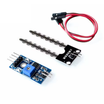
- Soil Moisture Sensor - provides an analog moisture reading for watering decisions.
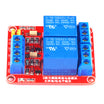
- 2-Channel 5V Relay Module - switches the pump and fan from ESP32 GPIO pins.
- ESP32-WROOM Dev Board (USB-C) - main controller with Wi-Fi and analog input.
- 120 PCS Dupont Jumper Wires - makes quick sensor and relay connections.
- 400-Point Breadboard - simplifies prototyping before a permanent build.
External
- 5V mini water pump + tubing
- 12V cooling fan
- 12V power supply for fan + pump
Note: Always common-ground the microcontroller (ESP32/Arduino), relay module, and the relay-switched external supply.
Step-by-Step Guide
Step 1 - Wire the Sensors
Goal: Connect the DHT22 and the soil moisture module to the ESP32 so you can read air and soil conditions.
What to do: Wire the DHT22 data line to GPIO 4 (D4). Wire the soil moisture analog output to the ESP32 analog input on GPIO 36. Provide correct power and ground to both sensors.

Expected result: Your ESP32 has both sensors physically connected and ready for code.
Step 2 - Add Relays for the Pump and Fan
Goal: Add two relay channels so the ESP32 can switch a water pump and a cooling fan.
What to do: Connect relay IN1 to GPIO 26 for the pump and relay IN2 to GPIO 27 for the fan. Wire your pump and fan through the relay contacts appropriate for your power setup, and ensure all grounds are common between the ESP32, relay module, and the external supply.

Expected result: The ESP32 can control both relay inputs, and the pump and fan are ready to be switched by the relays.
Step 3 - Upload the Sketch
Goal: Flash the ESP32 with code that reads the DHT22 and soil sensor, then switches the pump and fan based on thresholds.
What to do: Update the Wi-Fi credentials in the sketch, compile, and upload to your ESP32. Open Serial Monitor at 115200 baud to view temperature, humidity, and soil readings.
Code:
#include <WiFi.h>
#include <DHT.h>
#define DHTPIN 4
#define DHTTYPE DHT22
#define SOIL_PIN 36
#define PUMP 26
#define FAN 27
DHT dht(DHTPIN, DHTTYPE);

void setup() {
  Serial.begin(115200);
  dht.begin();
  pinMode(PUMP, OUTPUT); pinMode(FAN, OUTPUT);
  WiFi.begin("YOUR_SSID","YOUR_PASS");
}
void loop() {
  float t = dht.readTemperature(), h = dht.readHumidity();
  int soil = analogRead(SOIL_PIN);
  // Lower soil reading = drier. Threshold ~2500/4095 for "dry".
  digitalWrite(PUMP, (soil > 2500) ? HIGH : LOW);
  digitalWrite(FAN,  (t > 30.0)   ? HIGH : LOW);
  Serial.printf("T=%.1fC H=%.1f%% soil=%d\n", t, h, soil);
  delay(5000);
}
Expected result: Every 5 seconds you see T/H/soil values in Serial, and the relays switch when the soil reading and temperature cross the set thresholds.
Step 4 - See It Run
Goal: Verify the automation logic with real sensor changes.
What to do: Test the soil sensor by changing moisture conditions and confirm the pump relay reacts. Warm the temperature sensor area (carefully) and confirm the fan relay triggers around the 30 C threshold used in the code.

Expected result: You can hear or see relay activity when conditions change, and Serial output confirms the readings and decisions.
Step 5 - Where to Take It Next
Goal: Extend the project with dashboards, logging, and extra sensors.
What to do: Consider these optional upgrades:
- Push readings to Blynk for a phone dashboard
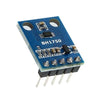
- Add a BH1750 light sensor for grow-light scheduling
- Log to ThingSpeak for long-term trend graphs
- Add LoRa for an off-grid garden tower
Expected result: A clear plan for expanding the ESP32 greenhouse controller beyond the basic automation loop.
Conclusion
You built an ESP32 smart greenhouse controller that reads a DHT22 and soil moisture sensor, then switches a fan and pump through a 2-channel relay based on simple thresholds. This setup scales from a small plant enclosure to larger indoor garden monitoring with dashboards and logging.
Want the exact parts used in this build? Grab them from ShillehTek.com. If you want help customizing this project or building something for your product, check out our IoT consulting services.





.png?v=25000753014097803521791168436)

.png?v=68677308723310773341791168436)


