

Project Overview
ESP32 + BME280 solar weather station: In this project, you will build an off-grid WiFi weather station using an ESP32 dev board and a BME280 sensor, powered by a solar panel and 18650 battery so you can place it anywhere and leave it running for months.

A weather station that needs a wall outlet defeats the purpose. The goal is to drop it in the garden, on the roof, or at the edge of a field and forget about it for a long time. With a 6 V solar panel, an MPPT charger, a TP4056 lithium charger, an 18650 battery, and an ESP32, you can build a totally off-grid WiFi weather station that keeps running, even through cloudy weeks.
This guide covers the full stack: solar panel sizing, MPPT charging, battery protection, low-power ESP32 deep-sleep, sensor wiring (BME280 for temperature, humidity, and pressure, or DHT22 if you prefer), and posting data to a free cloud dashboard.
- Time: 60 to 120 minutes (plus enclosure work)
- Skill level: Intermediate
- What you will build: A solar-powered ESP32 weather node that wakes, reads the sensor, posts to the cloud, and returns to deep sleep.
Parts List
From ShillehTek
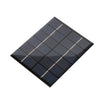
- 110 x 136 mm 6V 2W Solar Panel - primary energy source for outdoor operation
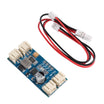
- CN3791 6 V MPPT Solar Charger Module - efficient solar charging using maximum power point tracking
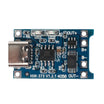
- TP4056 1A LiPo Charging Board (USB-C) - USB-C backup charger for topping up during extended cloudy periods
- 1S 3.7V BMS Protection Board - battery protection (overcharge, overdischarge, overcurrent)
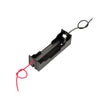
- 18650 Battery Holder Box - safe, simple connection to the 18650 cell
- ESP32 WROOM Dev Board - reads sensors, connects to WiFi, and uses deep sleep to save power
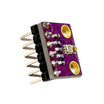
- BME280 Pre-Soldered (T/H/P) - measures temperature, humidity, and pressure over I2C
External
- One 18650 Li-ion cell (3.7 V, 2600 to 3500 mAh).
- A weatherproof enclosure (IP54+).
- Stevenson shield (3D-printed) to keep direct sun off the sensor.
Note: Confirm your ESP32 dev board VIN range and regulator capability before powering from a single-cell battery path. The BME280 wiring below assumes I2C on GPIO21 (SDA) and GPIO22 (SCL) with the sensor powered from 3.3 V.
Step-by-Step Guide
Step 1 - Plan the power architecture
Goal: Define how solar power charges the battery and how the ESP32 is powered.
What to do: Use this power path: Solar panel to CN3791 MPPT to 18650 (with BMS) to ESP32. Add the TP4056 as a USB-C backup charger so you can plug in and top up if needed.

Expected result: You have a clear wiring plan where the CN3791 handles solar charging and the TP4056 is reserved for USB-C charging.
Step 2 - Estimate deep-sleep battery life
Goal: Verify that your wake interval and WiFi time make sense for long-term solar operation.
What to do: Use the example current draw: deep sleep at about 10 uA, and awake with WiFi for 5 seconds at about 150 mA. If waking once every 10 minutes, the average current is approximately:
(150 mA * 5 s + 0.01 mA * 595 s) / 600 s ≈ 1.26 mAA 2600 mAh cell would run for about 2000 hours (about 83 days) with zero solar input. With even limited daily sun, you can stay charged long term.
Expected result: A target sleep interval (such as 10 minutes) that fits your power budget.
Step 3 - Wire the solar, battery, ESP32, and BME280
Goal: Connect charging modules, battery, and sensor so the ESP32 can read data reliably.
What to do: Follow the connections below and double-check polarity on every battery and charger terminal.

Code:
Solar(+)  -> CN3791 IN+
Solar(-)  -> CN3791 IN-
CN3791 BAT+ -> 18650 +
CN3791 BAT- -> 18650 -
18650 +  -> ESP32 VIN
18650 -  -> ESP32 GND
BME280: VCC=3.3V, SDA=GPIO21, SCL=GPIO22
Expected result: The ESP32 powers up from the battery path, and the BME280 is connected over I2C.
Step 4 - Upload the wake, read, post, sleep sketch
Goal: Make the ESP32 wake up periodically, read the BME280, post data to the cloud, and return to deep sleep.
What to do: Update WiFi credentials and the API key, then upload the sketch below.
Code:
#include <WiFi.h>
#include <Adafruit_BME280.h>
#include <HTTPClient.h>
#define SLEEP_S 600   // 10 minutes

Adafruit_BME280 bme;

void setup() {
  Serial.begin(115200);
  bme.begin(0x76);
  WiFi.begin("MY_SSID","MY_PASS");
  while (WiFi.status() != WL_CONNECTED) delay(200);

  float t = bme.readTemperature();
  float h = bme.readHumidity();
  float p = bme.readPressure() / 100.0;

  HTTPClient http;
  String url = "https://api.thingspeak.com/update?api_key=KEY&field1=" +
               String(t)+"&field2="+String(h)+"&field3="+String(p);
  http.begin(url); http.GET(); http.end();

  esp_sleep_enable_timer_wakeup(SLEEP_S * 1000000ULL);
  esp_deep_sleep_start();
}
void loop(){}
Expected result: The ESP32 connects to WiFi, sends temperature, humidity, and pressure values, then enters deep sleep for the configured interval.
Step 5 - Install everything in the enclosure and mount it
Goal: Weatherproof the system and ensure accurate measurements outdoors.
What to do: Mount the solar panel on the roof of the enclosure tilted toward the equator. Place the ESP32, battery, and charging boards inside the dry enclosure. Place the BME280 outside the enclosure inside a Stevenson shield to keep direct sun off the sensor. Use a cable gland for a single short cable run to the external BME280 so you only have one enclosure penetration.

Expected result: A sealed, outdoor-ready weather station with the sensor shaded and the power system protected from moisture.
Conclusion
You built a solar-powered ESP32 weather station that uses a BME280 sensor to measure temperature, humidity, and pressure, posts readings over WiFi, and saves power with deep sleep. This same solar plus MPPT plus BMS plus ESP32 approach also works for remote soil sensors and other off-grid IoT nodes.
Inspiration credit: Solar Powered WiFi Weather Station V4.0 on Instructables.
Want the exact parts used in this build? Grab them from ShillehTek.com. If you want help customizing this project or building something for your product, check out our IoT consulting services.




.png?v=25000753014097803521791168436)

.png?v=68677308723310773341791168436)


