


Project Overview
Arduino UNO, Raspberry Pi Pico, BBC micro:bit with a DS18B20 temperature probe: This Ice Challenge compares how these boards behave as the ambient temperature drops into freezer conditions, and what actually causes failures in real cold-weather projects.
Many comparisons focus on datasheets and specs, but this test focuses on a repeatable physical stress scenario you can recreate for classrooms, science fairs, and practical builds like freezer monitors and outdoor weather stations.
The setup cools all three boards in the same insulated environment while logging temperature and a simple counter over USB serial, then notes what changes first as temperatures fall and rise.
- Time: 30 to 60 minutes (plus freezer time)
- Skill level: Beginner
- What you will build: A simple cold-soak comparison test that logs DS18B20 temperature and confirms each board keeps running in a freezer environment.
Parts List
From ShillehTek
- Arduino Nano V3.0 (UNO-class ATmega328P) - UNO-class ATmega328P platform for the cold test.
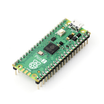
- Raspberry Pi Pico 2 with Pre-Soldered Headers - RP2040 platform for the cold test and serial logging.
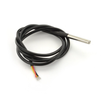
- DS18B20 Waterproof Temperature Probe - reference ambient temperature reading shared across the comparison.
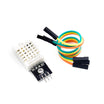
- DHT22 Temperature & Humidity Sensor - optional secondary sensor for comparison and environment context.
External
- BBC micro:bit V2 - third platform in the comparison.
- Small insulated cooler or freezer - provides the controlled cold environment.
- USB power bank (at least 5,000 mAh) - powers all boards during the test.
- Zip-lock bags and silica gel - reduces condensation risk when cold-soaking electronics.
Note: These boards use different I/O voltages (Arduino UNO class is typically 5 V, Pico and micro:bit are typically 3.3 V). The biggest real-world risk in freezer testing is condensation during warm-up, not the cold itself.
Step-by-Step Guide
Step 1 - Identify the contestants and their temperature specs
Goal: Establish what each board is and its rated operating range before you run the cold test.
What to do: Gather the three boards and note their typical I/O voltage and datasheet temperature range.

- Arduino UNO (ATmega328P): 8-bit @ 16 MHz, 5 V I/O, datasheet spec -40 C to +85 C.
- Raspberry Pi Pico (RP2040): dual-core 32-bit Cortex-M0+ @ 133 MHz, 3.3 V I/O, datasheet spec -20 C to +85 C.
- BBC micro:bit V2 (nRF52833): 32-bit Cortex-M4 @ 64 MHz, 3.3 V I/O, datasheet spec -40 C to +85 C.
Expected result: You have all boards ready and understand that their rated minimum temperatures differ.
Step 2 - Build a repeatable freezer test setup
Goal: Put all boards in the same environment and log a consistent temperature reference over time.
What to do: Run a small program on each board that prints the current ambient temperature (from the DS18B20) plus an incrementing counter every 5 seconds over USB serial. Power all boards from the same USB power bank, seal each board in a separate freezer bag with silica gel, and place them together in the same insulated cooler. Put the cooler in a freezer at -18 C.
Expected result: All three boards output serial logs at the same interval while cooling in the freezer environment.
Step 3 - Observe what changes as temperature drops and rises
Goal: Record the first signs of drift or behavior changes as the environment cools.
What to do: Let the boards cool and compare their behavior across temperature ranges. Pay attention to sensor lag, ADC drift, and any changes in onboard sensors.

- Down to 0 C: all three boards behave identically. The DS18B20 readings start to lag slightly because thermal mass takes time to equalize.
- 0 to -10 C: still solid. The micro:bit built-in accelerometer starts reporting noisier readings.
- -10 to -20 C: the Pi Pico on-chip ADC drifts noticeably (its temperature sensor is below datasheet spec). The Arduino UNO and micro:bit keep running fine.
- Below -20 C: condensation becomes the real enemy. Once any board is moved back to room temperature, water can condense on the PCB. Without the freezer bag, all three could short.
Expected result: None of the boards abruptly stops in a household freezer, but you may observe drift and increased noise depending on the subsystem.
Step 4 - Apply the key lesson: manage moisture, not just temperature
Goal: Understand what actually threatens boards in cold-weather builds.
What to do: Treat moisture cycling as the primary hazard. When moving a cold board into a warm room, condensation can form and short fine-pitched components.
- Conformal-coat the PCB, or pot it in epoxy.
- Always include silica gel in a sealed enclosure.
- Never power-cycle a frozen board until it has warmed up to room temperature.
Expected result: You have a practical checklist that improves reliability for freezer monitors and outdoor enclosures.
Step 5 - Choose the best board for your cold-weather project
Goal: Match the board to the project requirements instead of focusing only on cold ratings.
What to do: Use the following recommendations based on the observed behavior and the practical needs of each project type.

- Outdoor weather station (-30 C winter) - Arduino UNO/Nano. Datasheet rated lowest, simplest analog signal path, easiest to seal.
- Refrigerator or freezer monitor - Pi Pico 2. Plenty of memory for data logging, runs MicroPython for kids and Python developers.
- Classroom science fair temperature demo - BBC micro:bit. The onboard LED matrix gives instant visual feedback without extra wiring.
Expected result: You can pick the board based on I/O, software stack, and deployment environment rather than freezer fear.
Conclusion
This Ice Challenge shows the Arduino UNO class board, Raspberry Pi Pico, and BBC micro:bit can all survive a household freezer while logging temperature with a DS18B20. The practical lesson is that moisture management during warm-up is often the real reliability limiter, not the cold itself.
Want the exact parts used in this build? Grab them from ShillehTek.com. If you want help customizing this project or building something for your product, check out our IoT consulting services.
Credit: This guide was inspired by "Microcontrollers Arduino Uno, Raspberry Pi Pico and BBC Micro:bit Compete in Ice Challenge" on Instructables. Images credited to the original author of the source tutorial.



.png?v=25000753014097803521790645985)

.png?v=68677308723310773341790645985)


