

Project Overview
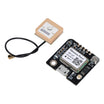
Arduino Nano + NEO-6M GPS Module: In this build, you will wire a NEO-6M (GT-U7) GPS module to an Arduino Nano and print live latitude, longitude, satellite count, and UTC time to the Serial Monitor.
The NEO-6M outputs standard NMEA sentences over UART, typically locks onto satellites in 1 to 5 minutes from a cold start, and can provide about 2.5 m positional accuracy with a good sky view.
- Time: About 25 minutes (most of which is waiting for first satellite lock)
- Skill level: Beginner
- What you will build: An Arduino streaming live latitude, longitude, and time over Serial.

Parts List
From ShillehTek
- GT-U7 NEO-6M GPS Module (Pre-Soldered) - GPS receiver that outputs NMEA over UART.
- Arduino Nano V3.0 Pre-Soldered - Microcontroller board that reads GPS data and prints it to Serial.
- 120 PCS Dupont Jumper Wires - For quick VCC, GND, and UART connections.
External
- A clear view of the sky (GPS modules often will not lock indoors)
Note: First fix takes about 30 seconds to 5 minutes from a cold start. The on-board coin cell helps keep almanac data so subsequent fixes can take only seconds.
Step-by-Step Guide
Step 1 - Identify the Pins
Goal: Confirm the NEO-6M breakout pins you will connect to the Arduino.
What to do: Locate the four main pins on the GPS breakout: VCC, RX, TX, and GND.


Expected result: You know which pins are power (VCC/GND) and which pins are UART (RX/TX).
Step 2 - Wire UART
Goal: Connect the NEO-6M GPS module to the Arduino Nano using SoftwareSerial.
What to do: Wire power and the UART lines exactly as listed below. This tutorial uses Arduino D4 as SoftwareSerial RX and Arduino D3 as SoftwareSerial TX.

- VCC to 5V
- GND to GND
- GPS TX to Arduino D4 (Arduino RX over SoftwareSerial)
- GPS RX to Arduino D3 (Arduino TX over SoftwareSerial)
Expected result: The GPS module is powered and connected to the Nano so it can stream serial data.
Step 3 - Install the Library
Goal: Add a GPS parsing library so you can easily read latitude, longitude, satellites, and time.
What to do: In the Arduino IDE Library Manager, install TinyGPS++ by Mikal Hart.
Expected result: TinyGPS++ is available for your sketch to include and compile.
Step 4 - Upload the Sketch
Goal: Decode the NEO-6M NMEA stream and print parsed values to Serial.
What to do: Copy the code below into the Arduino IDE, select your Arduino Nano board/port, then upload.
Code:
#include <TinyGPS++.h>
#include <SoftwareSerial.h>

static const int RX = 4, TX = 3;
SoftwareSerial gps_serial(RX, TX);
TinyGPSPlus gps;

void setup() {
  Serial.begin(9600);
  gps_serial.begin(9600);
}

void loop() {
  while (gps_serial.available()) gps.encode(gps_serial.read());

  if (gps.location.isUpdated()) {
    Serial.print("Lat="); Serial.print(gps.location.lat(), 6);
    Serial.print(" Lng="); Serial.print(gps.location.lng(), 6);
    Serial.print(" Sats="); Serial.print(gps.satellites.value());
    Serial.print(" UTC=");
    Serial.print(gps.time.hour()); Serial.print(':');
    Serial.print(gps.time.minute()); Serial.print(':');
    Serial.println(gps.time.second());
  }
}
Expected result: The sketch compiles and uploads, and the Serial Monitor begins printing GPS data once a fix is available.
Step 5 - Wait for Satellite Lock
Goal: Get a valid GPS fix so the module can output usable coordinates.
What to do: Move the GPS antenna to a location with a clear view of the sky and keep the board powered. Cold starts can take several minutes.


Expected result: You see live Lat/Lng values, satellite count, and UTC time updating in the Serial Monitor.
Step 6 - Where to Take It Next
Goal: Identify practical next steps you can build on after reading GPS coordinates.
What to do: Consider one of these extensions once your coordinates are printing reliably:
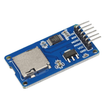
- Log latitude, longitude, and altitude to a microSD with a timestamp for a data logger
- Push position to a server over LoRa for an off-grid tracker
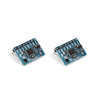
- Pair with an MPU6050 for dead reckoning between fixes
- Use only the time output as a precise wall clock for cron-style triggers
Expected result: You have a clear path for upgrading this GPS readout into a tracker, logger, or time source.
Conclusion
You built an Arduino Nano + NEO-6M GPS setup that reads satellite data over UART and prints live latitude, longitude, satellite count, and UTC time to the Serial Monitor.
Want the exact parts used in this build? Grab them from ShillehTek.com. If you want help customizing this project or building something for your product, check out our IoT consulting services.




.png?v=25000753014097803521790645985)

.png?v=68677308723310773341790645985)


