

Project Overview
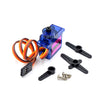
Arduino Nano + SG92R micro servo: In this quick build, you will wire an SG92R 9g carbon-fiber geared servo to an Arduino Nano and run a sketch that sweeps the horn from 0° to 180° and back.
The SG92R is the SG90 upgraded: same 9 g size and SG90-compatible PWM control, but with carbon-fiber gears that survive abuse the plastic-geared SG90 does not. It is rated around 2.5 kg·cm torque, supports a 180° sweep, and typically responds to ~1 ms to 2 ms control pulses. It is a common choice for small RC planes, camera mounts, and beginner robotics.
- Time: ~10 minutes
- Skill level: Beginner
- What you will build: An Arduino sweeping the SG92R from 0° to 180° and back.

Parts List
From ShillehTek
- SG92R 9g Micro Servo Motor - the carbon-fiber geared servo you will sweep with Arduino PWM.
- Arduino Nano V3.0 Pre-Soldered - runs the Servo library sketch and provides the control signal.
- 120 PCS Dupont Jumper Wires - makes the 3-wire servo connections quick and reliable.
External
- USB cable + Arduino IDE
Note: USB can power one SG92R briefly. For multiple servos, drive them from a separate 5 V supply with grounds tied to the Arduino.
Step-by-Step Guide
Step 1 - Identify the Wires
Goal: Confirm power, ground, and signal wires before connecting anything.
What to do: Locate the three servo leads. Hobby servos typically use red for V+, brown or black for ground, and orange or yellow for the signal line.


Expected result: You can confidently match the SG92R leads to 5 V, GND, and a PWM-capable Arduino pin.
Step 2 - Wire It Up
Goal: Connect the SG92R to the Arduino Nano for power and PWM control.
What to do: Wire red to 5 V, brown to GND, and orange to D9 (a common PWM-capable pin used in examples). Ensure all connections are fully seated.

Expected result: The servo has power and a dedicated control signal line connected to the Arduino.
Step 3 - Upload the Sketch
Goal: Upload a simple sweep program using the Arduino Servo library.
What to do: Open the Arduino IDE, select the correct board/port, then paste and upload the sketch below. The Servo library handles the PWM timing for you.

Servo library does the PWM timing for you.Code:
#include <Servo.h>

Servo s;

void setup() {
  s.attach(9);
}

void loop() {
  for (int angle = 0; angle <= 180; angle++) {
    s.write(angle);
    delay(15);
  }
  for (int angle = 180; angle >= 0; angle--) {
    s.write(angle);
    delay(15);
  }
}
Expected result: The sketch uploads successfully, and the servo should begin sweeping once powered.
Step 4 - Watch It Sweep
Goal: Verify smooth motion across the full range.
What to do: With the sketch running, observe the horn move from 0° to 180° and back repeatedly.

Expected result: Consistent sweeping motion without stalling or erratic jumps.
Step 5 - Where to Take It Next
Goal: Apply the same wiring and control approach to a real project.
What to do: Use the same three-wire hookup and Servo library control in one of these directions:
- Mount on a pan-tilt bracket for a camera turret
- Use as a flight-surface actuator on an RC plane elevator
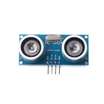
- Combine with HC-SR04 to build a 180° ultrasonic radar
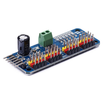
- Drive the SG92R from a PCA9685 to control 16 servos at once
Expected result: A clear next step for expanding from a basic sweep to a functional mechanism.
Conclusion
You built a simple Arduino Nano and SG92R servo setup that sweeps smoothly from 0° to 180° using the Arduino Servo library. This is a fast way to validate wiring, power, and control before integrating the SG92R into a larger RC or robotics build.
Want the exact parts used in this build? Grab them from ShillehTek.com. If you want help customizing this project or building something for your product, check out our IoT consulting services.
Credits: The 9 g servo photos and example sketches in this tutorial are credited to Instructables, which served as a reference for this version.




.png?v=25000753014097803521790645985)

.png?v=68677308723310773341790645985)


