

Project Overview
Arduino Nano + MG995 servo control: In this build, you will use an Arduino Nano to drive an MG995 metal-gear high-torque servo through a simple sweep sketch, proving reliable high-load positioning for a robotic arm style joint.
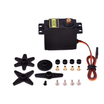
The MG995 is what you reach for when 9g servos cannot do the job: 12 kg·cm torque, all-metal gears, 4.8 to 7.2 V supply. Built for robotic arms, RC steering linkages, and any actuation where small servos strip teeth.
- Time: ~15 minutes
- Skill level: Beginner
- What you will build: An Arduino driving a single MG995 high-torque servo - the foundation of a robotic arm joint.

Parts List
From ShillehTek
- MG995 Metal Gear 12kg Servo - the high-torque actuator you will control from the Arduino.
- Arduino Nano V3.0 Pre-Soldered - generates the servo control signal on a PWM-capable pin.
- 120 PCS Dupont Jumper Wires - quick connections between the Nano, servo, and power rails.
External
- 5 V / 2 A external power supply - the MG995 can pull about 700 mA peak; the Arduino 5 V pin cannot supply that reliably.
- A common GND connection between the external supply and the Arduino (shared ground reference for the signal).
Note: Powering the MG995 from the Arduino can cause brownouts and erratic behavior. Always use a dedicated supply.
Step-by-Step Guide
Step 1 - Inspect the Servo
Goal: Identify the MG995 wiring and output shaft interface before connecting power.
What to do: Check the servo lead colors (power, ground, signal) and confirm the horn/spline type so you can mount it correctly later.

Expected result: You know which wire is signal vs power, and you have verified the horn mounting pattern.
Step 2 - Wire It Up
Goal: Power the MG995 safely from an external 5 V source while the Arduino provides only the control signal.
What to do: Make the connections below, and ensure the external supply ground and Arduino ground are tied together.

- Red - external 5 V +
- Brown/black - external 5 V - and Arduino GND
- Yellow/orange (signal) - Arduino D9
Expected result: The servo is powered from the external supply, and the Arduino and supply share a common ground for stable control.
Step 3 - Upload the Sketch
Goal: Drive the MG995 through a repeatable sweep to validate signal and power wiring.
What to do: Install the Arduino Servo library (if needed), then upload the sketch below to your Arduino Nano. It uses a wider pulse range to reach the MG995 sweep limits.
Code:
#include <Servo.h>

Servo arm;

void setup() {
  arm.attach(9, 500, 2500);   // wider pulse range for full MG995 sweep
}

void loop() {
  arm.write(0);    delay(800);
  arm.write(90);   delay(800);
  arm.write(180);  delay(800);
  arm.write(90);   delay(800);
}
Expected result: The servo moves to 0 degrees, 90 degrees, 180 degrees, and back to 90 degrees in a loop.
Step 4 - Watch It Move
Goal: Confirm the MG995 behaves like a joint actuator under simple position commands.
What to do: With the sketch running, observe motion consistency and listen for signs of power sag (for example, resets on the Arduino or twitching).

Expected result: Smooth, repeatable movement through the target angles without Arduino resets or erratic servo behavior.
Step 5 - Where to Take It Next
Goal: Identify practical next builds that use the same MG995 control approach.
What to do: Use the ideas below as extensions of the same wiring and control pattern.
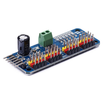
- Stack 4 MG995s + a PCA9685 to build a 4-DOF robotic arm
- Use an MG995 as the gripper actuator in an Arduino claw
- Drive an RC steering linkage for a 1/10 scale car
- Build a heliostat for tracking solar panels
Expected result: You have a clear next step that builds on the same Arduino-to-servo control foundation.
Conclusion
You built a simple Arduino Nano control setup for the MG995 metal-gear high-torque servo and verified stable motion using an external 5 V supply and a shared ground. This is the same basic approach used for robotic arm joints, steering linkages, and other higher-load actuation.
Want the exact parts used in this build? Grab them from ShillehTek.com. If you want help customizing this project or building servo control firmware for your product, check out our IoT consulting services.




.png?v=25000753014097803521791168436)

.png?v=68677308723310773341791168436)


