

Project Overview
Arduino Nano + ESP-01 ESP8266: In this build, you connect an Arduino Nano to an ESP-01 ESP8266 Wi-Fi module and use AT commands over UART so your Arduino can join Wi-Fi and print an HTTP GET response in the Serial Monitor.
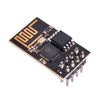
The ESP-01 is one of the smallest and cheapest ESP8266 boards. You add it to an existing Arduino project over a serial line, send a handful of AT commands, and your sketch can reach the internet without flashing new firmware or installing a separate toolchain.
- Time: ~15 minutes
- Skill level: Beginner / Intermediate
- What you will build: An Arduino that joins a Wi-Fi network and prints the result of a GET request to the Serial Monitor.

Parts List
From ShillehTek
- ESP8266 ESP-01 Serial WiFi Module - the Wi-Fi module you control using AT commands over serial.
- Arduino Nano V3.0 Pre-Soldered - the Arduino running the sketch and forwarding AT commands.
- 120 PCS Dupont Jumper Wires - for power and UART wiring on a breadboard or test setup.
External
- A 2.4 GHz Wi-Fi network (the ESP8266 is 2.4 GHz only)
- Optional: a 3.3 V regulator or LD1117V33 (the ESP-01 is not 5 V tolerant)
Note: The ESP-01 runs on 3.3 V and can pull up to ~250 mA in peaks. The Arduino’s 3.3 V pin cannot supply that reliably. Use a dedicated 3.3 V regulator or a battery pack. Powering it from the Arduino’s 3.3 V pin can cause brown-outs and intermittent failures.
Step-by-Step Guide
Step 1 - Wire It Up
Goal: Connect the ESP-01 to the Arduino so both power and serial communication are correct and safe at 3.3 V logic.
What to do: Wire power first, then connect TX/RX. Make sure the Arduino and ESP-01 share a common ground. Use a voltage divider on the Arduino TX line going into the ESP-01 RX pin to avoid feeding 5 V into the ESP-01.

- VCC to 3.3 V (external supply)
- GND to GND (common with Arduino)
- CH_PD to 3.3 V (chip-enable, hold high)
- TX to Arduino D2 (SoftwareSerial RX)
- RX to Arduino D3 through a 2x1 kΩ / 1x2 kΩ divider (5 V Arduino TX is too high for the ESP-01)
- GPIO0, GPIO2, RST: leave floating (or pull GPIO0 HIGH if unreliable)
Expected result: The ESP-01 powers up and is ready to respond to AT commands over serial.
Step 2 - Upload the Sketch
Goal: Use SoftwareSerial to send AT commands to the ESP-01 and print responses to the Arduino Serial Monitor.
What to do: Paste the sketch below into the Arduino IDE, update the SSID and password, then upload it to your Arduino Nano.
Code:
#include <SoftwareSerial.h>

SoftwareSerial esp(2, 3);   // RX, TX

void sendAT(const char* cmd, int waitMs = 1500) {
  esp.println(cmd);
  long t = millis();
  while (millis() - t < waitMs) {
    while (esp.available()) Serial.write(esp.read());
  }
  Serial.println();
}

void setup() {
  Serial.begin(9600);
  esp.begin(9600);

  sendAT("AT");                          // sanity
  sendAT("AT+CWMODE=1");                 // station mode
  sendAT("AT+CWJAP=\"your-ssid\",\"your-password\"", 8000);
  sendAT("AT+CIFSR");                    // print IP

  sendAT("AT+CIPSTART=\"TCP\",\"example.com\",80", 4000);
  esp.println("AT+CIPSEND=44");
  delay(500);
  esp.println("GET / HTTP/1.1\r\nHost: example.com\r\n\r\n");
  delay(3000);
  while (esp.available()) Serial.write(esp.read());
}

void loop() {}
Expected result: The ESP-01 responds to AT, joins your Wi-Fi network, prints an IP address, then returns a raw HTTP response from example.com.
Step 3 - Watch It Connect
Goal: Verify the AT command responses and confirm the GET request returns data.
What to do: Open the Arduino Serial Monitor and watch the output as the ESP-01 connects and prints the response.

Expected result: You see connection status messages followed by an HTTP response body and headers.
Step 4 - Where to Take It Next
Goal: Identify practical next steps using the same ESP-01 + AT command approach.
What to do: Pick an option below and adapt the AT commands and request strings in your sketch.
- POST sensor readings to a Google Sheet or a webhook
- Subscribe to MQTT (Home Assistant, Mosquitto) from an 8-bit Arduino
- Flash the ESP-01 with custom firmware via the GPIO0-LOW bootloader trick
- Upgrade to a D1 Mini or NodeMCU when you outgrow AT commands (same chip, more I/O)
Expected result: You have a clear path to extend this basic Wi-Fi link into a real connected project.
Conclusion
The ESP-01 ESP8266 can turn an Arduino Nano project into a Wi-Fi connected device using simple AT commands over UART. Even though AT commands are not fancy, they are a practical option when you want to keep your existing Arduino sketch and add connectivity quickly.
Want the exact parts used in this build? Grab them from ShillehTek.com. If you want help customizing this project or building something for your product, check out our IoT consulting services.
Credits: Photos and AT-command screenshots referenced from Instructables.




.png?v=25000753014097803521791168436)

.png?v=68677308723310773341791168436)


