

Project Overview
Arduino Nano + BMP280: In this tutorial, you will wire a BMP280 pressure and temperature sensor to an Arduino Nano and stream live pressure (hPa), temperature (°C), and altitude (m) to the Serial Monitor.
The BMP280 is Bosch’s replacement for the BMP180: smaller, more accurate (±1 hPa), supports I2C or SPI, and works well for altimeters, weather stations, and indoor pressure logging.
- Time: ~10 minutes
- Skill level: Beginner
- What you will build: An Arduino streaming live pressure (hPa), temperature (°C), and altitude (m) over Serial.

Parts List
From ShillehTek
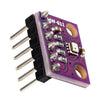
- BMP280 Pre-Soldered Pressure & Temperature Sensor - the sensor module that provides pressure and temperature readings.
- Arduino Nano V3.0 Pre-Soldered - the microcontroller board that reads the sensor and prints to Serial.
- 120 PCS Dupont Jumper Wires - for quick I2C wiring between the Nano and BMP280.
External
- USB cable + Arduino IDE
Note: Most BMP280 breakouts are I2C address 0x76 (some are 0x77). If begin() fails, try the other address.
Step-by-Step Guide
Step 1 - Inspect the Board
Goal: Identify the BMP280 pins you will use for I2C.
What to do: Look for the pin labels on your BMP280 breakout. This guide uses I2C, so you will connect VCC, GND, SCL, and SDA.

Expected result: You know which 4 pins to use for I2C and can ignore CSB and SDO for this tutorial.
Step 2 - Wire I2C
Goal: Connect the BMP280 to the Arduino Nano over I2C.
What to do: Wire the module as shown: VCC to 3.3 V (or 5 V on most breakouts), GND to GND, SDA to A4, and SCL to A5 on the Arduino Nano.

Expected result: The BMP280 is physically connected to the Nano with correct I2C wiring.
Step 3 - Install the Library and Sketch
Goal: Install the required Arduino library and upload a sketch that reads temperature, pressure, and altitude.
What to do: In the Arduino IDE, open Library Manager and install Adafruit BMP280 Library. Then compile and upload the sketch below to your Arduino.
Code:
#include <Wire.h>
#include <Adafruit_BMP280.h>

Adafruit_BMP280 bmp;

void setup() {
  Serial.begin(9600);
  if (!bmp.begin(0x76)) {
    Serial.println("BMP280 not found at 0x76, trying 0x77...");
    if (!bmp.begin(0x77)) { Serial.println("BMP280 still not found"); while (1); }
  }
}

void loop() {
  Serial.print("T="); Serial.print(bmp.readTemperature(), 1);
  Serial.print(" C  P="); Serial.print(bmp.readPressure() / 100.0, 1);
  Serial.print(" hPa  Alt="); Serial.print(bmp.readAltitude(1013.25), 1);
  Serial.println(" m");
  delay(1000);
}
Expected result: The sketch uploads successfully and the board is ready to print sensor readings over Serial.
Step 4 - Watch the Output
Goal: Verify the sensor is detected and producing stable readings.
What to do: Open the Serial Monitor at 9600 baud. You should see temperature, pressure, and altitude update once per second.

Expected result: You see lines like T=... C, P=... hPa, and Alt=... m updating continuously.
Step 5 - Where to Take It Next
Goal: Plan simple upgrades using the same BMP280 wiring and sketch as a base.
What to do: Try one of these follow-on ideas:
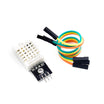
- Combine with a DHT22 to log temperature, humidity, and pressure
- Plot pressure trends to predict weather
- Mount in a model rocket as a barometric altimeter
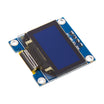
- Pair with an OLED for a stand-alone weather console
Expected result: You have a clear next step to expand your BMP280 project into logging, display, or altitude applications.
Conclusion
You just wired a BMP280 to an Arduino Nano and printed live temperature, pressure, and altitude readings to the Serial Monitor. With only I2C wiring and a library, you can get accurate barometric data quickly for weather, indoor monitoring, or altimeter builds.
Want the exact parts used in this build? Grab them from ShillehTek.com. If you want help customizing this project or building something for your product, check out our IoT consulting services.
Credits: The BMP280 photos and wiring diagrams in this tutorial are credited to Instructables.





.png?v=25000753014097803521791168436)

.png?v=68677308723310773341791168436)


