

Project Overview
Arduino Nano + A4988 stepper drivers + MG90S servo pen lift: Build a mini CNC pen plotter where two steppers move the pen on X and Y, and a servo lifts and lowers the pen so you can draw from G-code streamed over USB.
Send G-code from your computer and the Arduino will draw anything from logos to circuit diagrams to your kid's name. It is a practical entry point to real CNC with a low parts cost.
- Time: ~4 hours (build) + ~1 hour (software setup)
- Skill level: Advanced
- What you will build: A 2-axis pen plotter driven by G-code from your PC, capable of A6-size drawings.

Parts List
From ShillehTek
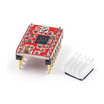
- 2× A4988 Stepper Driver - drives each stepper motor from Arduino STEP/DIR signals
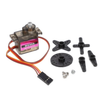
- MG90S Servo (pen lift) - lifts and lowers the pen between strokes
- Arduino Nano V3.0 Pre-Soldered - runs GRBL and outputs step/dir and servo control
- 120 PCS Dupont Jumper Wires - quick, reliable interconnects for prototyping and wiring
External
- 2× NEMA 17 (or smaller) stepper motors
- 2× linear rails + carriages (or scavenged from old DVD drives)
- Pen + holder + 12V DC supply
- 3D-printed or laser-cut frame
Note: This is an entry point to real CNC. Once you have a working pen plotter, you understand 90% of what is needed for a laser engraver or 3D printer.
Step-by-Step Guide
Step 1 - Build the Frame
Goal: Create a rigid base that holds the two axis rails square to each other.
What to do: Assemble the frame so the X and Y rails sit perpendicular and the carriages can move without binding. Keep everything aligned before tightening hardware.

Expected result: The carriages slide smoothly by hand across the full travel on both axes.
Step 2 - Set Up the Axes
Goal: Convert stepper rotation into repeatable linear movement on both axes.
What to do: Mount each stepper, align the pulley and belt, and connect the belt to the moving carriage. Adjust belt tension so it is firm but not overstretched.

Expected result: Turning the stepper pulley by hand moves the carriage smoothly with minimal backlash.
Step 3 - Wire Electronics
Goal: Connect the Arduino Nano to two A4988 drivers and the pen-lift servo, then share power and ground correctly.
What to do: Wire STEP and DIR from the Arduino to each A4988, connect the servo signal to the Arduino, and power both drivers from the 12V supply. Ensure the Arduino ground and the 12V supply ground are common.

- X-axis A4988: STEP - D2, DIR - D5
- Y-axis A4988: STEP - D3, DIR - D6
- Servo signal - D11 (pen up/down)
- Both A4988s share VMOT - 12V, EN - GND, common Arduino + supply ground
Expected result: Your wiring matches the pin mapping above, and all grounds are tied together (Arduino ground to motor supply ground).
Step 4 - Pen Mechanism
Goal: Add a reliable pen lift so the plotter can move between strokes without drawing.
What to do: Mount the MG90S servo and link it to the pen holder so the pen can move up and down freely. Use the intended angles for up/down movement as you configure GRBL/your workflow.

Expected result: The servo can lift the pen cleanly off the page and lower it back down without sticking.
Step 5 - Flash GRBL
Goal: Install GRBL so the Arduino Nano can accept and execute G-code.
What to do: Flash GRBL 1.1f firmware to the Arduino. On your PC, use Universal Gcode Sender (UGS) to stream G-code over USB. UGS includes a tool to convert SVG to G-code.
Expected result: UGS connects to the Arduino over USB and you can send commands/jobs to the controller.
Step 6 - Draw Something
Goal: Run your first real G-code drawing to validate mechanics, wiring, and workflow.
What to do: Load a simple G-code file (or convert an SVG in UGS) and run it at conservative speeds until you confirm the axes move correctly and the pen lift timing is right.

Expected result: The plotter produces a recognizable drawing, and the quality improves as you refine alignment and settings.
Step 7 - Where to Take It Next
Goal: Identify practical upgrades and follow-on projects based on the same CNC fundamentals.
What to do: Choose one path below and plan your next iteration using the same G-code and motion-control concepts.
- Swap pen for a 500mW laser - small laser engraver
- Add a Z axis with a third A4988 + stepper - 3-axis CNC
- Upgrade to TMC2209 stepper drivers for silent motion
- Build a touchscreen UI for offline G-code playback (ILI9341 + ESP32)
Expected result: You have a clear next upgrade direction after validating the core plotter build.
Conclusion
This mini CNC pen plotter uses an Arduino Nano with A4988 stepper drivers and a servo pen lift to turn G-code into real drawings on paper. Once you understand the workflow here, the same concepts transfer directly to other CNC platforms.
Want the exact parts used in this build? Grab them from ShillehTek.com. If you want help customizing this project or building something for your product, check out our IoT consulting services.





.png?v=25000753014097803521790645985)

.png?v=68677308723310773341790645985)


