

Project Overview
Arduino Nano + MQ-135 gas sensor: In this project you will wire an MQ-135 air quality sensor module to an Arduino and print a relative indoor air-quality reading to the Serial Monitor.
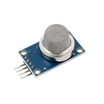
The MQ-135 is a tin-dioxide gas sensor that is sensitive to ammonia, NOx, alcohol, benzene, smoke, and CO2. It is a low-cost way to answer “did the air change?” for indoor monitoring.
- Time: ~15 minutes
- Skill level: Beginner
- What you will build: An Arduino that reads the MQ-135 and prints a relative air-quality value.

Parts List
From ShillehTek
- MQ-135 Air Quality Gas Sensor - provides an analog voltage that changes with detected gas concentration (relative air quality).
- Arduino Nano V3.0 Pre-Soldered - reads the analog output and prints values over Serial.
- 120 PCS Dupont Jumper Wires - makes the breadboard or pin-to-pin connections.
External
- USB cable - powers the Arduino and connects to your computer
- Arduino IDE - uploads the sketch and opens Serial Monitor
Note: The MQ-135 typically needs about 24 hours of burn-in before it settles. First-day readings drift, so let the sensor run through a day before trusting numbers.
Step-by-Step Guide
Step 1 - Inspect the module
Goal: Identify the MQ-135 pins and understand what outputs you will read with the Arduino.
What to do: Locate the sensor element under the metal cap and find the analog (AOUT) and digital (DOUT) outputs on the module.


Expected result: You know you will use AOUT for the analog reading (and optionally DOUT if you want a threshold output later).
Step 2 - Wire it to the Arduino
Goal: Connect the MQ-135 analog output to an Arduino analog input so you can read it with analogRead().
What to do: Wire VCC to 5V, GND to GND, and AOUT to A0 on the Arduino Nano.

Expected result: The module powers on, and the Arduino is ready to sample A0.
Step 3 - Upload the Arduino sketch
Goal: Read the MQ-135 analog value and print both the raw ADC count and the calculated voltage.
What to do: Paste this code into the Arduino IDE, select the correct board and port, then upload.
Code:
const int MQ_PIN = A0;

void setup() {
  Serial.begin(9600);
  Serial.println("MQ-135 warming up... readings drift for 24 h.");
}

void loop() {
  int raw = analogRead(MQ_PIN);
  // Higher voltage = more pollution (lower sensor resistance).
  Serial.print("Raw="); Serial.print(raw);
  Serial.print("  V="); Serial.println(raw * (5.0 / 1023.0), 2);
  delay(1000);
}
Expected result: The Serial Monitor shows a new line each second with Raw= and V= values.
Step 4 - Watch it react in Serial Monitor
Goal: Confirm the sensor responds to changes in nearby air.
What to do: Open the Serial Monitor at 9600 baud. Breathe near the sensor or briefly wave a marker pen near it and watch the values change.

Expected result: The readings spike or shift noticeably when the air near the sensor changes.
Step 5 - Where to take it next
Goal: Plan how to turn the raw signal into a useful monitoring project.
What to do: Choose one of these common next steps based on your use case.
- Run a 24-hour log to find your baseline; alerts trigger above baseline + N
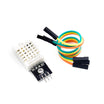
- Combine with a DHT22 to log temperature and humidity alongside air quality
- Drive a fan via relay above a threshold for auto-ventilation
- Calibrate against a reference CO2 meter to convert raw counts to ppm
Expected result: You have a clear upgrade path for logging, alerting, and calibration.
Conclusion
You built an Arduino Nano project that reads the MQ-135 air quality sensor and prints a relative indoor air-quality value to the Serial Monitor. While the MQ-135 will not replace a lab-grade station, it is useful for tracking trends and detecting changes once it has burned in.
Want the exact parts used in this build? Grab them from ShillehTek.com. If you want help customizing this project or building something for your product, check out our IoT consulting services.





.png?v=25000753014097803521791168436)

.png?v=68677308723310773341791168436)


