

Project Overview
Arduino UNO/Nano (ATmega328P) vs ESP8266 (D1 Mini) vs ESP32 (WROOM-32) vs STM32F103 (Blue Pill) benchmarking: this guide runs the same integer and floating-point loop on each board to show real-world speed differences and what they mean for your projects.
Datasheets quote clock speeds in MHz, but how fast an MCU actually runs your code depends on CPU architecture (8-bit AVR vs 32-bit ARM vs 32-bit Tensilica vs 32-bit Cortex-M), the compiler, the memory layout, and whether your inner loop fits in cache.
This comparison helps you pick the right board when your sketch starts feeling slow.
- Time: 20 to 40 minutes
- Skill level: Beginner to Intermediate
- What you will build: A repeatable micro-benchmark you can upload to multiple MCUs and compare timing over serial.
Parts List
From ShillehTek
- Arduino Nano V3.0 (ATmega328P) - baseline 8-bit AVR board for comparison
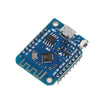
- ESP8266 D1 Mini V3 (4MB) - popular WiFi MCU to compare integer and float performance
- ESP-WROOM-32 Dev Board (USB-C) - higher-performance dual-core MCU with fast floating-point
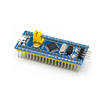
- STM32F103C8T6 "Blue Pill" - Cortex-M3 board for ARM performance comparison
External
- USB cables for each board.
- Arduino IDE 2.x or PlatformIO with the right board manager URLs added.
- An ST-Link V2 programmer if you want to flash the Blue Pill without UART tricks.
Note: Board cores, compiler settings, and clock configuration can change results. Keep the environment consistent when comparing.
Step-by-Step Guide
Step 1 - Understand the benchmark being tested
Goal: Define a simple loop test you can run unchanged across multiple boards.
What to do: Use a straightforward arithmetic loop (1,000,000 iterations of a = a * 3 + 7) and time it with micros(). A similar float loop (for example, a = a * 0.9999f + 0.5f) highlights differences in floating-point performance.
void setup(){ Serial.begin(115200); }
void loop(){
  uint32_t a = 1;
  uint32_t t0 = micros();
  for(uint32_t i=0; i<1000000UL; i++){ a = a * 3 + 7; }
  Serial.println(micros() - t0);
  delay(1000);
}
Expected result: Each board prints a loop time (in microseconds) over Serial once per second.
Step 2 - Compare headline clock speeds and architectures
Goal: Establish the starting point for why different boards can produce very different runtimes.
What to do: Note each board’s nominal clock rate and CPU family.
- Arduino UNO/Nano (ATmega328P): 16 MHz, 8-bit AVR.
- ESP8266 (D1 Mini): 80 MHz (boostable to 160 MHz), 32-bit Tensilica L106.
- ESP32 (WROOM-32): 240 MHz dual-core, 32-bit Tensilica LX6.
- STM32F103 (Blue Pill): 72 MHz, 32-bit ARM Cortex-M3.
Expected result: You have a clear baseline to interpret why performance is not only “MHz.”
Step 3 - Run and interpret the integer math results
Goal: Compare how fast each MCU executes a tight integer loop.
What to do: Upload the benchmark to each board, open Serial Monitor at 115200, and record the printed loop time.
Expected result: Roughly (order-of-magnitude, numbers vary by compiler):
- Arduino Nano: ~250 ms per million iterations.
- STM32 Blue Pill: ~14 ms (~18x faster than the Nano).
- ESP8266 @ 80 MHz: ~25 ms.
- ESP32 @ 240 MHz: ~5 ms (~50x faster than the Nano).
The takeaway: clock speed roughly maps to performance, with the Cortex-M3 outperforming the slightly higher-clocked ESP8266 per MHz because it has a better pipeline and 32-bit registers.
Step 4 - Run and interpret the floating-point math results
Goal: See how float-heavy workloads change the performance ranking.
What to do: Time a float loop and compare results across boards. The Nano has no FPU, the STM32F103 (Cortex-M3) has no FPU, and the ESP8266 has no FPU, so floats are typically emulated in software. The ESP32 LX6 has hardware floating-point support.
Expected result:
- Nano: ~1.5 seconds for the float loop.
- STM32F103: ~80 ms (software float on Cortex-M3, but a much better compiler).
- ESP8266: ~40 ms.
- ESP32: ~4 ms.
If your project does a lot of float work (PID loops, signal processing, sensor fusion), the ESP32 can be almost two orders of magnitude faster than the Nano. If you can keep the math in int or fixed-point, the Nano may still be fine.
Step 5 - Connect benchmark results to real project benefits
Goal: Translate “faster loop time” into practical capability.
What to do: Use your results to estimate available CPU headroom for common tasks.
- Smoother PWM or servo control: faster boards can drive more channels at higher frequency without jitter.
- Higher sample rates: ADC reads plus filtering plus transmit in the same tight loop.
- More overhead for WiFi or BLE: the ESP32 can run TLS and a web server plus your app.
- OTA updates and OOP frameworks: bigger projects compile and run with fewer compromises on faster MCUs.
Step 6 - Pick a board based on your use case
Goal: Choose an MCU family based on workload instead of datasheet MHz alone.
What to do: Match your project to the typical strengths shown by the benchmark.
- Battery-powered sensor node, 1 reading per minute → Nano. Cheapest, longest sleep.
- Same node but with WiFi upload → ESP8266 D1 Mini.
- Smart-home device with BLE plus WiFi plus a web UI → ESP32 WROOM.
- Motor controller, drone flight controller, real-time control → STM32 Blue Pill.
Expected result: You can select a board with enough performance headroom for your real workload, especially if your code uses floating point or networking stacks.
Conclusion
The Arduino UNO/Nano is not “slow,” it is the right tool for the right job. But once your sketch starts doing floating-point math, talking to WiFi, or driving multiple motors with smooth control, moving to an ESP32 or STM32 can make the project feel dramatically more responsive, often without rewriting your entire setup()/loop() structure.
Want the exact parts used in this build? Grab them from ShillehTek.com. If you want help customizing this project or building something for your product, check out our IoT consulting services.
Attribution: Inspired by the benchmarking write-up on Instructables: SpeedTest: Arduinos - ESP32 / 8266s - STM32. Images credited to the original author of the source tutorial.





.png?v=25000753014097803521791168436)

.png?v=68677308723310773341791168436)


