

Project Overview
Arduino Nano + EMG muscle sensor servo control: In this project, an EMG sensor reads the small electrical signals your muscles generate when you flex, and an Arduino drives a servo in real time based on that activity. With electrodes on your forearm, you can open and close a servo-driven claw (or control a motor or LED) using your muscle signals.
This is foundation tech used in prosthetics, biofeedback, and gesture-controlled interfaces.
- Time: ~30 minutes
- Skill level: Intermediate
- What you will build: An Arduino-driven servo that opens and closes when you flex your forearm, a building block for a robotic claw.

Parts List
From ShillehTek
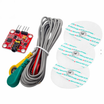
- EMG Muscle Signal Sensor Kit - reads muscle activity as an analog voltage.
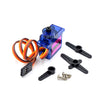
- SG92R Micro Servo - actuates the claw based on muscle flex.
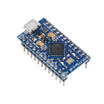
- Arduino Nano V3.0 Pre-Soldered - reads EMG on an analog pin and commands the servo.
- 120 PCS Dupont Jumper Wires - quick prototyping connections.
External
- EMG electrodes (the kit includes the leads and 3 sticky electrodes)
- Optional: 3D-printed robotic claw or grabber
Note: This is a hobby/educational sensor. It can not replace medical-grade EMG equipment and should not be used for diagnostic purposes.
Step-by-Step Guide
Step 1 - Place the Electrodes
Goal: Position the electrodes so the EMG module can detect muscle activity reliably.
What to do: Place two electrodes on the muscle belly of your forearm (about 4 cm apart). Place the reference electrode on a bony spot (back of your hand, wrist, or elbow). Clean skin helps improve contact and reduce noise.

Expected result: The electrodes feel secure and you can flex without them peeling off.
Step 2 - Wire It Up
Goal: Connect the EMG module and servo to the Arduino Nano correctly.
What to do: Make these connections:
- EMG VCC to 5V
- EMG GND to GND
- EMG OUT to A0
- Servo signal to D9, servo VCC to 5V, servo GND to GND
Expected result: The Arduino, EMG module, and servo share ground, and the EMG output is routed to A0.
Step 3 - Upload the Sketch
Goal: Read the EMG analog value, compute movement vs baseline, and command the servo.
What to do: Upload this sketch to your Arduino. The code captures a baseline at startup, prints the raw reading to Serial, and closes the servo when the signal difference exceeds a threshold (tune it for your skin).
Code:
#include <Servo.h>
const int EMG = A0;
Servo claw;
const int CLOSED = 0, OPEN = 90;
const int THRESHOLD = 350;   // tune for your skin
int baseline = 0;
void setup() {
  Serial.begin(9600);
  claw.attach(9);
  long sum = 0;
  for (int i = 0; i < 100; i++) { sum += analogRead(EMG); delay(10); }
  baseline = sum / 100;
}
void loop() {
  int v = analogRead(EMG);
  Serial.println(v);
  int diff = abs(v - baseline);
  claw.write(diff > THRESHOLD ? CLOSED : OPEN);
  delay(20);
}
Expected result: The Serial Monitor shows changing analog values when you flex, and the servo position responds once you exceed the threshold.
Step 4 - Flex and See It Move
Goal: Confirm your electrode placement, wiring, and threshold produce consistent motion.
What to do: Flex your forearm and watch the servo. If it triggers too easily or not at all, adjust THRESHOLD to match your signal strength.

Expected result: Flexing causes the claw to close (or move toward closed), and relaxing causes it to open.
Step 5 - Where to Take It Next
Goal: Explore safe, realistic next steps based on the same EMG-to-actuator concept.
What to do: Consider these extensions:
- Two electrode groups to distinguish flex vs extend for bidirectional control
- Drive a 3D-printed prosthetic hand with 5 servos for finger-by-finger movement
- Use as a gesture controller for video games (combine with Pro Micro HID)
- Log signals for biofeedback and rehab applications
Expected result: You have a clear direction for expanding the project without changing the core wiring and sensing approach.
Conclusion
You built an Arduino Nano project that reads an EMG muscle sensor and uses that signal to move a servo claw in real time. Once your electrode placement and threshold are dialed in, this becomes a strong starting point for biofeedback demos, gesture controllers, and prosthetic-style mechanisms.
Want the exact parts used in this build? Grab them from ShillehTek.com. If you want help customizing this project or building something for your product, check out our IoT consulting services.
Project photo credit: Instructables (reference source for this version).




.png?v=25000753014097803521790645985)

.png?v=68677308723310773341790645985)


