

Project Overview
Arduino + ADS1115: In this project, you will use an Arduino (Nano shown) with an ADS1115 4-channel, 16-bit I2C ADC to read analog voltages with much higher precision than the Arduinos built-in 10-bit ADC.
The ADS1115 provides 64x more resolution than the on-board Arduino ADC, plus PGA gain settings, differential measurements, and noise rejection, which makes it ideal for precision sensors and battery monitoring.
- Time: ~15 minutes
- Skill level: Beginner
- What you will build: An Arduino reading 4 analog inputs via the ADS1115 with 16-bit precision.

Parts List
From ShillehTek
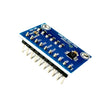
- ADS1115 Pre-Soldered ADC Module - adds 4 channels of 16-bit ADC over I2C
- Arduino Nano V3.0 Pre-Soldered - microcontroller board to read the ADS1115 over I2C
- 120 PCS Dupont Jumper Wires - wiring between the Arduino, ADS1115, and test source
External
- A potentiometer (or any analog source) for testing
Note: ADS1115 default I2C address is 0x48 (ADDR pin to GND). Pull ADDR HIGH for 0x49, to SDA for 0x4A, or to SCL for 0x4B (up to 4 ADS1115s on one bus).
Step-by-Step Guide
Step 1 - Inspect the Board
Goal: Identify the ADS1115 pins you will use for power, I2C, and analog inputs.
What to do: Locate VDD, GND, SCL, and SDA on the board, then find the analog inputs A0-A3 and the address pin (ADDR).


Expected result: You know which headers to connect for power (VDD/GND), I2C (SCL/SDA), and your analog source (A0-A3).
Step 2 - Wire It Up
Goal: Connect the ADS1115 to the Arduino over I2C, and attach a test analog source.
What to do: Wire power (VDD and GND) and the I2C lines (SDA and SCL) between the Arduino and ADS1115. Then wire a potentiometer (or another analog source) into A0 on the ADS1115 to test readings.


Expected result: The ADS1115 is powered and connected to the Arduino I2C bus, with at least one analog input source connected (A0 shown).
Step 3 - Upload the Sketch
Goal: Read all four ADS1115 channels and print raw counts and computed volts to Serial.
What to do: Install Adafruit ADS1X15 via the Arduino Library Manager. Then upload the sketch below.
Code:
#include <Wire.h>
#include <Adafruit_ADS1X15.h>

Adafruit_ADS1115 ads;

void setup() {
  Serial.begin(9600);
  if (!ads.begin()) { Serial.println("ADS1115 not found"); while (1); }
  ads.setGain(GAIN_TWOTHIRDS);   // .144 V full-scale
}

void loop() {
  for (int ch = 0; ch < 4; ch++) {
    int16_t raw = ads.readADC_SingleEnded(ch);
    float volts = ads.computeVolts(raw);
    Serial.print("CH"); Serial.print(ch);
    Serial.print(" raw="); Serial.print(raw);
    Serial.print(" V="); Serial.print(volts, 4);
    Serial.print("   ");
  }
  Serial.println();
  delay(500);
}
Expected result: The Arduino prints four channels (CH0-CH3) with raw ADC values and voltages to the Serial Monitor.
Step 4 - Watch the Output
Goal: Confirm you are getting stable, high-resolution readings.
What to do: Open the Serial Monitor at 9600 baud and vary your potentiometer (or analog source) to see the voltage change.

Expected result: You see changing voltages (with four decimal places) as you adjust the analog input.
Step 5 - Where to Take It Next
Goal: Apply the ADS1115 to higher-precision sensor and monitoring projects.
What to do: Use the same I2C wiring and expand the build in any of these directions:
- Read photoresistors with better dynamic range than the Arduino native ADC
- Build a precision battery voltage monitor for solar or off-grid kits
- Use differential mode to subtract two channels for current-shunt sensing
- Stack 4 ADS1115s for 16 channels of 16-bit ADC on two pins
Expected result: You have a working ADS1115 baseline that can scale to more channels and more demanding analog measurements.
Conclusion
The ADS1115 turns the Arduinos analog input from rough into precise by adding a 16-bit, 4-channel ADC over I2C. Once you start measuring with higher resolution and stable voltage readings, analog projects get cleaner fast.
Want the exact parts used in this build? Grab them from ShillehTek.com. If you want help customizing this project or building precision instrumentation for your product, check out our IoT consulting services.
Photo and wiring diagram credit: Instructables.




.png?v=25000753014097803521789973449)

.png?v=68677308723310773341789973449)


