Overview
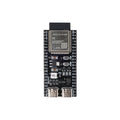
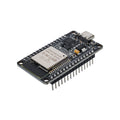
This is the Heltec WiFi LoRa 32 V3 — an ESP32-S3 development board with onboard SX1262 LoRa transceiver, 0.96" blue OLED display, USB-C, and an external SMA antenna for 868/915 MHz LoRa communication. It's the all-in-one IoT board for makers who want WiFi, Bluetooth LE, AND long-range LoRa in a single small package, with a screen for status and debugging built right in.
The ESP32-S3 brings dual-core Xtensa LX7 cores up to 240 MHz, 8 MB flash, and 8 MB PSRAM. The SX1262 is a state-of-the-art LoRa modem with up to +22 dBm output, sensitivity down to -148 dBm, and effective range of several kilometers in line-of-sight setups. The 0.96" SSD1306-style OLED is wired to fixed I2C pins (SDA = GPIO 17, SCL = GPIO 18) and a hardware reset on GPIO 21 — a must-include in any sketch.
At a Glance
Specifications
| Parameter | Value |
| Microcontroller | ESP32-S3 (dual-core Xtensa LX7, 240 MHz) |
| Flash / PSRAM | 8 MB / 8 MB |
| WiFi | 802.11 b/g/n (2.4 GHz) |
| Bluetooth | BLE 5.0 |
| LoRa Chip | Semtech SX1262 |
| LoRa Frequency | 868 MHz (EU) or 915 MHz (US, AU) — depends on variant |
| LoRa TX Power | Up to +22 dBm |
| LoRa Sensitivity | -148 dBm |
| OLED Display | 0.96" SSD1306-compatible, 128×64, blue |
| USB to Serial | CP2102 |
| Connector | USB-C, SMA antenna |
| Operating Voltage | 3.3V (logic), 5V via USB |
| GPIO | 40+ broken out via 0.1" headers |
Pinout Diagram

Wiring Guide
Onboard Wiring (Pre-Wired)
The OLED and SX1262 are already wired to fixed GPIOs on the ESP32-S3. You don't connect anything — just remember these in your sketch.
| Function | ESP32-S3 GPIO |
|---|---|
| OLED SDA | GPIO 17 |
| OLED SCL | GPIO 18 |
| OLED RST | GPIO 21 (must drive HIGH after boot) |
| Vext (control external 3.3V to OLED) | GPIO 36 (active LOW) |
| SX1262 NSS (CS) | GPIO 8 |
| SX1262 SCK | GPIO 9 |
| SX1262 MOSI | GPIO 10 |
| SX1262 MISO | GPIO 11 |
| SX1262 RST | GPIO 12 |
| SX1262 BUSY | GPIO 13 |
| SX1262 DIO1 | GPIO 14 |
| USER button | GPIO 0 (active LOW, also BOOT) |
| LED (programmable) | GPIO 35 |
Onboard LED + USER Button
| Item | GPIO | Behavior |
|---|---|---|
| LED | GPIO 35 | HIGH = on, LOW = off |
| USER button | GPIO 0 | Press = LOW; also doubles as BOOT button |
Adding an External I2C Sensor
The OLED already uses I2C (GPIO 17/18). You can hang additional I2C devices on the SAME bus — they coexist as long as they have different I2C addresses.
| Sensor Pin | Connect To |
|---|---|
| VCC | 3V3 header pin |
| GND | GND header pin |
| SDA | GPIO 17 (shared with OLED) |
| SCL | GPIO 18 (shared with OLED) |
Adding an External SPI Device
SPI0 is dedicated to the SX1262. For a second SPI device, use SPI2 (HSPI) on different GPIOs:
| SPI2 Function | GPIO |
|---|---|
| SCK | GPIO 41 |
| MOSI | GPIO 42 |
| MISO | GPIO 40 |
| CS | any free GPIO (e.g., GPIO 39) |
Code Examples
Arduino IDE Setup
1. In Arduino IDE -> Preferences, add this Boards Manager URL:
   https://resource.heltec.cn/download/package_heltec_esp32_index.json

2. Tools -> Board -> Boards Manager -> install "Heltec ESP32 Series Dev-boards"

3. Tools -> Board -> Heltec ESP32 Arduino -> "WiFi LoRa 32(V3)"

4. Tools -> Port -> (your CP2102 USB-C port)

5. Install the Heltec_ESP32 library via Library Manager.
Arduino — OLED "Hello World"
// Heltec WiFi LoRa 32 V3 - OLED "Hello World"

#include <Wire.h>
#include <HT_SSD1306Wire.h>

SSD1306Wire display(0x3c, 500000, SDA_OLED, SCL_OLED, GEOMETRY_128_64, RST_OLED);

void setup() {
  pinMode(Vext, OUTPUT);
  digitalWrite(Vext, LOW);   // power on Vext rail
  delay(50);

  display.init();
  display.setFont(ArialMT_Plain_16);
  display.drawString(0, 0, "Hello,");
  display.drawString(0, 20, "ShillehTek!");
  display.drawString(0, 40, "WiFi LoRa V3");
  display.display();
}

void loop() {}
Arduino — LoRa Send + Receive
// Heltec WiFi LoRa 32 V3 - send and receive
// Library: RadioLib by jgromes

#include <RadioLib.h>

// SX1262 mapping for V3: NSS=8, DIO1=14, RST=12, BUSY=13
SX1262 lora = new Module(8, 14, 12, 13);

void setup() {
  Serial.begin(115200);
  int state = lora.begin(915.0);   // 868.0 in EU
  if (state != RADIOLIB_ERR_NONE) {
    Serial.printf("LoRa init failed: %d\n", state);
    while (true) delay(10);
  }
  Serial.println("LoRa ready");
}

void loop() {
  // TX:
  int s = lora.transmit("Hello from V3!");
  Serial.println(s == RADIOLIB_ERR_NONE ? "Sent OK" : "Send failed");

  // RX (blocking, 5s timeout):
  String msg;
  s = lora.receive(msg, 5000);
  if (s == RADIOLIB_ERR_NONE) {
    Serial.print("Got: "); Serial.println(msg);
  }
  delay(2000);
}
Arduino — WiFi Hello World
// Heltec V3 - connect to WiFi and print IP

#include <WiFi.h>

const char* ssid = "YOUR_SSID";
const char* pass = "YOUR_PASS";

void setup() {
  Serial.begin(115200);
  WiFi.begin(ssid, pass);
  while (WiFi.status() != WL_CONNECTED) {
    delay(500); Serial.print(".");
  }
  Serial.println();
  Serial.print("IP: "); Serial.println(WiFi.localIP());
}

void loop() {}
Frequently Asked Questions
HT_SSD1306Wire library which handles both automatically, OR manually drive Vext LOW and RST HIGH in setup().