Overview
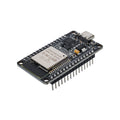
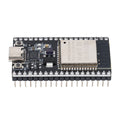
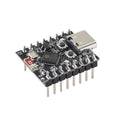
The Seeed Studio XIAO ESP32-S3 is the performance flavor of the XIAO family — a tiny 21 × 17.5 mm board built around Espressif's dual-core ESP32-S3. Two Xtensa LX7 cores run at 240 MHz, with 8 MB of external PSRAM and 8 MB of flash. That extra RAM is what makes the S3 the right pick for camera streaming, audio DSP, on-device ML inference, or any project that runs out of memory on a standard ESP32.
It has 11 GPIOs, 9 touch-capable pins, hardware I2C, SPI, UART, and a native USB-C connector that can act as Serial, JTAG, or USB HID. There's also a battery charge circuit on the back-side BAT pads — solder a LiPo cell and the board handles charging from USB-C automatically.
Use it with the Arduino IDE (esp32 core), MicroPython, or ESP-IDF. The board pairs particularly well with the XIAO Expansion Board for fast prototyping with an OLED, RTC, microSD slot, and grove connectors.
At a Glance
Specifications
| Parameter | Value |
| Microcontroller | ESP32-S3R8 (dual-core 32-bit Xtensa LX7) |
| Maximum Clock | 240 MHz |
| Flash Memory | 8 MB |
| PSRAM | 8 MB |
| SRAM | 512 KB on-chip |
| Wi-Fi | 2.4 GHz IEEE 802.11 b/g/n |
| Bluetooth | BLE 5.0 + BLE Mesh |
| USB | USB-C (Native USB OTG/Serial/JTAG/HID) |
| GPIO | 11 pins (D0-D10) |
| Analog Input | 11 ADC channels (A0-A10) |
| Touch Sensors | 9 capacitive touch (TOUCH1-TOUCH9) |
| I2C | SDA=D4 (GPIO5), SCL=D5 (GPIO6) |
| SPI | SCK=D8 (GPIO7), MISO=D9 (GPIO8), MOSI=D10 (GPIO9) |
| UART | TX=D6 (GPIO43), RX=D7 (GPIO44) |
| Power Input | 5V via USB-C, or 3.7V LiPo via solder pads |
| Antenna | On-board PCB + IPEX U.FL connector |
| Dimensions | 21 × 17.5 × 3.5 mm |
Pinout Diagram

Wiring Guide
Power and Programming
USB-C powers the board with 5V and handles flashing through the native USB Serial/JTAG controller — no external programmer required.
| Pin | Function | Notes |
|---|---|---|
| USB-C | 5V power + flash | Native USB; supports JTAG and HID |
| 5V | +5V input/output | Pass-through from USB-C |
| 3V3 | 3.3V regulator output | ~700 mA available |
| GND | Ground | |
| BAT pads | 3.7V LiPo input | On-board charging from USB-C |
External LED + Button
The XIAO ESP32-S3 doesn't expose a user-controllable LED. Wire an external LED through a 220Ω resistor to any free GPIO.
| Component | XIAO Pin | Details |
|---|---|---|
| LED + 220Ω → GND | D0 (GPIO1) | Anode to GPIO, cathode to GND through resistor |
| Button → GND | D1 (GPIO2) | Use INPUT_PULLUP |
I2C Devices
Default I2C uses D4 (SDA) and D5 (SCL).
| Sensor Pin | XIAO ESP32-S3 Pin |
|---|---|
| VCC | 3V3 |
| GND | GND |
| SDA | D4 (GPIO5) |
| SCL | D5 (GPIO6) |
SPI Devices
SPI is on D8 (SCK), D9 (MISO), and D10 (MOSI). Use any free GPIO for chip-select; D7 is a common pick.
| SPI Signal | XIAO Pin | GPIO |
|---|---|---|
| SCK | D8 | GPIO7 |
| MISO | D9 | GPIO8 |
| MOSI | D10 | GPIO9 |
| CS | D7 | GPIO44 (or any free GPIO) |
Capacitive Touch Inputs
Nine GPIO pins double as capacitive touch sensors. Solder a small wire, copper pad, or piece of conductive tape to the pin and use it as a touch button — no resistor or other components needed.
| XIAO Pin | Touch Channel |
|---|---|
| D0 (GPIO1) | TOUCH1 |
| D1 (GPIO2) | TOUCH2 |
| D2 (GPIO3) | TOUCH3 |
| D3 (GPIO4) | TOUCH4 |
| D4 (GPIO5) | TOUCH5 |
| D5 (GPIO6) | TOUCH6 |
| D8 (GPIO7) | TOUCH7 |
| D9 (GPIO8) | TOUCH8 |
| D10 (GPIO9) | TOUCH9 |
Code Examples
Arduino — External LED Blink
// XIAO ESP32-S3 - Blink an external LED on D0
// Board: "XIAO_ESP32S3" in the Arduino IDE (esp32 core)

#define LED_PIN D0   // GPIO1

void setup() {
  pinMode(LED_PIN, OUTPUT);
}

void loop() {
  digitalWrite(LED_PIN, HIGH);
  delay(250);
  digitalWrite(LED_PIN, LOW);
  delay(250);
}
Arduino — Capacitive Touch Read
// XIAO ESP32-S3 - Capacitive touch sensor on D2 (TOUCH3)
// Reading drops when the pad is touched.

#define TOUCH_PIN D2   // GPIO3 (TOUCH3)
#define LED_PIN   D0   // GPIO1

void setup() {
  Serial.begin(115200);
  pinMode(LED_PIN, OUTPUT);
}

void loop() {
  int v = touchRead(TOUCH_PIN);
  Serial.println(v);
  digitalWrite(LED_PIN, v < 20000 ? HIGH : LOW);
  delay(50);
}
Arduino — Wi-Fi Connect + Web Status Page
// XIAO ESP32-S3 - Tiny HTTP server returning a status page.
// Replace YOUR_SSID / YOUR_PASS with your network credentials.

#include <WiFi.h>
#include <WebServer.h>

const char* ssid     = "YOUR_SSID";
const char* password = "YOUR_PASS";

WebServer server(80);

void handleRoot() {
  String html = "<h1>XIAO ESP32-S3</h1>";
  html += "<p>Uptime: " + String(millis() / 1000) + " s</p>";
  html += "<p>Free heap: " + String(ESP.getFreeHeap()) + " bytes</p>";
  server.send(200, "text/html", html);
}

void setup() {
  Serial.begin(115200);
  WiFi.begin(ssid, password);
  while (WiFi.status() != WL_CONNECTED) { delay(250); Serial.print('.'); }
  Serial.println();
  Serial.println(WiFi.localIP());

  server.on("/", handleRoot);
  server.begin();
}

void loop() {
  server.handleClient();
}
MicroPython — Hello World
# XIAO ESP32-S3 - MicroPython Hello World
# Flash the official MicroPython ESP32-S3 firmware first.

from machine import Pin
import time

led = Pin(1, Pin.OUT)   # D0 = GPIO1

while True:
    led.value(1)
    time.sleep_ms(250)
    led.value(0)
    time.sleep_ms(250)