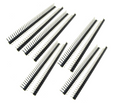
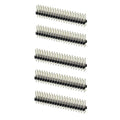
Overview
This 10-pack of 1x40 straight male pin headers is the workhorse connector in every maker's drawer. Straight, single row, breakable between any two pins — and compatible with every 2.54mm board, breadboard, shield, and Dupont wire.
Use them to add pins to an un-soldered dev board (ESP32, Pico, RP2040), to build a custom PCB footprint, or just for quick breadboard prototyping. Snap off exactly the length you need; keep the rest for the next project. A 10-pack means 400 pins total — enough for a whole semester of builds.
At a Glance
Orientation
Straight (Vertical)
Specifications
| Parameter |
Value |
| Pin Pitch |
2.54mm (0.1") |
| Pin Count Per Strip |
40 pins |
| Configuration |
Single row, straight |
| Mating Length (top) |
~6mm |
| Solder Tail Length |
~3mm |
| Total Pin Length |
~11.5mm |
| Insulator Material |
PBT plastic, black |
| Pin Material |
Brass, nickel plated |
| Current Rating |
3A per pin |
| Voltage Rating |
250V AC/DC |
| Operating Temperature |
-40°C to +105°C |
How to Use
Count the pins you need, grip the strip with fingers or pliers on either side of the break point, and bend sharply. The strip snaps cleanly between any two pins. For tight two- or one-pin sections, use small pliers rather than fingers to keep the last pin from bending.
Drop the header into the through-holes with the longer (mating) pins facing up. Tack a corner pin from below to lock the alignment, then flip the board and solder the remaining pins from the underside. For dev boards like the Pico or ESP32, press the header into a breadboard first — the breadboard holds everything perfectly square while you solder.
Solder trick: Plug your header into a breadboard, then drop the un-soldered dev board on top of the pins. The breadboard becomes a jig — everything stays perfectly aligned as you solder.
Compatible with: Breadboards, female Dupont jumper wires, female headers, sockets, ribbon cables, and every standard 2.54mm through-hole connector.
Frequently Asked Questions
How do I break the strip cleanly?
Hold the strip firmly on either side of the gap between two pins, then bend sharply against a table edge or with small pliers. The snap leaves a clean break — no filing needed. For breaking off just one or two pins, pliers give more control than fingers.
Will these fit an ESP32, Pico, or RP2040 Zero?
Yes. All three of those boards use standard 2.54mm through-hole pads, and these headers match. Break off the right length and solder them in. (Or look at the pre-soldered versions in the ShillehTek catalog if you want to skip the soldering entirely.)
How do I keep the header straight while soldering?
Push the header into a breadboard first, then place your PCB on top of the protruding pins. The breadboard acts as a perfect right-angle jig. Solder one corner pin, check alignment, then solder the rest.
What's the maximum current per pin?
3A continuous per pin. For power rails feeding high-current loads, either double up pins in parallel or use dedicated power connectors (screw terminals, barrel jacks) instead.
Can I solder these with a hot air gun?
Not recommended. The plastic insulator is designed for iron-soldering and will deform under sustained hot-air reflow. Stick with a soldering iron at 320-360°C for best results.
What length are the pins?
Total pin length is about 11.5mm: roughly 6mm of mating pin above the plastic, 2.54mm of insulator, and 3mm of solder tail below. This is the standard "low profile" dimension used in nearly all hobby electronics.
Related Tutorials