

Video Tutorial
Watch first if you want to see the project in action.
Project Overview
Clap-Controlled Light Switch: Build a clap toggle using a Raspberry Pi Pico and a KY-037 sound sensor to switch a real desk lamp via an enclosed AC relay for a safe, offline sound-to-power toggle.
- Time: 15 to 30 minutes
- Skill level: Beginner
- What you will build: A reliable clap/knock toggle that turns a lamp on and off using the KY-037 digital output and a Pico-controlled enclosed AC relay
Parts List
From ShillehTek
- KY-037 Sound Sensor (Digital Output) - reads claps via the onboard potentiometer-adjustable threshold
- Breadboard - quick solderless wiring for testing
- Jumper wires - connect the KY-037, Pico, and relay control input
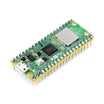
- Raspberry Pi Pico 2W - the microcontroller board used in this build
External
- Digital Loggers IoT Relay - enclosed, wall-powered AC relay for safe mains switching
- Desk lamp or any appliance - plugged into the relay's switched outlet
Note: Use an enclosed relay box to keep mains wiring out of your hands. Ensure the relay control input voltage matches the Pico output levels and share ground if required.
Step-by-Step Guide
Step 1 - Wire the KY-037 and Relay to the Pico
Goal: Connect the KY-037 digital output to a Pico input and the relay control to a Pico output so the Pico can toggle mains power safely.
What to do: Wire the following. This assumes a Pico/Pico W/Pico 2W.
KY-037 to Pico:
- KY-037 VCC → Pico 3V3
- KY-037 GND → Pico GND
- KY-037 DO → Pico GP15
Pico to AC Relay Control:
- Pico GP16 → Relay control input (low-voltage side)
- If the relay control input needs a ground reference: Pico GND → Relay control GND
What else: Plug the lamp into the relay's switched outlet and plug the relay into the wall. You should hear the relay click when toggled. Optionally use the Pico onboard LED as a visual test indicator.

Expected result: The KY-037 DO changes state on loud claps and the Pico can drive the relay control input to click the relay.
Step 2 - Main Code: Toggle Relay on Clap
Goal: Run a small MicroPython script that toggles the relay each time a clap is detected, with cooldown and re-arm logic to avoid double triggers.
What to do: Save the script below as main.py on the Pico and reset the board.
Code:
from machine import Pin
import time

SOUND_PIN = 15      # KY-037 DO -> GP15
RELAY_PIN = 16      # IoT Relay control -> GP16
COOLDOWN_MS = 1200  # buffer time between triggers (tune 800-1500)

sound = Pin(SOUND_PIN, Pin.IN)
relay = Pin(RELAY_PIN, Pin.OUT)
led = Pin("LED", Pin.OUT)

relay_state = 0
relay.value(relay_state)

last_trigger = time.ticks_ms()

# Optional: require the signal to go LOW before allowing another trigger
armed = True

while True:
    v = sound.value()

    # re-arm once it goes quiet again
    if v == 0:
        armed = True

    now = time.ticks_ms()

    if v == 1 and armed and time.ticks_diff(now, last_trigger) > COOLDOWN_MS:
        relay_state = 0 if relay_state else 1
        relay.value(relay_state)

        led.toggle()
        print("RELAY:", "ON" if relay_state else "OFF")

        last_trigger = now
        armed = False  # wait for silence before next trigger

    time.sleep(0.01)
Expected result: Clapping once toggles the relay; the Pico LED toggles as a visual indicator. The cooldown prevents rapid retriggers and the code waits for silence before allowing the next toggle.
Step 3 - Tune the KY-037 Threshold
Goal: Adjust the onboard potentiometer so claps trigger DO but normal room noise does not.
What to do: Use the quick test script below while turning the small potentiometer. Aim for quiet = LOW and clap = HIGH.
Quick test script:
from machine import Pin
import time

sound = Pin(15, Pin.IN)      # KY-037 DO -> GP15
led = Pin("LED", Pin.OUT)

while True:
    v = sound.value()
    print("DO:", v)
    led.value(v)             # LED ON when DO is HIGH
    time.sleep(0.05)
Expected result: While turning the potentiometer the DO printout and the LED should flip cleanly when you clap. If DO stays HIGH, reduce sensitivity; if it stays LOW, increase sensitivity. Adjust COOLDOWN_MS if you get double triggers.
Conclusion
You built a clap-controlled light switch using a Raspberry Pi Pico, a KY-037 sound sensor, and an enclosed AC relay to toggle a real desk lamp. The result is an offline, low-latency sound-to-power toggle that is quick to test and safe when using an enclosed relay box.
Want the exact parts used? Grab the KY-037, breadboard, and jumper wires from ShillehTek.com. If you need help customizing this project, adding filtering, or shipping a production version, check out our IoT consulting.





.png?v=25000753014097803521791168436)

.png?v=68677308723310773341791168436)


