

Project Overview
Raspberry Pi Pico 2W + 2.13 inch e-paper HAT: In this build, you create a Wi-Fi-capable e-paper conference name badge that can display your name and other info while staying readable even when power is removed.
E-paper displays only draw power when the image changes. Once the screen is updated, you can pull the battery and the image stays. That makes them perfect for name badges, conference labels, status boards, and always-on dashboards that need to last days on a single charge. Pair our 2.13 inch 250x122 e-paper HAT with a Raspberry Pi Zero or Pico W and you have a wearable smart name badge with WiFi.
This guide builds a programmable e-paper name badge that can show your name, a QR code linking to your LinkedIn, the conference schedule, or your latest GitHub commits on a battery that lasts a full conference day.
- Time: 30 to 90 minutes (plus enclosure time if you 3D print)
- Skill level: Beginner to Intermediate
- What you will build: A battery-powered e-paper badge driven by a Raspberry Pi Pico 2W that can be updated over WiFi
Parts List
From ShillehTek
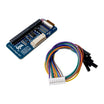
- 2.13" Black & White E-Paper HAT (250x122 SPI) - the low-power display for the badge
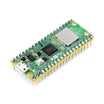
- Raspberry Pi Pico 2W - the microcontroller with WiFi for updating content (or a Pi Zero 2W)
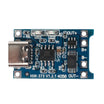
- TP4056 USB-C LiPo Charger - charges the LiPo battery over USB-C
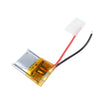
- 500 mAh LiPo Battery (3.7V) - portable power for all-day conference use
External
- A 3D-printable lanyard housing - to mount the Pico and e-paper as a wearable
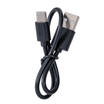
- USB-C cable - to charge the battery via the TP4056
Note: The wiring below uses the Pico W / Pico 2W SPI1 pins shown in the original pin map. If you use a different Pico variant or change SPI buses, update the pin assignments in your code to match.
Step-by-Step Guide
Step 1 - Understand why e-paper works well for wearables
Goal: Know what makes e-paper a good choice for a conference badge.
What to do: Review the key behavior of e-paper: it only needs power during refresh, and the image remains visible with no power applied.

- Zero static current. The image persists when power is off, so if the battery dies the badge stays readable.
- Outdoor readable. Reflective (not backlit), so it stays crisp in direct sunlight.
- 250x122 resolution on a 2.13 inch panel, about 117 PPI, enough for a name, title, and a small QR code.
- Refresh time: About 2 seconds for a full screen update. Partial updates are about 300 ms.
Expected result: You have a clear target for what the display can show and how it behaves on battery.
Step 2 - Wire the e-paper HAT to the Pico W / Pico 2W
Goal: Connect power and SPI signals so the Pico can control the e-paper display.
What to do: Wire the display pins to the Pico pins exactly as mapped below.
Wiring map:
E-Paper       Pico W
VCC      ->   3V3
GND      ->   GND
DIN      ->   GP11 (SPI1 MOSI)
CLK      ->   GP10 (SPI1 SCK)
CS       ->   GP9
DC       ->   GP8
RST      ->   GP12
BUSY     ->   GP13
Expected result: The Pico and e-paper module are physically connected with correct power, ground, and SPI control lines.
Step 3 - Run a MicroPython draw script
Goal: Initialize the display and draw basic text so you can validate wiring and display control.
What to do: Use the following MicroPython example to initialize the e-paper, draw text, refresh the screen, then put the display to sleep.
Code:
from machine import Pin, SPI
import framebuf
from epaper2in13_v3 import EPD_2in13

spi = SPI(1, baudrate=4000000,
          sck=Pin(10), mosi=Pin(11))
epd = EPD_2in13(spi, cs=9, dc=8, rst=12, busy=13)

epd.init()
epd.fill(0xFF)  # white

# Header
epd.text("MAHMOOD SHILLEH", 8, 8, 0)
epd.text("Founder, ShillehTek", 8, 24, 0)

# Big call-out line
epd.text("Ask me about", 8, 56, 0)
epd.text("mmWave radar!", 8, 72, 0)

# Footer
epd.text("shillehtek.com", 8, 105, 0)

epd.display()
epd.sleep()
Expected result: The e-paper display updates with the text layout, then remains visible while the display is sleeping.
Step 4 - Add a QR code to drive people to your link
Goal: Include a QR code so attendees can quickly open your LinkedIn or a business card page.

What to do: Drop a static QR PNG into your code base, decode it as a bitmap, blit it to the corner of the framebuffer, then refresh. Most people will just snap a phone photo of the badge, and the QR drives them to your LinkedIn or business card page.
Expected result: Your badge shows a scannable QR code alongside your name and other text.
Step 5 - Estimate battery life for your update frequency
Goal: Sanity-check that your battery size and refresh schedule match your conference-day target.
What to do: Use these reference numbers: the e-paper draws about 10 mA during a refresh and 0 mA after. The Pico W in deep sleep is about 1.5 mA (BLE off) or about 30 µA bare-metal. With a 500 mAh battery and one refresh per hour, you get easily a 3-day conference on a single charge.
Expected result: You can choose a refresh interval (manual or timed) that fits your battery capacity.
Step 6 - Plan the WiFi update loop for a smart badge
Goal: Understand the simplest pattern for fetching new content and refreshing the e-paper over WiFi.

What to do: If you want the badge to refresh dynamically (latest GitHub commit, current meeting, conference schedule), wake the Pico W every 10 minutes, pull a tiny JSON from a Cloudflare Worker (or your own endpoint), update the screen, then sleep. Same hardware, smarter content.
Expected result: You have a clear approach for turning a static badge into a periodically updating WiFi-connected badge.
Conclusion
An e-paper HAT plus a Raspberry Pi Pico 2W and a small LiPo turns a passive badge into an interactive, refreshable, battery-frugal wearable. With infrequent refreshes, the display stays readable with minimal power use, making it practical for a full conference day (or longer).
Want the exact parts used in this build? Grab them from ShillehTek.com. If you want help customizing this project or building something for your product, check out our IoT consulting services.
Credit: Inspired by "PiE-Ink Name Badge" on Instructables.


.png?v=25000753014097803521791168436)

.png?v=68677308723310773341791168436)


