

Video Tutorial
Watch first if you want to see the Snake console running on the Raspberry Pi Pico 2W with the ILI9341 TFT, joystick, and buzzer.
Project Overview
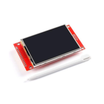
In this project, you build a tiny handheld Snake console using a Raspberry Pi Pico 2W, a 2.2" ILI9341 SPI TFT, an analog joystick, and a passive buzzer. It runs fully offline in MicroPython, looks great on camera, and is perfect for short-form content.
- Time: 30 to 60 minutes
- Skill level: Intermediate
- What you will build: A fully offline handheld Snake game with sound and joystick controls

Parts List
From ShillehTek
- Breadboard - quick solderless wiring for the build
- Jumper wires - connect the display, joystick, and buzzer to the Pico
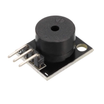
- Passive buzzer module KY-006 (3-pin) - adds sound effects using PWM
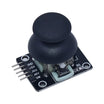
- Analog joystick module (VRx, VRy, SW) - controls snake direction
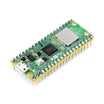
- Raspberry Pi Pico 2W - the microcontroller board used in this build
External
Note: This build uses SPI0 on the Pico 2W for the display, and ADC pins for the joystick. The passive buzzer needs PWM on its signal pin.
Step-by-Step Guide
Step 1 - Copy the files to your Pico
Goal: Get the display driver and optional splash image onto the Pico 2W so the game can boot cleanly.
What to do: Put these files on the Pico (root folder):
- /main.py (the Snake game code below)
- /ili9341.py (download the ILI9341 driver file)
- /shillehtek_logo_320x240.raw (optional splash image, RGB565 raw)
Expected result: You can see all files on the Pico filesystem and you are ready to wire the hardware.
Step 2 - Wire the TFT, joystick, and buzzer
Goal: Wire everything to the Pico 2W so the TFT renders, the joystick controls direction, and the buzzer plays tones.
What to do: Wire the modules exactly like this.
TFT ILI9341 to Pico 2W (SPI0):
- Use the display header (not the SD header)
- VCC to 3V3 (not VSYS)
- GND to GND
- SCK / CLK to GP2
- MOSI / SDI to GP3
- CS to GP5
- DC to GP6
- RST to GP7
- LED / BL to 3V3 (recommended)
Pins you can ignore for this build:
- SDO / MISO (usually not needed)
- Touch pins (if your board has them)
- SD card pins/header
Joystick to Pico 2W:
- VCC to 3V3
- GND to GND
- VRx to GP26 (ADC0)
- VRy to GP27 (ADC1)
- SW to GP15 (uses internal pull-up in code)
KY-006 passive buzzer to Pico 2W:
- S (signal) to GP14 (PWM)
- + to 3V3
- - to GND
Note: If you previously powered the TFT backlight from VSYS and it worked, fine, but 3V3 is safer for the backlight on most ILI9341 modules.
Expected result: All modules are powered from 3V3/GND, and the signal lines match the pin map above.
Step 3 - Save the game code as main.py and run
Goal: Boot directly into the Snake start screen and start playing immediately.
What to do: Save the following code as main.py, then reset the Pico 2W.
Code:
    from machine import Pin, SPI, ADC, PWM
    import time
    import random
    from ili9341 import Display, color565

    # ---------------- TFT (landscape) ----------------
    spi = SPI(
        0,
        baudrate=20_000_000,
        polarity=0,
        phase=0,
        sck=Pin(2),   # SCK
        mosi=Pin(3),  # MOSI
    )

    d = Display(
        spi=spi,
        cs=Pin(5),
        dc=Pin(6),
        rst=Pin(7),
        width=320,
        height=240,
        rotation=90,   # if flipped try 270
        mirror=False,
        bgr=True,
    )

    W, H = 320, 240
    HUD_H = 32

    # ---------------- Colors ----------------
    BLACK = color565(0, 0, 0)
    WHITE = color565(255, 255, 255)
    GREEN = color565(0, 255, 0)
    RED = color565(255, 0, 0)
    YELLOW = color565(255, 255, 0)
    BLUE = color565(0, 140, 255)
    DARK_GREEN = color565(0, 180, 0)

    # ---------------- Logo (optional) ----------------
    LOGO_PATH = "shillehtek_logo_320x240.raw"

    def show_logo(ms=900):
        try:
            # Full-screen raw RGB565 (big endian) 320x240
            d.draw_image(LOGO_PATH, x=0, y=0, w=320, h=240)
            time.sleep_ms(ms)
        except OSError:
            # If file not found, just skip
            pass

    # ---------------- Buzzer (KY-006 passive) ----------------
    buzzer = PWM(Pin(14))
    buzzer.duty_u16(0)

    def tone(freq, ms, vol=12000):
        buzzer.freq(freq)
        buzzer.duty_u16(vol)
        time.sleep_ms(ms)
        buzzer.duty_u16(0)

    def eat_sound():
        tone(1200, 35)
        time.sleep_ms(15)
        tone(1700, 55)

    def turn_sound():
        tone(900, 12, vol=8000)

    def gameover_sound():
        tone(600, 120)
        time.sleep_ms(30)
        tone(420, 170)
        time.sleep_ms(30)
        tone(260, 220)

    # ---------------- Joystick ----------------
    jx = ADC(26)  # VRx
    jy = ADC(27)  # VRy
    sw = Pin(15, Pin.IN, Pin.PULL_UP)  # SW active low

    def calibrate_center(samples=60, delay_ms=5):
        sx = 0
        sy = 0
        for _ in range(samples):
            sx += jx.read_u16()
            sy += jy.read_u16()
            time.sleep_ms(delay_ms)
        return sx // samples, sy // samples

    def dir_from_joystick(xv, yv, cx, cy, dead=11000):
        dxv = xv - cx
        dyv = yv - cy

        if -dead < dxv < dead and -dead < dyv < dead:
            return 0, 0

        # dominant axis only (no diagonals)
        if abs(dxv) > abs(dyv):
            return (1, 0) if dxv > 0 else (-1, 0)
        return (0, 1) if dyv > 0 else (0, -1)

    def wait_press():
        while sw.value() == 1:
            time.sleep_ms(10)
        time.sleep_ms(160)

    # ---------------- Playfield (fix border eating) ----------------
    CELL = 10

    # Leave a 1px border so the snake never draws over the rectangle
    BORDER = 1
    PLAY_X0 = BORDER
    PLAY_Y0 = HUD_H + BORDER
    PLAY_W = W - 2 * BORDER
    PLAY_H = (H - HUD_H) - 2 * BORDER

    GRID_W = PLAY_W // CELL
    GRID_H = PLAY_H // CELL

    def cell_to_px(c):
        return PLAY_X0 + c[0] * CELL, PLAY_Y0 + c[1] * CELL

    def draw_hud(score, speed_ms):
        d.fill_rectangle(0, 0, W, HUD_H, BLACK)
        d.draw_text8x8(8, 8, "SHILLEHTEK SNAKE", BLUE, background=BLACK)
        d.draw_text8x8(210, 8, "S:%d" % score, YELLOW, background=BLACK)
        d.draw_text8x8(270, 8, "%dms" % speed_ms, WHITE, background=BLACK)

    def draw_cell(cell, color):
        x, y = cell_to_px(cell)
        d.fill_rectangle(x, y, CELL, CELL, color)

    def spawn_food(snake_set):
        while True:
            f = (random.randrange(GRID_W), random.randrange(GRID_H))
            if f not in snake_set:
                return f

    def game():
        random.seed()
        cx, cy = calibrate_center()

        head = (GRID_W // 2, GRID_H // 2)
        snake = [head, (head[0] - 1, head[1]), (head[0] - 2, head[1])]
        snake_set = set(snake)

        dx, dy = 1, 0
        pending_dx, pending_dy = dx, dy

        score = 0
        speed_ms = 130

        food = spawn_food(snake_set)

        d.clear(BLACK)
        draw_hud(score, speed_ms)

        # Draw border around playable area (now snake never overwrites it)
        d.draw_rectangle(0, HUD_H, W, H - HUD_H, WHITE)

        for i, seg in enumerate(snake):
            draw_cell(seg, GREEN if i == 0 else DARK_GREEN)
        draw_cell(food, RED)

        last_step = time.ticks_ms()

        while True:
            if sw.value() == 0:
                buzzer.duty_u16(0)
                return

            ndx, ndy = dir_from_joystick(jx.read_u16(), jy.read_u16(), cx, cy)
            if ndx != 0 or ndy != 0:
                if not (ndx == -dx and ndy == -dy):
                    if (ndx, ndy) != (pending_dx, pending_dy):
                        turn_sound()
                    pending_dx, pending_dy = ndx, ndy

            now = time.ticks_ms()
            if time.ticks_diff(now, last_step) < speed_ms:
                time.sleep_ms(5)
                continue
            last_step = now

            dx, dy = pending_dx, pending_dy

            hx, hy = snake[0]
            nh = (hx + dx, hy + dy)

            # wall collision
            if nh[0] < 0 or nh[0] >= GRID_W or nh[1] < 0 or nh[1] >= GRID_H:
                gameover_sound()
                d.fill_rectangle(0, 0, W, H, BLACK)
                d.draw_text8x8(92, 86, "GAME OVER", RED, background=BLACK)
                d.draw_text8x8(56, 110, "PRESS SW TO RESTART", WHITE, background=BLACK)
                wait_press()
                buzzer.duty_u16(0)
                return

            tail = snake[-1]
            eating = (nh == food)

            # self collision (tail exception if not eating)
            if nh in snake_set and not (nh == tail and not eating):
                gameover_sound()
                d.fill_rectangle(0, 0, W, H, BLACK)
                d.draw_text8x8(92, 86, "GAME OVER", RED, background=BLACK)
                d.draw_text8x8(56, 110, "PRESS SW TO RESTART", WHITE, background=BLACK)
                wait_press()
                buzzer.duty_u16(0)
                return

            # add new head
            snake.insert(0, nh)
            snake_set.add(nh)
            draw_cell(nh, GREEN)

            if eating:
                eat_sound()
                score += 1
                if score % 3 == 0 and speed_ms > 55:
                    speed_ms -= 8
                draw_hud(score, speed_ms)

                food = spawn_food(snake_set)
                draw_cell(food, RED)
            else:
                snake.pop()
                snake_set.remove(tail)
                draw_cell(tail, BLACK)

    # ---------------- Main loop ----------------
    while True:
        show_logo(ms=850)

        d.clear(BLACK)
        d.draw_text8x8(70, 80, "SHILLEHTEK SNAKE", BLUE, background=BLACK)
        d.draw_text8x8(60, 110, "PRESS SW TO START", YELLOW, background=BLACK)
        d.draw_text8x8(40, 140, "MOVE WITH JOYSTICK", WHITE, background=BLACK)

        wait_press()
        tone(1200, 60)
        game()

        # After game ends, flash logo again for marketing
        show_logo(ms=900)
Expected result: The TFT shows the logo or the start screen, pressing the joystick button starts the game, the joystick moves the snake (no diagonals), and the buzzer chirps on turns and food.
Step 4 - Quick checks to confirm it is working
Goal: Verify the build fast before filming or sharing.
- The screen shows the logo splash or the start screen text
- The joystick moves the snake smoothly (no diagonal moves)
- The buzzer chirps on turns and plays a sound when you eat food
- The border stays visible even when you hug the walls
Conclusion
You just built a full microcontroller game console with a Raspberry Pi Pico 2W, an ILI9341 TFT display, an analog joystick, and a passive buzzer, running fully offline in MicroPython. This is a perfect build for short-form content because it looks clean on camera and it works instantly on boot.
Want the exact parts used in this build? Grab them from ShillehTek.com. If you want help customizing this project, polishing it for a product demo, or building something similar for your own setup, check out our IoT consulting services.




.png?v=25000753014097803521791168436)

.png?v=68677308723310773341791168436)


