

Project Overview

ESP32 + HLK-LD2410 mmWave smart light: In this build, an ESP32 reads an HLK-LD2410 family 24 GHz human-presence radar sensor and switches a relay or smart bulb so your lights stay on even when you are sitting still.
The number one complaint about PIR-based occupancy lights is that they turn off while you are sitting still on the couch. Millimeter-wave (mmWave) radar fixes this by detecting breathing-level motion, working in total darkness or bright sun, and sensing through many plastic enclosures.
This guide shows how to wire an HLK-LD2410 (or our drop-in LD2450 / HLK-2410B / HLK-2410C / LD1125H modules) to an ESP32, tune detection distance, and switch a relay whenever a human is present.
- Time: 30 to 60 minutes
- Skill level: Beginner to Intermediate
- What you will build: A presence-triggered light switch using an ESP32, an mmWave radar sensor, and a relay.
Parts List
From ShillehTek
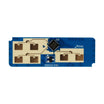
- HLK-LD2450 24 GHz mmWave Radar (Human Body Tracking) - tracks up to 3 humans.
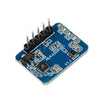
- HLK-2410C Human Presence Radar Module - tuned for occupancy.
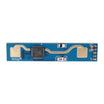
- HLK-2410B Human Presence Radar - budget variant.
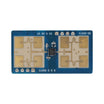
- LD1125H 24 GHz mmWave Sensor - high-sensitivity version.
- ESP32 WROOM Dev Board (USB-C) - microcontroller that reads the sensor and drives the output.
- 1-Channel 5 V Relay Module - switches the lamp or other load.
External
- A USB-C power supply (the ESP32 draws 200 to 500 mA).
- A 110 V or 220 V lamp (or a 12 V LED strip) as the load.
Note: The wiring example uses ESP32 UART2 on GPIO16 (RX) and GPIO17 (TX). The LD2410 OUT pin is active HIGH when presence is detected.
Step-by-Step Guide
Step 1 - Understand why mmWave radar beats PIR
Goal: Know what you gain by using an mmWave presence sensor instead of a PIR sensor.
- Detects stationary humans - breathing motion is enough.
- Penetrates plastic/glass enclosures - can be mounted inside many sealed housings.
- Range: up to 6 m static and 9 m moving on the LD2410.
- Field of view: approximately ±60 degrees (front-facing cone).
- No warm-up time - ready quickly after power-on.
Expected result: You understand why mmWave is a better choice for keeping lights on during low-motion activities like reading or working at a desk.
Step 2 - Wire the LD2410 to the ESP32 (example)
Goal: Connect power, UART (optional), and the OUT presence pin so the ESP32 can read occupancy.
What to do: Wire VCC and GND first, then connect TX/RX for UART data, and finally connect OUT to a GPIO input.
Wiring map:
LD2410       ESP32
VCC      ->  5V
GND      ->  GND
TX       ->  RX2 (GPIO16)
RX       ->  TX2 (GPIO17)
OUT      ->  GPIO4   (active HIGH when present)
The single OUT pin is enough for most projects. The UART link gives you fine-grain target distance, signal strength, and motion type if you want them.
Expected result: The sensor powers on and the ESP32 can read the OUT pin state (and UART data if connected).
Step 3 - Upload a quick test sketch (Arduino IDE / PlatformIO)
Goal: Verify the sensor can turn a relay on and off based on presence.
What to do: Connect your relay control input to GPIO5 (or adjust the code), then compile and upload the sketch.
Code:
const int LD2410_OUT = 4;
const int RELAY = 5;
void setup() {
  pinMode(LD2410_OUT, INPUT);
  pinMode(RELAY, OUTPUT);
  Serial.begin(115200);
}
void loop() {
  bool present = digitalRead(LD2410_OUT);
  digitalWrite(RELAY, present ? HIGH : LOW);
  Serial.println(present ? "HUMAN" : "empty");
  delay(200);
}
Expected result: Walk into the room and the relay clicks ON. Sit still and the relay stays ON. Walk out and after the sensor times out (commonly around 30 seconds), the relay turns OFF.
Step 4 - Tune the detection distance (LD2410 distance gates)
Goal: Reduce false triggers by limiting detection to the area you care about.

What to do: The LD2410 splits its detection range into 8 distance gates (each about 0.75 m wide). Disable specific gates so the sensor ignores motion past your desired boundary, such as beyond a doorway.
Use the official HLKRadarTool on Windows or the Espressif-published esp32-mmwave library to configure gates over UART.
For an office light, you might disable gates 1 to 2 (skip the desk) and 6 to 8 (skip the hallway) to focus detection on the chair area.
Expected result: The sensor triggers reliably for the intended area and is less likely to react to movement outside the room.
Step 5 - Integrate with Home Assistant using ESPHome
Goal: Expose the radar as a Home Assistant entity for automations and dashboards.
What to do: Add the YAML below to your ESPHome device configuration (adjust pins if you wired UART differently).
Code:
esphome:
  name: presence-light

uart:
  rx_pin: GPIO16
  tx_pin: GPIO17
  baud_rate: 256000

ld2410:

binary_sensor:
  - platform: ld2410
    has_target:
      name: "Office Presence"
Expected result: The radar shows up in Home Assistant as a binary sensor, and you can build automations to control lights based on presence.
Step 6 - Choose the right mmWave module
Goal: Match the sensor to your use case (single-room presence, tracking, sensitivity, budget).

- Most office / room occupancy projects - HLK-2410C.
- Multi-person tracking - HLK-LD2450 (tracks up to 3 targets with X/Y/distance).
- Long-range or highly sensitive - LD1125H.
- Budget single-room - HLK-2410B.
Expected result: You can pick a module that fits your detection needs without overbuying features.
Conclusion
With an ESP32 reading an HLK-LD2410 family mmWave radar and driving a relay, you get an occupancy light that stays on while you are still, and turns off when the room is truly empty. The same approach also works for HVAC zone control, security alerts, and smart office automation.
Want the exact parts used in this build? Grab them from ShillehTek.com. If you want help customizing this project or building something for your product, check out our IoT consulting services.
Credit: Inspired by the tutorial Smart Lighting With an Mmwave Presence Detector on Instructables. Images credited to the original author.




.png?v=25000753014097803521791168436)

.png?v=68677308723310773341791168436)


