


Project Overview
ESP32 + HLK-LD2410 bedroom occupancy: This project wires an ESP32 to an HLK-LD2410 mmWave radar module to detect still-presence (like breathing) so bedroom automations stay reliable and lights stay off while you sleep.
The same mmWave radar that detects you sitting at your desk also detects you sleeping in your bed, without a camera, without a wearable, and without anything touching the mattress. The HLK-LD2410 (and its bigger siblings) can sense the still-presence signature of a person breathing in a chair or under a blanket.
Hooked up to Home Assistant, this gives you bedroom occupancy automation that is actually reliable: lights stay off when you go to sleep, on when you get out, and the alarm clock can know that you are still in the room. This guide focuses on tuning for “human in a bed”, not “human walking past.”
- Time: 30 to 60 minutes
- Skill level: Intermediate
- What you will build: An ESP32-based mmWave bedroom occupancy sensor integrated with Home Assistant via ESPHome.
Parts List
From ShillehTek
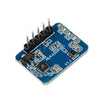
- HLK-2410C Human Presence Radar (or use the HLK-2410B) - mmWave still-presence radar for bed occupancy detection.
- LD1125H 24GHz mmWave Sensor - tuned for high sensitivity (alternative sensor option mentioned in the guide).
- ESP32 WROOM Dev Board - microcontroller running ESPHome and reading the radar over UART.
- 1-Channel 5V Relay Module - optional, for switching a bedside lamp.
External
- USB-C cable - for ESP32 power and flashing.
- An overhead mounting point (ceiling, wall above bed, headboard) - for reliable coverage of the mattress.
- Home Assistant instance - for automations and dashboards.
Note: The wiring below uses the ESP32 UART2 pins (GPIO16/GPIO17). The LD2410 UART in the ESPHome example uses a 256000 baud rate, as shown in the original config.
Step-by-Step Guide
Step 1 - Understand why mmWave is ideal for a bedroom
Goal: Choose the right sensing approach for sleeping occupancy.
What to do: If PIR fails for you at night, it is because you are not “moving” enough to trigger it. Camera-based occupancy can be invasive and can break in the dark. mmWave can see breathing-level motion (chest rise and fall) through blankets and quilts.
Expected result: You understand why mmWave supports reliable “still-presence” so lights stay off until you physically get out of bed, and HVAC can adjust based on occupied vs empty.
Step 2 - Pick the right module for bedroom still-presence
Goal: Select hardware that matches “single sleeping body” detection.
What to do: Use a static-presence capable module like the HLK-2410B/2410C or LD1125H. The LD2450 is more focused on tracking multiple targets in motion, which is often better for office occupancy and less ideal for a single sleeping body.
Expected result: You pick HLK-2410C if you want to mount it above the bed, or LD1125H if you want maximum sensitivity (as described in the original guide).
Step 3 - Choose a mounting position
Goal: Place the radar for stable coverage of the mattress while minimizing false triggers.
What to do: Choose one of these mounting options (in order of reliability):
- Ceiling above the bed - the radar points straight down; the detection cone covers the whole mattress.
- Wall above the headboard - angle slightly down toward the foot of the bed.
- On the nightstand - angle toward the bed; cheapest install but the field of view may clip part of the mattress.
Expected result: The sensor field of view is aimed at the bed, not the hallway.
Step 4 - Wire the HLK-LD2410 to the ESP32
Goal: Connect power, UART, and the presence output signal.
What to do: Wire the module as shown below (pin names preserved from the original guide):
HLK-2410C       ESP32
VCC          -> 5V
GND          -> GND
TX           -> GPIO16 (RX2)
RX           -> GPIO17 (TX2)
OUT          -> GPIO4   (HIGH when present)
Expected result: The ESP32 can communicate with the radar over UART, and GPIO4 can read the module’s presence output (HIGH when present).
Step 5 - Tune detection gates for “human in a bed”
Goal: Reduce false triggers from beyond the bed area.
What to do: The LD2410 splits its detection range into 8 gates of about 0.75 m. For a bedroom mounted above the bed at 2 m, enable only gates 1 to 3 (close range) and disable the rest. Otherwise, the sensor may trigger on a partner walking down the hallway.
Expected result: Presence is primarily tied to bed occupancy instead of broader room motion.
Step 6 - Integrate with Home Assistant using ESPHome
Goal: Expose occupancy and radar telemetry in Home Assistant.
What to do: Use the ESPHome configuration below (preserved from the original guide):
esphome:
  name: bedroom-radar

uart:
  rx_pin: GPIO16
  tx_pin: GPIO17
  baud_rate: 256000

ld2410:
  throttle: 1500ms

binary_sensor:
  - platform: ld2410
    has_target:
      name: "Bedroom Occupied"

sensor:
  - platform: ld2410
    moving_distance:
      name: "Moving Distance"
    still_distance:
      name: "Still Distance"
    moving_energy:
      name: "Moving Energy"
    still_energy:
      name: "Still Energy"
Expected result: Home Assistant shows a “Bedroom Occupied” binary sensor plus moving/still distance and energy values.
Step 7 - Build automations that match real bedroom behavior
Goal: Turn presence into practical automations.
What to do: Examples from the original guide:
- Stay off until I get out: bedroom light only turns on when “occupied” goes false (you got out of bed).
- Auto-set vacation HVAC: if “occupied” is false for more than 6 hours overnight (you are away), drop the thermostat 5°F.
- Smart alarm: the alarm only goes off if the radar confirms you are still in bed (no need to dismiss it if you are already up).
- Restless-sleep detector: the LD2410 reports motion energy; high energy at night can indicate restless sleep. Plot it on a Grafana dashboard for insight.
Expected result: Automations feel “correct” for sleep: fewer false-ons and better context for lighting, HVAC, and alarms.
Step 8 - Confirm the privacy model
Goal: Understand what the sensor does and does not capture.
What to do: mmWave radar reports presence and general motion energy. It does not see body shape, does not take pictures, and does not hear sound. The system can be fully local (for example, ESPHome on your own MQTT broker), with no cloud required.
Expected result: You can justify the install as a privacy-friendly alternative to bedroom cameras while still gaining most of the automation value.
Conclusion
With an ESP32 and an HLK-LD2410 mmWave radar, you can detect true bedroom still-presence (including breathing) and drive Home Assistant automations that keep lights off while you sleep and react when you actually get out of bed. The result is reliable occupancy without cameras, wearables, or mattress sensors.
Want the exact parts used in this build? Grab them from ShillehTek.com. If you want help customizing this project or building something for your product, check out our IoT consulting services.
Inspired by “Seeed MR60BHA1: Presence, Breathing, and Heartbeat Sensing” on Instructables.




.png?v=25000753014097803521791168436)

.png?v=68677308723310773341791168436)


