

Project Overview
Arduino Nano + VL53L0X laser ToF sensor: Build an Arduino Nano that reads millimetre-precise distance from a VL53L0X time-of-flight module and streams the result over Serial for reliable ranging from about 30 mm to 2 m.
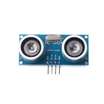
The VL53L0X uses a 940 nm laser to measure time-of-flight, so unlike the HC-SR04 it is less affected by soft surfaces and provides 1 mm resolution. It is a strong choice for robot bumpers, level meters, and gesture-style projects.
- Time: ~10 minutes
- Skill level: Beginner
- What you will build: An Arduino streaming millimetre-precise distance over Serial.

Parts List
From ShillehTek
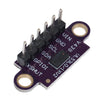
- VL53L0X Pre-Soldered Laser ToF Sensor - the distance sensor module used for I2C ranging
- Arduino Nano V3.0 Pre-Soldered - reads the sensor and prints distance over Serial
- 120 PCS Dupont Jumper Wires - for quick breadboard or header-to-header wiring
External
- USB cable + Arduino IDE
Note: VL53L0X is 2.8 V logic but the breakout has level shifting on SDA/SCL, so it is safe with 3.3 V or 5 V boards.
Step-by-Step Guide
Step 1 - Wire It Up
Goal: Connect the VL53L0X to the Arduino Nano over I2C.
What to do: Wire the sensor to the Arduino Nano using the I2C pins. On the Nano, SDA is A4 and SCL is A5.

Expected result: The VL53L0X is powered and connected on the I2C bus.
Step 2 - Install the Library
Goal: Add the driver needed to talk to the VL53L0X.
What to do: In the Arduino IDE, open Library Manager and install Adafruit VL53L0X.
Expected result: The example code will compile with the Adafruit_VL53L0X header available.
Step 3 - Upload the Sketch
Goal: Read distance in millimetres and print it to Serial.
What to do: Paste the sketch below into the Arduino IDE, select the correct board and port, then upload.
Code:
#include <Wire.h>
#include <Adafruit_VL53L0X.h>

Adafruit_VL53L0X tof;

void setup() {
  Serial.begin(115200);
  if (!tof.begin()) { Serial.println("VL53L0X not found"); while (1); }
}

void loop() {
  VL53L0X_RangingMeasurementData_t m;
  tof.rangingTest(&m, false);
  if (m.RangeStatus != 4) {
    Serial.print("Distance: "); Serial.print(m.RangeMilliMeter); Serial.println(" mm");
  } else {
    Serial.println("Out of range");
  }
  delay(100);
}
Expected result: The sketch uploads successfully and the board starts printing distance readings.
Step 4 - Watch It Track
Goal: Confirm the sensor is updating and the readings make sense.
What to do: Open the Serial Monitor at 115200 baud and move your hand toward and away from the sensor.
Expected result: Readings update at about 10 Hz with 1 mm resolution, typically out to about 1.2 m indoors.
Step 5 - Where to Take It Next
Goal: Apply the same I2C distance readings in your own project.
What to do: Use the Serial distance output as a starting point and adapt it for your application.
- Replace the HC-SR04 in any project, since the VL53L0X is more accurate, faster, and smaller
- Build a contactless gesture menu (hover a hand over to scroll)
- Liquid-level monitoring (it can work through a clear plastic tank wall)
- Robotic obstacle avoidance for tight indoor spaces
Expected result: You have a clear path to reuse the same sensor wiring and code structure in other builds.
Conclusion
You built an Arduino Nano project that reads millimetre distance from a VL53L0X laser time-of-flight sensor over I2C and streams the measurement over Serial. If the HC-SR04 is no longer precise enough for your build, the VL53L0X is a practical upgrade with the same I2C-style workflow.
Want the exact parts used in this build? Grab them from ShillehTek.com. If you want help customizing this project or building something for your product, check out our IoT consulting services.
Credit: The VL53L0X photos and wiring diagram are credited to Instructables, which served as the reference for this version.




.png?v=25000753014097803521791168436)

.png?v=68677308723310773341791168436)


