

Project Overview
Arduino Nano + HC-SR501 PIR vs RCWL-0516 microwave radar: This guide compares the two most common motion sensor modules so you can choose the right one for reliable motion detection in your project.

Two cheap modules dominate motion-detection projects: the trusty PIR sensor (HC-SR501 and similar) and the newer microwave/radar module (RCWL-0516, HLK-LD2410, and friends). Both cost a few dollars, both have a single digital output that goes HIGH when something moves, and both wire up in minutes. But they see the world in completely different ways: one watches body heat, the other watches Doppler shift in reflected radio waves.
This guide explains how each works, what each can and can’t detect, and which one is right for an automatic light, a porch alarm, a Halloween prop, a presence-sensing thermostat, or a chicken-coop predator alert.
- Time: 15 to 30 minutes
- Skill level: Beginner
- What you will build: A simple Arduino motion test sketch you can use with either a PIR or microwave radar module, plus practical guidance on when to use each.
Parts List
From ShillehTek
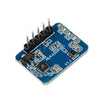
- HC-SR501 PIR Motion Sensor - a classic passive infrared motion module with adjustable settings.
- Arduino Nano V3.0 - quick way to read a digital sensor output and test behavior.
- 1-Channel 5V Relay Module - switch a lamp or load based on motion (optional).
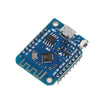
- ESP8266 D1 Mini V3 - add WiFi alerts if you want notifications (optional).
External
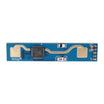
- RCWL-0516 microwave Doppler module (3 to 5 V, single-pin output).
- Optionally an HLK-LD2410 24 GHz mmWave radar module for higher-end builds.
- Power supply - both modules will run from your Arduino’s 5 V rail.
Note: Many PIR and radar modules output a 3.3 V to 5 V digital signal. Verify your module’s voltage and pin labels (VCC, OUT, GND) before wiring.
Step-by-Step Guide
Step 1 - Understand how a PIR sensor works
Goal: Know what a PIR detects well (and what it misses) so you can match it to the right project.

What to do: Remember that PIR means Passive Infrared. The white dome is a Fresnel lens that splits the view into zones. Behind it is a pyroelectric sensor that detects differences in infrared light (body heat) between zones. When a warm body moves across zones, the sensor output goes HIGH.
- Detects: moving warm bodies (humans, dogs, cats).
- Range: 3 to 7 m typical (HC-SR501 trimmer adjustable).
- Field of view: about a 120° cone.
- Latency: about 1 to 2 seconds to first trigger after power-up; near-instant after that.
- Power: 50 to 65 µA standby. Great for battery use.
- Blind to: a person sitting still (only motion triggers it), anything through glass, anything that’s the same temperature as the room.
Expected result: You can predict when PIR will be stable and low-noise (typical rooms) and when it will miss events (no heat contrast or no motion).
Step 2 - Understand how a microwave / radar sensor works
Goal: Know what a microwave Doppler module detects well (and what causes false triggers).

What to do: The RCWL-0516 emits a continuous 3.18 GHz signal and listens for the reflection. When something moves toward or away from the antenna, the reflected wave is Doppler-shifted, and a comparator on the board pulls the OUT pin HIGH.
- Detects: any moving object that reflects radio waves: humans, animals, swinging doors, a cat through a wall, falling leaves.
- Range: about 7 m typical, hard to adjust on basic RCWL-0516 modules.
- Field of view: roughly omnidirectional (360°) for the small modules.
- Penetrates: thin walls, plastic enclosures, glass.
- Power: 3 to 5 mA continuous. Not ideal for battery.
- False trigger sources: ceiling fans, swaying plants, washing machines, your own arm waving in another room.
Expected result: You understand why radar sensors feel more sensitive, and why they can trigger from motion you did not intend to detect.
Step 3 - Wire either sensor to an Arduino and upload a basic test sketch
Goal: Read the OUT pin from either sensor and confirm it drives an Arduino input reliably.
What to do: Both modules typically use three pins: VCC, OUT, and GND. Connect VCC to 5 V (or the module’s required voltage), GND to GND, and OUT to Arduino digital pin 2. The code below mirrors the sensor state to the onboard LED and prints a message when motion is detected.

Code:
// Both sensors: 3 pins (VCC, OUT, GND)
const int SENSOR_PIN = 2;
const int LED_PIN = 13;

void setup() {
  pinMode(SENSOR_PIN, INPUT);
  pinMode(LED_PIN, OUTPUT);
  Serial.begin(9600);
}

void loop() {
  int s = digitalRead(SENSOR_PIN);
  digitalWrite(LED_PIN, s);
  if (s) Serial.println("motion!");
  delay(100);
}
Expected result: When the sensor triggers, the LED turns on and the serial monitor prints “motion!” while the OUT pin is HIGH.
Step 4 - Compare behavior with a quick head-to-head bench test
Goal: See how PIR and radar differ in real rooms so you can choose based on your environment.
What to do: Aim both sensors at the same doorway. Treat one trigger event as the output going HIGH for the configured pulse time.
- Person walking past at 1 m/s: both fire immediately.
- Person standing still: PIR drops out within 30 seconds. Microwave keeps firing if there’s any breathing-level motion.
- Person behind a thin wall: PIR blind. Microwave still triggers (useful or terrible depending on the project).
- Hot air vent blowing on the sensor: PIR false triggers from the warm air. Microwave ignores it.
- Hand waved through a window: PIR blind (glass blocks IR). Microwave still detects.
Expected result: You can identify the situations where radar “over-detects” and where PIR “under-detects.”
Step 5 - Pick the right sensor for your project
Goal: Choose the module that matches your detection goal, power budget, and environment.
What to do: Use these practical pairings:
- Automatic porch light, indoor occupancy light - HC-SR501 PIR. Cheap, reliable, ignores fans, well-documented.
- Is someone here right now (smart thermostat) - microwave radar. PIR drops out the moment you sit still.
- Halloween prop / scare trigger - PIR. The 120° cone is exactly the trigger pattern you want.
- Through-wall trigger (LED inside a sealed enclosure) - microwave. Mount the sensor behind plastic, it still works.
- Battery-powered porch alarm - PIR. Much lower standby current than microwave.
- Anti-tamper or anything moving in this room alarm - microwave (or both in parallel for false-positive rejection).
Expected result: You can choose a sensor based on whether you care about warm-body motion at a boundary (PIR) or general motion within a volume (radar).
Step 6 - Combine both outputs for more reliable presence detection
Goal: Understand why many commercial occupancy sensors use both technologies together.
What to do: For a serious presence sensor, you AND the two outputs together. PIR confirms it’s a warm body; microwave confirms it’s still moving (breathing counts). Many commercial occupancy sensors do exactly this so lights do not turn off while someone is sitting still.
Expected result: You understand the complementary strengths: PIR reduces unwanted triggers from non-living motion, while radar reduces missed detections when a person is mostly still.
Conclusion
PIR and microwave radar sensors look like substitutes, but they’re really complements. PIR is the right answer for “did a person walk past this point” because it’s cheap, low-power, and well-behaved. Microwave radar is the right answer for “is anything moving in this volume of space” because it can work through walls, see tiny motion like breathing, and ignore temperature drift.
Want the exact parts used in this guide? Grab them from ShillehTek.com. If you want help choosing sensors for your environment or designing a motion-based product, check out our IoT consulting services.
Credit: Inspired by the side-by-side comparison "PIR and Radar Sensor Comparison" on Instructables. Images credited to the original author of the source tutorial.






.png?v=25000753014097803521791168436)

.png?v=68677308723310773341791168436)


