

Project Overview
Arduino + MCP2515 CAN Bus Module: In this build, you connect two Arduino boards to a pair of MCP2515 CAN modules and transmit DHT11 temperature and humidity data from an Arduino Nano to an Arduino Uno that displays the readings on a 16×2 I2C LCD.
This is a practical introduction to CAN bus basics using the same two-wire CAN_H/CAN_L signaling found in automotive and industrial networks.
- Time: 60 to 90 minutes
- Skill level: Intermediate
- What you will build: A two-node CAN bus link between two Arduinos that streams DHT11 sensor data to an I2C LCD.

Parts List
From ShillehTek
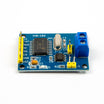
- MCP2515 CAN Bus Module with TJA1050 Transceiver (SPI) × 2 - one module per CAN node.
- Arduino Nano V3 (pre-soldered, CH340G, ATmega328P) - transmitter board that reads the DHT11.
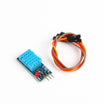
- DHT11 Temperature & Humidity Sensor - the sensor data source.
- LCD1602 16×2 Character Display Module - display for the receiver.
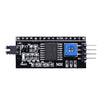
- PCF8574 I2C Serial Adapter for 1602/2004 LCDs - converts the LCD to I2C (SDA/SCL).
- 120pcs 20cm Dupont Jumper Wires - SPI wiring, sensor wiring, and CAN wiring.
- 400-Point Solderless Breadboards × 2 - one breadboard per node.
External
- Arduino Uno board (or any 5 V Arduino-compatible) for the receiver.
- USB cable for programming each board.
- Twisted pair wire (recommended) for CAN_H and CAN_L.
Note: Many MCP2515 boards ship with an 8 MHz crystal, which is why the sketches below use MCP_8MHZ. If your board has a 16 MHz crystal, change the constant to MCP_16MHZ or you may see no traffic on the bus.
Step-by-Step Guide
Step 1 - Understand the two-node CAN setup
Goal: Define what each Arduino does so wiring and code match the intended roles.
What to do: Use two CAN nodes:
-
Transmitter: Arduino Nano reads a DHT11 and sends humidity and temperature on CAN ID
0x036. -
Receiver: Arduino Uno listens for CAN ID
0x036and prints the values on a 16×2 I2C LCD.
Expected result: You have a clear plan: one board sends sensor data frames, the other displays them.
Step 2 - Wire the MCP2515 module to each Arduino (SPI + INT)
Goal: Connect each MCP2515 CAN module to its host Arduino using SPI and an interrupt pin.
What to do: Wire both nodes the same way:
| MCP2515 Pin | Arduino Pin |
|---|---|
| VCC | 5V |
| GND | GND |
| CS | D10 |
| SO | D12 (MISO) |
| SI | D11 (MOSI) |
| SCK | D13 (SCK) |
| INT | D2 |

Expected result: Both MCP2515 modules are powered and wired to their Arduinos over SPI, ready for CAN initialization.
Step 3 - Wire the transmitter node (Arduino Nano + DHT11)
Goal: Read temperature and humidity on the Nano so the values can be sent over CAN.
What to do: On the Nano, wire the DHT11 data line to D8. Connect DHT11 VCC to 3.3 V and GND to GND. Keep the MCP2515 wiring from Step 2.

Expected result: The Nano can read the DHT11 on D8 and has an MCP2515 module connected over SPI.
Step 4 - Wire the receiver node (Arduino Uno + I2C LCD)
Goal: Display received CAN values on a 16×2 I2C LCD using the Uno.
What to do: Wire the LCD I2C pins to the Uno:
-
SDA:
A4 -
SCL:
A5 - Power: 5 V and GND from the Uno
Keep the MCP2515 wiring from Step 2.

Expected result: The Uno is ready to initialize the LCD over I2C and read frames via the MCP2515.
Step 5 - Connect CAN_H and CAN_L between the two MCP2515 modules
Goal: Create the physical two-wire CAN bus between the two nodes.
What to do: Connect CAN_H on one module to CAN_H on the other. Connect CAN_L to CAN_L. Use a twisted pair if possible.
Because this build uses only two nodes, make sure the 120 Ω termination jumpers are populated on both modules.

Expected result: The two nodes share the same CAN_H/CAN_L pair and are properly terminated for a two-node bus.
Step 6 - Upload the transmitter sketch (Arduino Nano)
Goal: Read the DHT11 every second and send humidity and temperature on CAN ID 0x036.
What to do: In the Arduino IDE, install the autowp/arduino-mcp2515 library and a DHT library (Adafruit’s works fine). Then upload this sketch to the Nano.
Code:
#include <SPI.h>        // SPI for the MCP2515
#include <mcp2515.h>    // CAN library: https://github.com/autowp/arduino-mcp2515
#include <DHT.h>        // Temperature / humidity sensor

#define DHTPIN 8
#define DHTTYPE DHT11

struct can_frame canMsg;
MCP2515 mcp2515(10);     // CS on D10
DHT dht(DHTPIN, DHTTYPE);

void setup() {
  while (!Serial);
  Serial.begin(9600);
  SPI.begin();
  dht.begin();

  mcp2515.reset();
  mcp2515.setBitrate(CAN_500KBPS, MCP_8MHZ);  // 500 kbps with the 8 MHz crystal
  mcp2515.setNormalMode();
}

void loop() {
  int h = dht.readHumidity();
  int t = dht.readTemperature();

  canMsg.can_id  = 0x036;
  canMsg.can_dlc = 8;
  canMsg.data[0] = h;
  canMsg.data[1] = t;
  canMsg.data[2] = 0x00;
  canMsg.data[3] = 0x00;
  canMsg.data[4] = 0x00;
  canMsg.data[5] = 0x00;
  canMsg.data[6] = 0x00;
  canMsg.data[7] = 0x00;

  mcp2515.sendMessage(&canMsg);
  delay(1000);
}
Expected result: The Nano transmits one CAN frame per second. You should see the transmitter activity (TX LED behavior depends on the specific board/module).
Step 7 - Upload the receiver sketch (Arduino Uno)
Goal: Receive CAN frames, extract humidity and temperature bytes, and print them to the LCD.
What to do: Install the same mcp2515 library plus a LiquidCrystal_I2C library on the Uno and upload this sketch.
Code:
#include <SPI.h>
#include <mcp2515.h>
#include <LiquidCrystal_I2C.h>

LiquidCrystal_I2C lcd(0x27, 16, 2);  // try 0x3F if 0x27 is silent
struct can_frame canMsg;
MCP2515 mcp2515(10);                 // CS on D10

void setup() {
  Serial.begin(9600);
  SPI.begin();

  lcd.init();
  lcd.clear();
  lcd.backlight();
  lcd.setCursor(0, 0);
  lcd.print("CANBUS TUTORIAL");
  delay(3000);
  lcd.clear();

  mcp2515.reset();
  mcp2515.setBitrate(CAN_500KBPS, MCP_8MHZ);
  mcp2515.setNormalMode();
}

void loop() {
  if (mcp2515.readMessage(&canMsg) == MCP2515::ERROR_OK) {
    int humidity    = canMsg.data[0];
    int temperature = canMsg.data[1];

    lcd.setCursor(0, 0);
    lcd.print("Humi: ");
    lcd.print(humidity);

    lcd.setCursor(0, 1);
    lcd.print("Temp: ");
    lcd.print(temperature);

    delay(1000);
    lcd.clear();
  }
}
Expected result: The LCD shows the splash screen for three seconds, then updates with the latest humidity and temperature values as CAN frames arrive.


Step 8 - Know the key library calls (so you can modify the project)
Goal: Understand the critical MCP2515 calls used in both sketches.
What to do: These calls are the core of the setup:
-
struct can_frame canMsg;defines one CAN frame (ID, DLC, up to 8 data bytes). -
MCP2515 mcp2515(10);sets chip select (CS) to Arduino D10. -
mcp2515.reset();resets the controller into configuration mode. -
mcp2515.setBitrate(CAN_500KBPS, MCP_8MHZ);sets bus speed and crystal constant (useMCP_16MHZif your board uses a 16 MHz crystal). -
mcp2515.setNormalMode();enables normal transmit/receive behavior on the CAN bus. -
mcp2515.sendMessage(&canMsg);transmits a prepared frame. -
mcp2515.readMessage(&canMsg) == MCP2515::ERROR_OKpolls for a received frame.
The demo uses CAN ID 0x036 with a DLC of 8. Only data[0] and data[1] carry payload (humidity and temperature); the rest are zero-padded.
Expected result: You can change IDs, pack different bytes, or add additional nodes while keeping the same MCP2515 initialization pattern.
Conclusion
You built a two-node CAN bus link using Arduino boards and MCP2515 CAN modules, sending DHT11 humidity and temperature readings from a Nano transmitter to a Uno receiver that displays them on an I2C LCD.
From here, expanding the network is mainly about adding nodes, managing 120 Ω termination at the bus ends, and assigning CAN IDs that match your message priorities.
Want the exact parts used in this build? Grab them from ShillehTek.com. If you want help customizing this project or building something production-ready, check out our IoT consulting services.
Credit: Photos and reference material are credited to how2electronics.com.



.png?v=25000753014097803521791168436)

.png?v=68677308723310773341791168436)


