

Project Overview
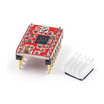
Arduino + A4988 stepper driver: In this build, an Arduino Nano drives an A4988 stepper driver to spin a NEMA 17 stepper motor a controlled number of steps in each direction. The A4988 is a compact, about 2 A-per-coil bipolar stepper driver used in many entry-level 3D printers and CNC machines, and it only needs two control pins (STEP and DIR) while handling microstepping in hardware.
- Time: ~30 minutes
- Skill level: Intermediate (motor power requires care)
- What you will build: An Arduino spinning a NEMA 17 a controlled number of steps in each direction.

Parts List
From ShillehTek
- A4988 Pre-Soldered Stepper Driver - the stepper driver module that generates the coil current and microstepping.
- Arduino Nano V3.0 Pre-Soldered - the microcontroller that outputs STEP and DIR signals.
- 120 PCS Dupont Jumper Wires - for quick, reliable connections between the Arduino and A4988.
External
- NEMA 17 (or similar bipolar 4-wire) stepper motor
- 12 V power supply ≥ 1 A
- 100 µF electrolytic capacitor across motor power (essential)
Note: Never connect or disconnect a stepper while the driver is powered. Doing so can blow the A4988 instantly.
Step-by-Step Guide
Step 1 - Identify the Pins
Goal: Understand the A4988 pin groups so you wire power, motor outputs, and control signals correctly.
What to do: Locate the logic side (VDD and GND, plus STEP/DIR/EN and MS1/MS2/MS3) and the motor power side (VMOT and GND) on your A4988 module. Confirm the position of the trim-pot used to set current limiting.


Expected result: You can point to each required pin (VMOT, GND, VDD, STEP, DIR, EN, 1A/1B/2A/2B) before any wiring begins.
Step 2 - Set the Current Limit
Goal: Protect the motor and driver by setting a safe coil current limit before running the motor.
What to do: Set the current limit using the trim-pot and the formula Vref = Imax × 8 × Rs (Rs = 0.1 Ω on most boards). For a 1 A motor coil, target Vref ≈ 0.8 V measured between the trim-pot wiper and GND. Adjust carefully and re-measure until you are close to your target.
Expected result: Vref is set to match your motor coil current target, reducing the risk of overheating or damage.
Step 3 - Wire It Up
Goal: Connect motor power, logic power, control pins, and the stepper coils correctly.
What to do: Wire the A4988 to the Arduino and the stepper motor using the connections below. Place the 100 µF capacitor across VMOT and GND close to the driver.

- VMOT → 12 V supply +
- GND (motor side) → supply - and Arduino GND
- VDD → 5 V (logic), GND (logic) → Arduino GND
- STEP → D3, DIR → D4
- EN → GND (always enabled) or Arduino pin if you want to disable
- 1A/1B/2A/2B → the four motor coils (consult motor datasheet)
- 100 µF cap across VMOT & GND, close to the driver
Expected result: The A4988 has logic power and shared ground with the Arduino, the motor has a stable VMOT supply with a nearby capacitor, and STEP/DIR are connected to the Arduino pins.
Step 4 - Upload the Sketch
Goal: Generate STEP pulses while toggling DIR so the motor turns one revolution forward and one revolution backward.
What to do: Paste the sketch below into the Arduino IDE and upload it to your Arduino Nano.
Code:
const int STEP = 3;
const int DIR  = 4;
const int STEPS_PER_REV = 200;   // 1.8° motor

void setup() {
  pinMode(STEP, OUTPUT);
  pinMode(DIR, OUTPUT);
}

void rotate(int steps, bool forward, int delay_us) {
  digitalWrite(DIR, forward ? HIGH : LOW);
  for (int i = 0; i < steps; i++) {
    digitalWrite(STEP, HIGH);
    delayMicroseconds(delay_us);
    digitalWrite(STEP, LOW);
    delayMicroseconds(delay_us);
  }
}

void loop() {
  rotate(STEPS_PER_REV, true,  800);  // one rev forward
  delay(500);
  rotate(STEPS_PER_REV, false, 800);  // one rev reverse
  delay(500);
}
Expected result: The Arduino outputs step pulses on D3 and sets direction on D4, commanding one forward and one reverse revolution repeatedly.
Step 5 - Watch It Step
Goal: Confirm smooth, repeatable rotation under A4988 control.
What to do: Apply motor power (VMOT) and observe the motor. If you want to change speed, increase delay_us to slow down or decrease it to speed up.

delay_us to slow down, lower to speed up.Expected result: The motor rotates one revolution forward, pauses, then rotates one revolution backward, repeating continuously.
Step 6 - Where to Take It Next
Goal: Build on the same wiring and code pattern for more advanced motion projects.
What to do: Try any of the following expansions using the same STEP/DIR approach:
- Add microstepping (set MS1/MS2/MS3 HIGH) for 1/16 step smoothness
- Drive a leadscrew for a linear actuator
- Hook up an end-stop and home the axis on boot
- Move to a TMC2209 (silent, sensorless homing) for printer-grade work
Expected result: You have a clear path to improve smoothness, add axis control features, and upgrade drivers as your project grows.
Conclusion
You built an Arduino Nano and A4988 stepper driver setup that spins a NEMA 17 stepper motor a controlled number of steps in both directions. Once you have one motor moving reliably, you can apply the same foundation to CNC axes, 3D printer motion, and other automation projects.
Want the exact parts used in this build? Grab them from ShillehTek.com. If you want help customizing this project or building motion-control firmware for your product, check out our IoT consulting services.




.png?v=25000753014097803521791168436)

.png?v=68677308723310773341791168436)


