Overview
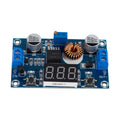
The LM2596 is a high-efficiency adjustable DC-DC step-down buck converter built around the LM2596S regulator. With a built-in digital voltmeter and a clean 4-button user interface, it lets you take any DC source between 4V and 40V and turn it into a clean adjustable output between 1.25V and 37V — all without breaking out a multimeter.
This module is a workshop staple for powering Arduino, Raspberry Pi, ESP32, ESP8266, motors, sensors, LED strips, and prototype electronics directly from a higher-voltage source like a 12V wall adapter, a battery pack, or a solar panel. The on-board display shows the live input or output voltage, and the function key lets you switch between input/output display, fine-tune the voltage in 0.01V increments, or drop the module into a low-power state.
It is built around the LM2596S monolithic switching regulator, which is more efficient than linear regulators and runs cooler under load. With up to 3A continuous output current and ~92% peak efficiency, it can comfortably power most maker-grade projects.
At a Glance
Specifications
| Parameter | Value |
| Regulator IC | LM2596S-ADJ |
| Input Voltage Range | 4V - 40V DC |
| Output Voltage Range | 1.25V - 37V DC (V_out must be at least ~1.5V below V_in) |
| Output Current | 3A maximum, 2A recommended for sustained loads |
| Switching Frequency | 150 kHz (fixed) |
| Conversion Efficiency | Up to 92% (typical 85% across mid-range loads) |
| Output Ripple | < 30 mV peak-to-peak (typical) |
| Load Regulation | ± 0.5% |
| Voltage Display Accuracy | ± 0.1V (3-digit 7-segment) |
| Operating Temperature | -40°C to +85°C |
| Adjustment Method | Multi-turn trim potentiometer |
| Dimensions | ~62 x 28 x 14 mm |
Pinout Diagram

Wiring Guide
Powering an Arduino from 12V
The most common use: drop a 12V wall adapter or battery down to 5V to feed an Arduino through its USB +5V or VCC rail. Always set the output voltage before connecting the Arduino.
| LM2596 Terminal | Connect To | Details |
|---|---|---|
| IN+ | +12V source (battery / wall adapter) | |
| IN- | Source GND | |
| OUT+ | Arduino 5V pin | Or VIN if you target 7-12V |
| OUT- | Arduino GND | Common ground |
Powering an ESP32 or ESP8266
ESP32 and ESP8266 boards have onboard 5V-to-3.3V regulators, so you typically feed them 5V via the 5V pin. Set the LM2596 output to 5.0V before connecting.
| LM2596 Terminal | Connect To |
|---|---|
| IN+ | +12V (or any 7-40V source) |
| IN- | Source GND |
| OUT+ | ESP32 / ESP8266 5V pin (or VIN) |
| OUT- | ESP32 / ESP8266 GND |
Powering a Raspberry Pi
Raspberry Pi can be powered through the 5V pins on the GPIO header (pins 2 and 4). This bypasses the onboard polyfuse, so accuracy matters — set output to 5.1V before connecting.
| LM2596 Terminal | Raspberry Pi GPIO | Details |
|---|---|---|
| OUT+ | Pin 2 or Pin 4 (5V) | 5.1V exactly is ideal |
| OUT- | Pin 6 (GND) | Or any GND pin |
Motors, LED Strips, and General Loads
The LM2596 is a great front-end for motor drivers (L298N, TB6612, A4988), 12V LED strips that need 5V, or sensor rails that need an isolated voltage from a shared battery.
| LM2596 Terminal | Load Connection |
|---|---|
| IN+ / IN- | Battery, wall adapter, or solar panel (4-40V) |
| OUT+ / OUT- | Motor driver V+ / GND, LED strip + / -, or sensor rail |
Code Examples
The LM2596 is a passive power supply module — it does not connect to a microcontroller's GPIO and does not require any code to operate. The voltage is set entirely with the on-board trim potentiometer and the function button.
Setting the Output Voltage (Procedure)
1. Connect IN+ and IN- to your DC source (4-40V).
   The display lights up and shows the input voltage.

2. Short-press the function button.
   The display switches between input ("IN") and output ("OUT") readings.
   Leave it on OUT.

3. Use a small flathead screwdriver on the multi-turn trim pot.
   - Clockwise   = step UP voltage
   - Counter-CW  = step DOWN voltage
   The display updates live.

4. Once you see your target voltage on OUT, disconnect input,
   then wire the load to OUT+ / OUT- and re-power.

Optional: medium-press the button to enter fine-tune mode
(adjusts the displayed value by 0.01V offset for calibration).
Long-press the button to enter low-power "display off" state.
Reading Output Voltage from a Microcontroller (Optional)
If you want a microcontroller to monitor the LM2596 output, sample the OUT+ rail through a voltage divider into an ADC pin. Below is a generic Arduino sketch that reads a 0-15V rail through a 10k:2k divider.
// Read LM2596 OUT+ through a 10k:2k voltage divider on A0.
// Divider ratio = 2k / (10k + 2k) = 1/6
// So Arduino reads up to 5V * 6 = 30V on the rail.

const int sensePin = A0;
const float dividerRatio = 6.0;
const float adcRef = 5.0;

void setup() {
  Serial.begin(9600);
}

void loop() {
  int raw = analogRead(sensePin);
  float vAtPin = (raw / 1023.0) * adcRef;
  float vRail = vAtPin * dividerRatio;
  Serial.print("LM2596 output: ");
  Serial.print(vRail, 2);
  Serial.println(" V");
  delay(500);
}