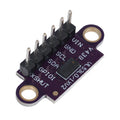
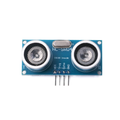
Overview
The ShillehTek HC-SR04 with RGB Light is an ultrasonic distance sensor paired with an onboard string of addressable WS2812B-compatible RGB LEDs. You get the same 2-400 cm distance measurement capability as a classic HC-SR04, plus a visual feedback channel that you can drive with any NeoPixel-compatible library. Perfect for obstacle detection with colored proximity indicators, parking assists, interactive installations, and educational demos where students can literally see the sensor working.
The module uses a 5-pin JST-style connector so it is easy to wire with the included cable harness: GND, EC (Echo), TR (Trig), 5V, RGB_IN. The ultrasonic side works exactly like a standard HC-SR04 (send a 10 us trigger pulse, measure the width of the echo pulse). The RGB_IN pin accepts a WS2812B data stream, letting you set the color of each onboard pixel with a library like Adafruit NeoPixel or the Raspberry Pi rpi_ws281x.
This manual covers the full pinout, operating voltage and logic-level considerations, wiring against Arduino, ESP32, Raspberry Pi, and the Pico, a working Arduino example that changes LED color based on distance, and FAQs about the 3.3V level-shift requirement for the RGB line.
At a Glance
Specifications
| Parameter | Value |
| Operating Voltage | 5V DC |
| Operating Current (idle) | ~15 mA |
| Operating Current (all LEDs white) | Up to ~240 mA (at full brightness) |
| Distance Range | 2 cm - 400 cm |
| Accuracy | ±3 mm |
| Measuring Angle | ~15 degrees |
| Trigger Pulse Width | 10 µs (HIGH) |
| Ultrasonic Frequency | 40 kHz |
| LED Type | WS2812B-compatible addressable RGB |
| LED Data Logic | 5V TTL (use level shifter from 3.3V MCUs) |
| Connector | 5-pin 2.54 mm (with Dupont-end harness) |
| Pinout | GND → EC → TR → 5V → RGB_IN |
Pinout Diagram

Wiring Guide
The ultrasonic side is identical to a classic HC-SR04. The only extra consideration is the RGB_IN line, which expects 5V logic. On 3.3V microcontrollers (Pi, Pico, ESP32, STM32) a level shifter on RGB_IN is strongly recommended for reliable WS2812B timing. The Echo line on 3.3V platforms also needs a simple resistor divider (1k ohm / 2k ohm) because it outputs 5V.
Arduino Wiring
Arduino is 5V logic so every pin connects directly with no level shifting needed. Use any three free digital pins for Trig, Echo, and RGB_IN.
| Module Pin | Arduino Pin |
|---|---|
| GND | GND |
| EC (Echo) | D3 |
| TR (Trig) | D2 |
| 5V | 5V |
| RGB_IN | D6 |
ESP32 Wiring
The ESP32 is 3.3V logic. Echo and RGB_IN both expect 5V levels — Echo needs a resistor divider down to 3.3V, and RGB_IN should be driven through a level shifter so WS2812B timing stays reliable.
| Module Pin | ESP32 Pin | Details |
|---|---|---|
| GND | GND | Common ground |
| EC (Echo) | GPIO18 | Via 1k / 2k voltage divider to 3.3V |
| TR (Trig) | GPIO5 | 3.3V logic is accepted on the Trig input |
| 5V | VIN or external 5V | Do NOT power from 3V3 |
| RGB_IN | GPIO19 | Via 3.3V-to-5V level shifter |
Raspberry Pi Wiring
Same story as the ESP32 — the Pi is 3.3V logic. Use a resistor divider on Echo and a level shifter on RGB_IN. Power the module from the Pi's 5V pin, and use the rpi_ws281x library (PWM on GPIO18) for the LEDs.
| Module Pin | Raspberry Pi | Details |
|---|---|---|
| GND | GND (Pin 6) | Common ground |
| EC (Echo) | GPIO24 (Pin 18) | Via 1k / 2k voltage divider |
| TR (Trig) | GPIO23 (Pin 16) | 3.3V drive is fine |
| 5V | 5V (Pin 2) | Power for HC-SR04 and LEDs |
| RGB_IN | GPIO18 (Pin 12) | Via level shifter (rpi_ws281x uses PWM on this pin) |
sudo or install a udev rule that grants access.
Raspberry Pi Pico Wiring
The Pico is 3.3V logic. Echo needs a voltage divider, RGB_IN benefits from a level shifter. The Pico has extremely precise PIO that can drive WS2812B without additional shifting in many cases, but for long wires and multiple LEDs a shifter is safer.
| Module Pin | Pico Pin | Details |
|---|---|---|
| GND | GND (Pin 38) | Common ground |
| EC (Echo) | GP3 | Via 1k / 2k voltage divider |
| TR (Trig) | GP2 | 3.3V drive works |
| 5V | VBUS (Pin 40) | Available when USB is plugged in |
| RGB_IN | GP6 | Drive via level shifter or directly via PIO |
Code Examples
The examples below measure distance and set the RGB LEDs accordingly: green when the target is far, yellow for medium range, and red when close. You can scale the threshold distances for your own project.
Arduino (NeoPixel library)
// HC-SR04 with RGB Light:
// - Trigger on D2, Echo on D3
// - RGB_IN on D6 (4 WS2812B pixels onboard)
// - Prints distance over Serial and colors LEDs by range.

#include <Adafruit_NeoPixel.h>

#define TRIG_PIN   2
#define ECHO_PIN   3
#define LED_PIN    6
#define NUM_LEDS   4

Adafruit_NeoPixel strip(NUM_LEDS, LED_PIN, NEO_GRB + NEO_KHZ800);

void setup() {
  pinMode(TRIG_PIN, OUTPUT);
  pinMode(ECHO_PIN, INPUT);
  digitalWrite(TRIG_PIN, LOW);
  strip.begin();
  strip.setBrightness(40);  // 0-255; keep low to avoid overheating
  strip.show();
  Serial.begin(9600);
}

float readDistanceCm() {
  digitalWrite(TRIG_PIN, LOW);  delayMicroseconds(2);
  digitalWrite(TRIG_PIN, HIGH); delayMicroseconds(10);
  digitalWrite(TRIG_PIN, LOW);

  unsigned long duration = pulseIn(ECHO_PIN, HIGH, 30000UL);
  if (duration == 0) return -1;  // timeout / out of range
  return duration * 0.0343f / 2.0f;
}

void setAll(uint8_t r, uint8_t g, uint8_t b) {
  for (int i = 0; i < NUM_LEDS; i++) strip.setPixelColor(i, r, g, b);
  strip.show();
}

void loop() {
  float cm = readDistanceCm();
  Serial.print("Distance: ");
  Serial.print(cm);
  Serial.println(" cm");

  if (cm < 0)        setAll(0, 0, 50);     // no echo = blue
  else if (cm < 15)  setAll(255, 0, 0);    // very close = red
  else if (cm < 50)  setAll(255, 120, 0);  // mid = orange
  else                setAll(0, 200, 0);    // far = green

  delay(80);
}
Raspberry Pi (Python + rpi_ws281x)
# Install: sudo pip3 install rpi_ws281x --break-system-packages
# Run:     sudo python3 hcsr04_rgb.py
# Wiring:  Trig=GPIO23, Echo=GPIO24 (via divider), RGB_IN=GPIO18 (via shifter).

import time
import RPi.GPIO as GPIO
from rpi_ws281x import PixelStrip, Color

TRIG = 23
ECHO = 24

NUM_LEDS  = 4
LED_PIN   = 18        # must be PWM-capable
LED_FREQ  = 800000
LED_DMA   = 10
LED_INV   = False
LED_BRT   = 40
LED_CH    = 0

strip = PixelStrip(NUM_LEDS, LED_PIN, LED_FREQ, LED_DMA, LED_INV, LED_BRT, LED_CH)
strip.begin()

GPIO.setmode(GPIO.BCM)
GPIO.setup(TRIG, GPIO.OUT, initial=GPIO.LOW)
GPIO.setup(ECHO, GPIO.IN)

def ping_cm():
    GPIO.output(TRIG, True); time.sleep(1e-5); GPIO.output(TRIG, False)
    t0 = time.time()
    while GPIO.input(ECHO) == 0 and time.time() - t0 < 0.03: start = time.time()
    while GPIO.input(ECHO) == 1 and time.time() - t0 < 0.06: stop  = time.time()
    try:
        return (stop - start) * 17150.0
    except UnboundLocalError:
        return -1.0

def set_all(color):
    for i in range(NUM_LEDS):
        strip.setPixelColor(i, color)
    strip.show()

try:
    while True:
        cm = ping_cm()
        print(f"Distance: {cm:.1f} cm")
        if cm < 0:        set_all(Color(0, 0, 50))
        elif cm < 15:     set_all(Color(255, 0, 0))
        elif cm < 50:     set_all(Color(255, 120, 0))
        else:             set_all(Color(0, 200, 0))
        time.sleep(0.1)
except KeyboardInterrupt:
    set_all(Color(0, 0, 0))
    GPIO.cleanup()
Raspberry Pi Pico (MicroPython)
# Uses a ready-made NeoPixel driver (e.g. 'neopixel' module on MicroPython).
# Wiring: Trig=GP2, Echo=GP3 (via divider), RGB_IN=GP6 (via shifter).

from machine import Pin, time_pulse_us
import time, neopixel

TRIG = Pin(2, Pin.OUT)
ECHO = Pin(3, Pin.IN)

NUM_LEDS = 4
np = neopixel.NeoPixel(Pin(6), NUM_LEDS)

def ping_cm():
    TRIG.value(0); time.sleep_us(2)
    TRIG.value(1); time.sleep_us(10); TRIG.value(0)
    us = time_pulse_us(ECHO, 1, 30_000)
    return -1 if us <= 0 else (us / 58.0)

def set_all(r, g, b):
    for i in range(NUM_LEDS):
        np[i] = (r, g, b)
    np.write()

while True:
    cm = ping_cm()
    print("Distance:", cm, "cm")
    if cm < 0:        set_all(0, 0, 30)
    elif cm < 15:     set_all(60, 0, 0)
    elif cm < 50:     set_all(60, 30, 0)
    else:             set_all(0, 40, 0)
    time.sleep(0.08)
Frequently Asked Questions
setBrightness(40-80) to stay comfortable.