Overview
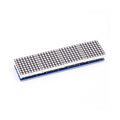
The MAX7219 is a serial-driven 8-digit / 64-LED display driver chip from Maxim/Analog Devices, paired here with an 8x8 red LED matrix to give you a fully wired, ready-to-use dot-matrix display. Drive it from any Arduino, ESP32, or Pico over SPI (3 wires + power) and you get a 64-pixel canvas for scrolling text, animations, level meters, and game graphics.
The module includes the chip, the matrix, decoupling capacitors, and a current-set resistor on a small PCB with both input and output pin headers. The output side lets you daisy-chain multiple modules — connect DOUT of one to DIN of the next, share CS and CLK, and you can drive a 32-pixel-wide scrolling marquee or a 4-digit numeric display from one SPI bus.
Standard libraries (LedControl for Arduino, max7219 for MicroPython, luma.led_matrix for Raspberry Pi) handle the protocol — you just call setLed(row, col, on) or write entire patterns and bitmaps.
At a Glance
Specifications
| Parameter | Value |
| Driver Chip | MAX7219 (or compatible MAX7221) |
| LEDs | 64 (8 rows x 8 columns), red |
| Operating Voltage | 5V DC |
| Operating Current | ~150 mA all LEDs on full brightness |
| Communication | SPI, up to 10 MHz clock |
| Brightness Levels | 16 (PWM, software controlled) |
| Pin Count | 5 (VCC, GND, DIN, CS, CLK) input + 5 output |
| Daisy-Chain Support | Yes (cascade DOUT -> DIN) |
| Decode Mode | BCD (for 7-segment) or No-decode (for matrix) |
| Dimensions | ~32 x 32 mm (matrix area) |
Pinout Diagram

Wiring Guide
Arduino Wiring
Five wires: VCC, GND, DIN, CS, CLK. The library uses bit-banged SPI by default so any digital pins work. Power VCC from Arduino's 5V — at full brightness with all LEDs on, draw is ~150 mA which 5V can handle.
| MAX7219 Pin | Arduino Pin |
|---|---|
| VCC | 5V |
| GND | GND |
| DIN | Digital 11 (MOSI) |
| CS | Digital 10 |
| CLK | Digital 13 (SCK) |
ESP32 Wiring
VCC at 5V (the LED current would brown out 3.3V), but the SPI signals work fine at 3.3V — MAX7219 logic is 5V-tolerant on inputs.
| MAX7219 Pin | ESP32 Pin |
|---|---|
| VCC | 5V (VIN) |
| GND | GND |
| DIN | GPIO 23 (MOSI) |
| CS | GPIO 5 |
| CLK | GPIO 18 (SCK) |
Raspberry Pi Pico Wiring
VCC needs 5V (use VBUS from USB), but the SPI signals can be driven at 3.3V.
| MAX7219 Pin | Pico Pin |
|---|---|
| VCC | VBUS (Pin 40) |
| GND | GND |
| DIN | GP3 (SPI0 MOSI) |
| CS | GP5 (SPI0 CSn) |
| CLK | GP2 (SPI0 SCK) |
Daisy-Chaining Multiple Modules
To build a 4-module scrolling banner (32x8 pixels), wire VCC, GND, CS, CLK in parallel to all modules, but cascade DIN: MCU's MOSI -> Module 1 DIN, Module 1 DOUT -> Module 2 DIN, Module 2 DOUT -> Module 3 DIN, etc.
| Connection | Wiring |
|---|---|
| MCU MOSI | Module 1 DIN |
| Module 1 DOUT | Module 2 DIN |
| Module 2 DOUT | Module 3 DIN |
| VCC, GND, CS, CLK | Parallel (all modules) |
Code Examples
Arduino — LedControl Library
// MAX7219 8x8 - Display a smiley face
// Library: LedControl by Eberhard Fahle (Library Manager)

#include <LedControl.h>

// Args: DIN pin, CLK pin, CS pin, number of cascaded modules
LedControl lc = LedControl(11, 13, 10, 1);

byte smiley[8] = {
  B00111100,
  B01000010,
  B10100101,
  B10000001,
  B10100101,
  B10011001,
  B01000010,
  B00111100
};

void setup() {
  lc.shutdown(0, false);     // Wake up the display
  lc.setIntensity(0, 8);     // Brightness 0-15
  lc.clearDisplay(0);
}

void loop() {
  for (int row = 0; row < 8; row++) {
    lc.setRow(0, row, smiley[row]);
  }
  delay(2000);
  lc.clearDisplay(0);
  delay(500);
}
Raspberry Pi Pico (MicroPython)
# MAX7219 8x8 - Pico MicroPython
# Library: micropython-max7219 by mcauser - copy max7219.py to Pico

from machine import Pin, SPI
import max7219

spi = SPI(0, baudrate=10_000_000, polarity=0, phase=0,
          sck=Pin(2), mosi=Pin(3))
cs = Pin(5, Pin.OUT)
display = max7219.Matrix8x8(spi, cs, 1)
display.brightness(8)

display.fill(0)
display.text('A', 0, 0, 1)
display.show()