Overview
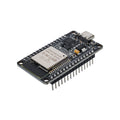
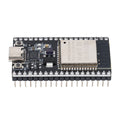
The ESP32-DevKitC-VE is Espressif's reference development board for the ESP32-WROVER-E module — the "VE" version comes with a generous 8 MB of Flash plus 8 MB of external PSRAM, four times the RAM of a stock ESP32. That extra PSRAM is what makes this board the right pick for image buffers, audio processing, AI inference, large web servers, and projects that just keep crashing the standard 320 KB SRAM ESP32 boards.
Under the hood it's a dual-core Tensilica Xtensa LX6 running at up to 240 MHz with built-in Wi-Fi (2.4 GHz, 802.11 b/g/n) and Bluetooth Classic + LE. Most GPIO pins are broken out on two rows of 0.1" headers (pre-soldered on this version), with the standard ESP32 mix of 12-bit ADCs, capacitive touch, hardware SPI/I2C/UART, and PWM on every digital pin.
The board is supported in the Arduino IDE (via Espressif's ESP32 core), MicroPython, CircuitPython, and ESP-IDF. The on-board Micro USB connector goes through a CP2102 USB-to-Serial chip — no extra drivers needed on most modern systems.
At a Glance
Specifications
| Parameter | Value |
| Module | ESP32-WROVER-E |
| SoC | ESP32-D0WD-V3 (32-bit Tensilica Xtensa LX6 dual-core) |
| Clock Frequency | Up to 240 MHz |
| Flash Memory | 8 MB SPI Flash |
| PSRAM | 8 MB external SPI PSRAM |
| SRAM (on-chip) | 520 KB |
| Wireless | Wi-Fi 802.11 b/g/n (2.4 GHz), Bluetooth Classic + BLE |
| Operating Voltage | 3.3V |
| Input Voltage | 5V via USB or 5V pin |
| GPIO Logic Level | 3.3V (NOT 5V tolerant) |
| Digital I/O Pins | ~25 broken-out GPIO |
| Analog Input Channels | Up to 18 (12-bit, ADC1 + ADC2) |
| Analog Output (DAC) | 2 channels (8-bit, GPIO 25 / 26) |
| Capacitive Touch | 10 channels |
| Communication | I2C, SPI, UART, I2S, CAN, SDIO |
| USB-to-Serial | CP2102 |
| USB Connector | Micro USB |
| Headers | Pre-soldered male pins |
Pinout Diagram

Wiring Guide
LED + Push Button
The fastest way to verify the board: blink an external LED on a free GPIO and read a button via INPUT_PULLUP. Use a 220-330 ohm series resistor on the LED.
| Component | ESP32 Pin | Details |
|---|---|---|
| LED Anode (long) | GPIO 23 | Through 220 ohm resistor |
| LED Cathode (short) | GND | |
| Button Terminal 1 | GPIO 4 | INPUT_PULLUP in code |
| Button Terminal 2 | GND |
I2C Sensor
The default I2C bus is GPIO 21 (SDA) and GPIO 22 (SCL). Most 3.3V breakouts (BME280, MPU6050, SSD1306, BH1750, ADS1115, etc.) connect with no level shifting.
| Sensor Pin | ESP32 Pin |
|---|---|
| VCC | 3V3 |
| GND | GND |
| SDA | GPIO 21 |
| SCL | GPIO 22 |
SPI Device
Hardware VSPI defaults to GPIO 18 (SCK), 19 (MISO), 23 (MOSI), and 5 (CS). Any free GPIO can serve as a chip select.
| SPI Pin | ESP32 Pin |
|---|---|
| VCC | 3V3 |
| GND | GND |
| SCK | GPIO 18 |
| MISO | GPIO 19 |
| MOSI | GPIO 23 |
| CS / SS | GPIO 5 |
UART / Serial
UART2 is broken out to GPIO 16 (RX) and GPIO 17 (TX) — use it for talking to GPS modules, fingerprint scanners, etc. UART0 (GPIO 1/3) is reserved for USB-Serial; don't repurpose unless you know what you're doing.
| External Device | ESP32 Pin |
|---|---|
| Device TX | GPIO 16 (UART2 RX) |
| Device RX | GPIO 17 (UART2 TX) |
| VCC | 3V3 or 5V (match device) |
| GND | GND (shared) |
Code Examples
Arduino IDE - PSRAM Confirmation
// ESP32-DevKitC-VE - Confirm PSRAM is detected and usable
// Board: "ESP32 Dev Module"; under Tools -> PSRAM, select "Enabled"

void setup() {
  Serial.begin(115200);
  delay(500);

  Serial.print("Free heap:  "); Serial.println(ESP.getFreeHeap());
  Serial.print("Has PSRAM:  "); Serial.println(psramFound() ? "yes" : "no");
  Serial.print("PSRAM size: "); Serial.println(ESP.getPsramSize());
  Serial.print("Free PSRAM: "); Serial.println(ESP.getFreePsram());

  // Allocate a 1 MB buffer in PSRAM
  uint8_t* buf = (uint8_t*) ps_malloc(1024 * 1024);
  if (buf) {
    Serial.println("Allocated 1 MB in PSRAM");
    free(buf);
  } else {
    Serial.println("PSRAM allocation FAILED");
  }
}

void loop() {}
Arduino IDE - Wi-Fi Connect
// ESP32-DevKitC-VE - join Wi-Fi and print IP

#include <WiFi.h>

const char* ssid = "YOUR_SSID";
const char* pass = "YOUR_PASSWORD";

void setup() {
  Serial.begin(115200);
  delay(500);
  WiFi.begin(ssid, pass);
  while (WiFi.status() != WL_CONNECTED) { delay(300); Serial.print("."); }
  Serial.println();
  Serial.print("IP: "); Serial.println(WiFi.localIP());
  Serial.print("RSSI: "); Serial.print(WiFi.RSSI()); Serial.println(" dBm");
}

void loop() { delay(5000); }
MicroPython - I2C Bus Scan
# ESP32-DevKitC-VE - scan I2C bus for devices (MicroPython)
# Flash MicroPython for ESP32-WROVER from micropython.org

from machine import I2C, Pin
import time

i2c = I2C(0, sda=Pin(21), scl=Pin(22), freq=100_000)

while True:
    devices = i2c.scan()
    if devices:
        print("Found:", [hex(d) for d in devices])
    else:
        print("No I2C devices")
    time.sleep(2)