

Video Tutorial
Watch first if you want to follow along with the full BH1750 wiring and MicroPython example on the Raspberry Pi Pico or Pico W.
Subscribe on YouTube: https://www.youtube.com/@mmshilleh
Support: https://www.buymeacoffee.com/mmshilleh
Access code via channel membership: https://www.youtube.com/@mmshilleh/membership
Project Overview
In this project, you connect a Raspberry Pi Pico or Pico W to a BH1750 ambient light sensor to measure ambient light in lux using MicroPython.
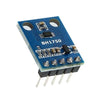
The BH1750 is a versatile sensor that can be used for intelligent lighting and other light-aware DIY projects.
- Time: Varies (follow the video for pacing)
- Skill level: Beginner
- What you will build: A Pico/Pico W light meter that reads BH1750 lux values in MicroPython
Parts List
From ShillehTek
- Breadboard and jumper wires (optional) - simplifies prototyping the I2C wiring
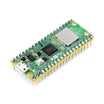
- Raspberry Pi Pico 2W - the WiFi microcontroller board used in this build
External
- BH1750 ambient light sensor module - measures light intensity in lux
- USB cable for power/programming - connects the Pico to your computer
Note: The BH1750 is typically used over I2C. Match the sensor module power requirements to the Pico’s 3.3V logic level.
Step-by-Step Guide
Step 1 - Prepare your Pico/Pico W for MicroPython
Goal: Make sure your Raspberry Pi Pico or Pico W is ready to run MicroPython code.
What to do: Connect the board to your computer and use your preferred MicroPython workflow (for example, an editor/IDE that can upload files and run code).
Expected result: You can run MicroPython scripts on the Pico/Pico W.
Step 2 - Wire the BH1750 sensor to the Pico/Pico W (I2C)
Goal: Connect the BH1750 so the Pico/Pico W can communicate with it over I2C.
What to do: Follow the wiring shown in the video tutorial to connect power and the I2C signal lines between the BH1750 module and your Pico/Pico W.
Expected result: The BH1750 is powered correctly, and the I2C lines are connected for communication.
Step 3 - Read lux values in MicroPython
Goal: Confirm the Pico/Pico W can read ambient light measurements from the BH1750 sensor in lux.
What to do: Use the MicroPython code demonstrated in the video to initialize I2C and read lux values from the BH1750.
Expected result: Your program prints or displays light level readings in lux as the ambient lighting changes.
Conclusion
You connected a Raspberry Pi Pico or Pico W to a BH1750 ambient light sensor and learned how to measure ambient light in lux using MicroPython. This is a great starting point for light-aware automation and intelligent lighting projects.
Want parts for your next build? Grab electronics and prototyping supplies from ShillehTek.com. If you want help customizing this project or building something for your product, check out our IoT consulting services.






.png?v=25000753014097803521791168436)

.png?v=68677308723310773341791168436)


