

Video Tutorial (Optional)
Watch first if you want to follow the MPU9250 calibration process on the Raspberry Pi in real time.
Project Overview
Raspberry Pi + MPU9250 calibration: In this guide, you calibrate the MPU9250 IMU in Python on a Raspberry Pi to get more accurate acceleration and gyroscopic values.
We walk through a simple calibration technique both conceptually and at the code level.
- Time: Varies (depends on your setup and how long you sample)
- Skill level: Intermediate
- What you will build: A Python calibration workflow to improve MPU9250 accelerometer and gyro accuracy on Raspberry Pi
Note: This post focuses on calibration logic and code references, not wiring.
Parts List
From ShillehTek
- No ShillehTek product links were provided in the original post.
External
- Raspberry Pi - runs the Python script
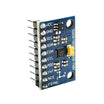
- MPU9250 IMU module - provides accelerometer and gyroscope data to calibrate
- Python environment on the Raspberry Pi - used to run the calibration code
Step-by-Step Guide
Step 1 - Follow along with the tutorial
Goal: Understand the calibration technique conceptually and see how it maps to code.
What to do: Watch the video above and take note of the calibration approach used to improve accelerometer and gyroscope accuracy.
Expected result: You understand what the calibration is doing and what values you are trying to correct.
Step 2 - Get the full calibration script
Goal: Use the exact reference implementation for MPU9250 calibration on Raspberry Pi.
What to do: Open the full code on GitHub and use it as your baseline:
https://github.com/shillehbean/youtube-p2/blob/main/mpu9250-calibrate.py
Expected result: You have the complete calibration code available to review and run in your own environment.
Step 3 - Subscribe and support (optional)
Goal: Keep up with future Raspberry Pi and sensor tutorials, and support the work if you want.
What to do: Subscribe and support using the original links:
- Subscribe: Youtube
- Support: https://www.buymeacoffee.com/mmshilleh
Expected result: You are subscribed for updates and have an option to support the channel.
Step 4 - Hire help for an IoT build (optional)
Goal: Get professional help implementing calibration or integrating the MPU9250 into a larger project.
What to do: Use the original UpWork link if you want to hire the author:
https://www.upwork.com/freelancers/~017060e77e9d8a1157
Expected result: You have a direct path to paid support for custom IoT work.
Conclusion
You now have a clear path to calibrate an MPU9250 on a Raspberry Pi using Python to improve accelerometer and gyroscope accuracy. Use the video for the conceptual walkthrough and the GitHub script as the reference implementation.
Want the exact parts used in your next sensor build? Grab components and project gear from ShillehTek.com. If you want help customizing this calibration flow or integrating IMU data into your product, check out our IoT consulting services.


.png?v=25000753014097803521791168436)

.png?v=68677308723310773341791168436)


