

Video Tutorial
Watch first if you want to see the project in action.
Project Overview
ESP32 + HC-SR04: Build a door presence alert using an ESP32 and an HC-SR04 ultrasonic sensor that sends a Telegram notification when someone stands near your door.
- Time: 30 to 60 minutes
- Skill level: Beginner to Intermediate
- What you will build: A local door presence detector that sends Telegram messages with cooldown to avoid spam
Parts List
From ShillehTek
- Breadboard - quick solderless wiring for prototyping
- Jumper wires - connect the sensor and ESP32
- ESP-WROOM-32 ESP32 Dev Board CP2102 USB-C Pre-Soldered - the development board used in this build
External
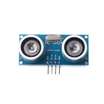
- HC-SR04 Ultrasonic Distance Sensor - detects presence at the door
- USB Battery Pack (5V, 2A+ recommended) - portable power for door installs
- Mounting tape - to mount the sensor at the door
- 100µF capacitors - optional but recommended for stable Wi-Fi and TLS
Note: This project uses the ESP32 3.3V rail for the HC-SR04 and requires stable power for reliable Wi-Fi and HTTPS. Keep capacitors close to the ESP32 if using battery power.
Step-by-Step Guide
Step 1 - Wire the HC-SR04 to the ESP32
Goal: Power the sensor and connect trigger and echo to the ESP32 so distance measurements work reliably.
What to do: Wire the HC-SR04 to the ESP32 as shown below. Power the sensor from the ESP32 3.3V rail.

HC-SR04 to ESP32:
- VCC → ESP32 3V3
- GND → ESP32 GND
- TRIG → ESP32 GPIO18
- ECHO → ESP32 GPIO19
Stability tip: Place multiple 100µF capacitors in parallel from 3V3 to GND close to the ESP32 to avoid resets when sending HTTPS to Telegram.
Expected result: The ESP32 and HC-SR04 are powered and the trigger/echo lines are connected to GPIO18/19 so you can read distances from firmware.
Step 2 - Create a Telegram Bot and get your Chat ID
Goal: Let the ESP32 send messages to your phone or group via a Telegram bot.
What to do:
- In Telegram, search for @BotFather and send
/newbot. - Follow prompts to name the bot and get the bot token.
- Message the new bot to start it, then visit this URL in a browser (replace
<TOKEN>):
https://api.telegram.org/bot<TOKEN>/getUpdatesLook in the response for "chat":{"id": ... }. That number is your TELEGRAM_CHAT_ID. For group chats add the bot to the group and post a message to capture the group chat ID.
Expected result: You have a bot token and a chat ID to paste into the ESP32 firmware.
Step 3 - Understand the detection logic
Goal: Know the parameters that determine when an alert is sent.
What to do: Tune these three values in firmware:
- THRESH_CM - distance threshold in centimeters (example 80 to 100 cm)
- HOLD_MS - how long the object must remain within threshold (example 3000 ms)
- COOLDOWN_MS - delay before sending another alert (example 30000 ms)
Expected result: False triggers are reduced and you get a single alert when someone stays near the door for the hold time.
Step 4 - Flash the ESP32 firmware (ESP32 + Telegram code)
Goal: Upload code to the ESP32 that measures distance, applies hold and cooldown logic, and sends Telegram messages.
What to do: Replace the empty strings with your Wi-Fi SSID, Wi-Fi password, Telegram bot token, and chat ID before flashing.
#include <WiFi.h>
#include <WiFiClientSecure.h>

// --- Put your secrets here (keep these private) ---
// Replace the empty strings with your own Wi-Fi + Telegram credentials.
const char* WIFI_SSID = "";
const char* WIFI_PASSWORD = "";
const char* TELEGRAM_BOT_TOKEN = "";
const char* TELEGRAM_CHAT_ID = "";

// --- Pins ---
const int ECHO_PIN = 19;
const int TRIG_PIN = 18;

// --- Behavior ---
const int THRESH_CM = 100;                 // 1 meter
const unsigned long HOLD_MS = 3000;        // 3 seconds
const unsigned long COOLDOWN_MS = 30000;   // 30 seconds

unsigned long closeStartMs = 0;
unsigned long lastAlertMs = 0;

String urlEncode(const String& s) {
  String out;
  const char *hex = "0123456789ABCDEF";
  for (size_t i = 0; i < s.length(); i++) {
    char c = s[i];
    if (isalnum((unsigned char)c) || c == '-' || c == '_' || c == '.' || c == '~') out += c;
    else if (c == ' ') out += "%20";
    else {
      out += '%';
      out += hex[(c >> 4) & 0xF];
      out += hex[c & 0xF];
    }
  }
  return out;
}

bool sendTelegram(const String& msg) {
  WiFiClientSecure client;
  client.setInsecure(); // demo: skip cert validation

  String url = "/bot" + String(TELEGRAM_BOT_TOKEN)
             + "/sendMessage?chat_id=" + String(TELEGRAM_CHAT_ID)
             + "&text=" + urlEncode(msg);

  if (!client.connect("api.telegram.org", 443)) {
    Serial.println("Telegram connect failed");
    return false;
  }

  client.print(String("GET ") + url + " HTTP/1.1\r\n"
             + "Host: api.telegram.org\r\n"
             + "Connection: close\r\n\r\n");

  while (client.connected() || client.available()) {
    String line = client.readStringUntil('\n');
    if (line.indexOf("\"ok\":true") >= 0) return true;
  }
  return false;
}

float readDistanceCm() {
  digitalWrite(TRIG_PIN, LOW);
  delayMicroseconds(2);

  digitalWrite(TRIG_PIN, HIGH);
  delayMicroseconds(10);
  digitalWrite(TRIG_PIN, LOW);

  unsigned long duration = pulseIn(ECHO_PIN, HIGH, 30000);
  if (duration == 0) return -1;

  return (duration * 0.0343f) / 2.0f;
}

float readDistanceCmFiltered() {
  float a = readDistanceCm();
  delay(30);
  float b = readDistanceCm();
  delay(30);
  float c = readDistanceCm();

  if (a > b) { float t=a; a=b; b=t; }
  if (b > c) { float t=b; b=c; c=t; }
  if (a > b) { float t=a; a=b; b=t; }
  return b;
}

void setup() {
  Serial.begin(115200);

  pinMode(TRIG_PIN, OUTPUT);
  pinMode(ECHO_PIN, INPUT);

  WiFi.mode(WIFI_STA);
  WiFi.setSleep(false);
  btStop();
  WiFi.setTxPower(WIFI_POWER_11dBm);

  WiFi.begin(WIFI_SSID, WIFI_PASSWORD);
  Serial.print("WiFi connecting");
  while (WiFi.status() != WL_CONNECTED) {
    delay(250);
    Serial.print(".");
  }
  Serial.println("\nWiFi connected");

  sendTelegram("✅ Your device is online");
}

void loop() {
  unsigned long now = millis();
  float cm = readDistanceCmFiltered();

  if (cm > 0) {
    bool isClose = (cm <= THRESH_CM);

    if (isClose) {
      if (closeStartMs == 0) closeStartMs = now;

      bool heldLongEnough = (now - closeStartMs) >= HOLD_MS;
      bool cooldownOver = (now - lastAlertMs) >= COOLDOWN_MS;

      if (heldLongEnough && cooldownOver) {
        String msg = "🚪 Someone is near the door: " + String(cm, 1) + " cm";
        bool ok = sendTelegram(msg);
        Serial.println(ok ? "Alert sent" : "Alert failed");

        lastAlertMs = now;
        closeStartMs = 0;
      }
    } else {
      closeStartMs = 0;
    }
  } else {
    closeStartMs = 0;
  }

  delay(120);
}
Expected result: The ESP32 measures distance, detects sustained presence, and sends a Telegram message when the hold and cooldown conditions are met.
Step 5 - Mount the sensor at the door
Goal: Install the sensor where it reliably detects someone standing at the door.
What to do: Mount the HC-SR04 at waist or chest height aimed at where a person naturally stands. Start with these tuning values:
- THRESH_CM = 80–100 cm
- HOLD_MS = 3000 ms
- COOLDOWN_MS = 30000 ms
Expected result: The sensor reliably detects a person at the door and the ESP32 sends only one notification per visit, reducing spam.
Conclusion
You built an ESP32 + HC-SR04 door presence alert that sends Telegram notifications when someone stands near your door. The project uses local logic with hold and cooldown rules to avoid false alarms and spam.
Want the exact parts used in this build? Grab them from ShillehTek.com. If you want help customizing this project or productionizing it for a product, check out our IoT consulting.





.png?v=25000753014097803521791168436)

.png?v=68677308723310773341791168436)


