

Video Tutorial (Optional)
Watch first if you want to follow the full calibration process in real time.
Subscribe: Youtube
Project Overview
Raspberry Pi Pico W + MPU6050: In this tutorial you calibrate an MPU6050 (GY-521) 6-axis IMU using MicroPython so your gyro and accelerometer readings are more accurate by applying measured offsets.
Calibration matters because the MPU6050 typically reports non-zero values even when it is perfectly still. The process below measures that inherent bias (offset) so you can subtract it and get readings closer to the real physical values.
- Time: 20 to 45 minutes
- Skill level: Intermediate
- What you will build: A repeatable calibration workflow that produces gyro offsets and linear-acceleration correction values you can use in your code


Parts List
From ShillehTek
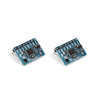
- MPU6050 pre-soldered module (GY-521) - the IMU being calibrated (pre-soldered for easier setup)
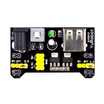
- ShillehTek 830-Point Breadboard - for solderless prototyping
- ShillehTek 120pcs 20cm Dupont Wires - for connecting the Pico W to the MPU6050
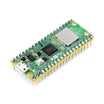
- Raspberry Pi Pico 2W - the WiFi microcontroller board used in this build
Purchase the ShillehTek MPU6050 Bundle.
Note: This article focuses on calibration logic and workflow. The same concepts apply to Arduino or other microcontrollers, even if your code and libraries differ.
Step-by-Step Guide
Step 1 - Calibrate the gyroscope offsets (Gx, Gy, Gz)
Goal: Measure the gyro bias while the sensor is perfectly still, then subtract those offsets from future gyro readings.
What to do: Keep the MPU6050 powered, connected, and completely motionless during this step. The expected angular velocity at rest is 0 degrees/second, but the sensor often reports small non-zero values.
The idea is to compute an average bias for Gx, Gy, and Gz. Conceptually: true_sensor_value = measured_sensor_value - offset. When the sensor is not moving, true_sensor_value should be 0, so the measured value is effectively the offset.
Code: Use these files from GitHub:
- Gyro calibration script: https://github.com/shillehbean/youtube-channel/blob/main/gyro_calibration_mpu6050.py
- MPU MicroPython library: https://github.com/shillehbean/youtube-channel/blob/main/imu.py
If your MPU6050 is connected correctly in Thonny and the library file is saved to your Pico, the script should run and return three offsets. In practice, you subtract these offsets from your gyro readings to improve accuracy.
Example offsets shown in the original tutorial were -2.145951, 1.384315, and -0.5084849. Yours will differ.

Expected result: You have three gyro offset values (for Gx, Gy, Gz) that you can subtract from real-time measurements.
Step 2 - Calibrate linear acceleration using multiple orientations
Goal: Calibrate accelerometer readings by fitting a line (least squares) that maps expected acceleration values to measured offset, producing m (slope) and b (y-intercept).
What to do: Linear acceleration calibration is more involved. For each axis, you calibrate in three orientations:
- Axis pointing upward (against gravity): expected
+1g - Axis pointing downward (toward gravity): expected
-1g - Axis perpendicular to gravity: expected
0g
The tutorial demonstrates the process for the z-axis only, but the same process should be repeated for the x-axis and y-axis.
Code: Use the acceleration calibration script from GitHub and follow the instructions inside the code:
- Acceleration calibration script: https://github.com/shillehbean/youtube-channel/blob/main/linear_accel_calibration.py
Run the function for axis = 2 to calibrate the z-axis. The script will prompt you to orient the sensor and wait the allotted time for each measurement. Ideally use a calibration block or a stable fixture for consistent orientation.


Expected result: The program outputs m (slope) and b (y-intercept) for the calibrated axis.
Step 3 - Apply the acceleration calibration line to compute offsets
Goal: Use the computed m and b to calculate the offset for each reading, then subtract it from the measured value.
What to do: For an axis you calibrated, compute the offset using the line equation y = (m * x) + b, where x is the expected acceleration (in g) and y is the offset.
Example shown in the tutorial: if you found m = 0.05 and b = 0.8g, and you have a reading at Az = 1g, then: offset = 0.05 * 1g + 0.8g = 0.85g. Subtract this offset from the sensor value.

Expected result: Your accelerometer values become closer to expected real-world values after subtracting the computed offsets.
Step 4 - Repeat for all axes and use offsets in real time
Goal: Complete calibration for the full 6 DOF so you can correct both gyro and accelerometer readings during normal use.
What to do: Repeat the linear acceleration calibration process for the x-axis and y-axis, then apply all computed offsets to the corresponding degrees of freedom in real time.
Expected result: You have offsets for gyro (3 values) and acceleration (calibration values per axis) and can correct all readings while your project runs.
Conclusion
You calibrated an MPU6050 IMU on a Raspberry Pi Pico W using MicroPython by measuring gyro bias at rest and performing orientation-based linear acceleration calibration. After applying the offsets, your motion data should better represent real sensor values for robotics, motion sensing, and interactive projects.
Want the exact parts used in this build? Grab them from ShillehTek.com. If you want help adapting this calibration approach to your product or building an IoT solution around motion data, check out our IoT consulting services.





.png?v=25000753014097803521791168436)

.png?v=68677308723310773341791168436)


