

Video Tutorial (Optional)
Watch first if you want the full MPU6050Teapot example walkthrough and how ToxicLibs is used with Processing.
Project Overview
MPU6050 + ToxicLibs + Processing outcome: This guide shows how to set up the legacy ToxicLibs library in Processing so the MPU6050Teapot example can compile and render without the “toxi package does not exist” import error.
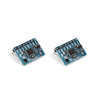
The MPU6050 is a popular accelerometer/gyro module often used with i2cdevlib, and the Teapot demo is commonly used for animation/visualization. Since the example is older, the ToxicLibs folder structure can be confusing. These steps focus only on fixing the library setup.
- Time: 5 to 15 minutes
- Skill level: Beginner
- What you will build: A working Processing environment that can import toxi.geom and toxi.processing for the MPU6050Teapot example
Parts List
From ShillehTek
- None required for this software setup
External
- ToxicLibs version 0021 (complete download) - provides the toxi.geom and toxi.processing packages used by the Processing sketch
- Processing (desktop app) - the environment where the Teapot visualization runs
- MPU6050 + i2cdevlib MPU6050Teapot example - the upstream demo that uses ToxicLibs (mentioned for context)
- YouTube channel - full walkthrough referenced by the original article
- Support link - optional support link from the original article
Note: This post is about fixing ToxicLibs in Processing so imports like toxi.geom and toxi.processing resolve correctly.
Step-by-Step Guide
Step 1 - Download the correct ToxicLibs release
Goal: Get the specific ToxicLibs version used by the legacy Processing examples.
What to do: Download ToxicLibs release 0021. Choose the complete version of the library, then unzip it.
Expected result: You have an unzipped ToxicLibs folder that contains the Processing-related subfolders needed for installation.
Step 2 - Move the required ToxicLibs subfolders into Processing libraries
Goal: Fix the Processing import error where the toxi packages cannot be found.
What to do: Inside the unzipped ToxicLibs download, locate these two folders:
- toxiclibs_p5
- toxiclibscore
Move (or copy) both folders into your Processing libraries directory:
Processing > libraries

Expected result: Processing can now import ToxicLibs packages, avoiding errors like “The package ‘toxi’ does not exist. You might be missing a library.”
Step 3 - Re-open your Processing sketch and confirm the imports work
Goal: Ensure the library install is recognized by Processing.
What to do: Close and re-open Processing (or restart it), then open your sketch (for example, the MPU6050Teapot Processing visualization) and re-run it.
Expected result: Imports such as toxi.geom and toxi.processing compile successfully, and the sketch runs without the missing-library error.
Conclusion
You set up ToxicLibs in Processing so the legacy MPU6050Teapot workflow can compile correctly with toxi.geom and toxi.processing. This resolves the common “toxi package does not exist” library error caused by ToxicLibs being placed in the wrong location.
If you want the full walkthrough, you can follow along on the YouTube channel. Optional support link: https://www.buymeacoffee.com/mmshilleh.
Want the exact parts used in your next electronics build? Grab components and prototyping supplies from ShillehTek.com. If you want help customizing a sensor visualization, polishing a demo, or building an embedded prototype, check out our IoT consulting services.



.png?v=25000753014097803521791168436)

.png?v=68677308723310773341791168436)


