

Project Overview
ESP32 + 0.96 inch I2C OLED (SSD1306) crypto ticker: Build a small desk display that pulls live cryptocurrency prices from the free CoinGecko API and shows price plus 24-hour percent change on an OLED, updating every minute.
It is a practical example of making an HTTPS request, parsing JSON, and rendering text on an OLED using a Wi-Fi microcontroller. The same pattern works for any other stat you want to display from a JSON API.
- Time: ~30 minutes
- Skill level: Beginner to Intermediate
- What you will build: A four-coin rotating ticker with prices and 24 h percent change, auto-refreshing, on an ESP32 (or a D1 Mini) with a 0.96 inch OLED.

Parts List
From ShillehTek
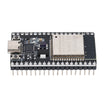
- ESP32 38-Pin Dev Board (CP2102, USB-C) - Wi-Fi microcontroller that runs the sketch and drives the OLED.
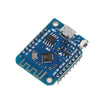
- ESP8266 D1 Mini - original board option; the sketch works with two includes changed.
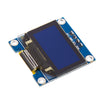
- 0.96" I2C OLED (SSD1306, blue) - display for prices and 24-hour change.
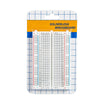
- 400-Point Breadboard - quick prototyping for the wiring.
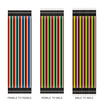
- Dupont Jumper Wires - connects the OLED to I2C and power pins.
External
- None - CoinGecko's simple price endpoint needs no API key.
Note: CoinGecko's free public API is rate-limited to roughly 5 to 15 calls a minute per IP. One call a minute for all your coins at once (the endpoint accepts a comma-separated list) stays well inside that. If you get HTTP 429, slow down the refresh.
Step-by-Step Guide
Step 1 - Wire the OLED
Goal: Connect the OLED over I2C with four wires.
What to do: ESP32: OLED SDA to GPIO21, SCL to GPIO22, VCC to 3V3, GND to GND. D1 Mini: SDA to D2, SCL to D1, VCC to 3V3, GND to G.

Expected result: The display is connected to the correct I2C and power pins.
Step 2 - Install libraries
Goal: Install everything the sketch needs.
What to do: In the Arduino IDE Library Manager install Adafruit GFX, Adafruit SSD1306, and ArduinoJson (7.x). The Wi-Fi and HTTP libraries come with the board package.
Expected result: The sketch compiles once pasted into the IDE.
Step 3 - Upload the sketch
Goal: Fetch CoinGecko prices and show them on the OLED.
What to do: Paste the code below, then update SSID and PASS. If you want different coins, update COINS (CoinGecko ids) and SYM (what you want printed on screen). Upload to your board.
Code:
#include <WiFi.h>                 // D1 Mini: <ESP8266WiFi.h> and <ESP8266HTTPClient.h>
#include <WiFiClientSecure.h>
#include <HTTPClient.h>
#include <ArduinoJson.h>
#include <Adafruit_GFX.h>
#include <Adafruit_SSD1306.h>
Adafruit_SSD1306 oled(128, 64, &Wire, -1);

const char* SSID = "YourNetwork";
const char* PASS = "YourPassword";
const char* COINS[] = {"bitcoin", "ethereum", "solana", "dogecoin"};   // CoinGecko ids
const char* SYM[]   = {"BTC", "ETH", "SOL", "DOGE"};
const int N = 4;
float price[N], change[N];
bool ok = false;

bool fetchPrices() {
  WiFiClientSecure client; client.setInsecure();        // HTTPS without a stored certificate
  HTTPClient http;
  String url = "https://api.coingecko.com/api/v3/simple/price"
               "?vs_currencies=usd&include_24hr_change=true&ids=";
  for (int i = 0; i < N; i++) { url += COINS[i]; if (i < N - 1) url += ","; }
  http.begin(client, url);
  int code = http.GET();
  if (code != 200) { Serial.println("HTTP " + String(code)); http.end(); return false; }
  JsonDocument doc;
  DeserializationError e = deserializeJson(doc, http.getString());
  http.end();
  if (e) return false;
  for (int i = 0; i < N; i++) {
    price[i]  = doc[COINS[i]]["usd"];
    change[i] = doc[COINS[i]]["usd_24h_change"];
  }
  return true;
}

void show(int i) {
  oled.clearDisplay();
  oled.setTextSize(2); oled.setCursor(0, 0);  oled.print(SYM[i]); oled.print("/USD");
  oled.setCursor(0, 24); oled.print("$");
  if (price[i] >= 1000) oled.print(price[i], 0);        // 64213
  else if (price[i] >= 1) oled.print(price[i], 2);      // 148.20
  else oled.print(price[i], 4);                         // 0.1234
  oled.setTextSize(1); oled.setCursor(0, 52);
  oled.print("24h: "); if (change[i] >= 0) oled.print("+");
  oled.print(change[i], 2); oled.print(" %");
  oled.display();
}

void setup() {
  Serial.begin(115200);
  oled.begin(SSD1306_SWITCHCAPVCC, 0x3C);
  oled.setTextColor(SSD1306_WHITE);
  oled.setCursor(0, 0); oled.print("Connecting..."); oled.display();
  WiFi.begin(SSID, PASS);
  while (WiFi.status() != WL_CONNECTED) delay(250);
  ok = fetchPrices();
}

void loop() {
  static unsigned long lastFetch = 0, lastPage = 0; static int i = 0;
  if (millis() - lastFetch >= 60000) { lastFetch = millis(); ok = fetchPrices(); }   // refresh 1/min
  if (millis() - lastPage >= 4000) {                                                 // next coin every 4 s
    lastPage = millis();
    if (ok) { show(i); i = (i + 1) % N; }
    else { oled.clearDisplay(); oled.setTextSize(1); oled.setCursor(0, 0);
           oled.print("API error - retrying"); oled.display(); }
  }
}
Expected result: The OLED shows “Connecting...”, then BTC/USD with a large price and the 24-hour change underneath. Every 4 seconds it advances to the next coin. Prices refresh every minute.
Step 4 - Understand what to change
Goal: Know which parts to edit for your own ticker.
What to do: One request fetches every coin at once, so adding coins costs nothing. setInsecure() skips certificate checking, which is fine for public price data but not for anything private. The display code chooses decimals by magnitude so both Bitcoin and fraction-of-a-cent coins look right. The two timers in loop() are independent, so the page flip never waits for the network.
Expected result: You can swap the API for any JSON source (stock quotes, weather, your own server) by changing the URL and the JSON field names.
Step 5 - Optional upgrades
Goal: Customize the display behavior.
What to do: Draw an up or down triangle next to the change with fillTriangle(), invert the display when a coin drops more than 5 percent, or add a buzzer alert at a price target. Show one coin per screen on a 240x240 TFT with a mini price-history graph (store the last 60 readings in an array). Add the captive-portal Wi-Fi setup from our ESP32 AutoConnect guide so it can move between networks without reflashing.
Expected result: A ticker that fits your desk setup and the signals you care about.
Conclusion
This project uses an ESP32 (or D1 Mini) and an SSD1306 I2C OLED to fetch CoinGecko JSON data over HTTPS and display live crypto prices plus 24-hour change. The same request-parse-display pattern is a strong foundation for many other real-time dashboards.
Want the exact parts used in this build? Grab them from ShillehTek.com. If you want help customizing this project or building something for your product, check out our IoT consulting services.
Credits
All photos and images in this tutorial are credited to Brian Lough on Hackster.io. The original guide by Brian Lough served as the reference for this ShillehTek version. We thank them for their excellent work in the maker community.


.png?v=25000753014097803521791168436)

.png?v=68677308723310773341791168436)


