

Project Overview
Arduino UNO + MAX30102: In this project, you will measure heart rate using the MAX30102 pulse oximeter sensor with an Arduino UNO. You will read infrared values, detect heartbeats, calculate BPM, and smooth the readings over time.
- Time: 20 to 30 minutes
- Skill level: Beginner to Intermediate
- What you will build: A real-time heart rate monitor using Arduino and MAX30102
Warning: This project uses optical sensing and can be inaccurate. Do NOT use it for medical diagnosis.
Parts List
From ShillehTek
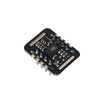
- MAX30102 Heart Rate Sensor (Pre-Soldered) - main sensor for detecting heart rate
- Jumper Wires Kit - for easy connections
External
- Arduino UNO R3 or R4
Note: MAX30102 uses I2C communication, so it only requires 4 wires (VCC, GND, SDA, SCL).
Step-by-Step Guide
Step 1 - Wire the MAX30102 to Arduino
Goal: Connect the sensor properly using I2C.
What to do:
- VCC → 3.3V (or 5V depending on module)
- GND → GND
- SDA → A4
- SCL → A5

Expected result: Sensor is physically connected and ready.
Step 2 - Install Required Library
Goal: Install the necessary library for the sensor.
What to do:
- Open Arduino IDE
- Go to Library Manager
- Search for SparkFun MAX3010x
- Install it
Expected result: Library installed successfully.
Step 3 - Upload the Code
Goal: Read IR values and calculate BPM.
Code:
#include <Wire.h>
#include "MAX30105.h"
#include "heartRate.h"

MAX30105 particleSensor;

const byte RATE_SIZE = 4;
byte rates[RATE_SIZE];
byte rateSpot = 0;
long lastBeat = 0;

float beatsPerMinute;
int beatAvg;

void setup() {
  Serial.begin(9600);

  if (!particleSensor.begin(Wire, I2C_SPEED_FAST)) {
    Serial.println("MAX30102 not found.");
    while (1);
  }

  particleSensor.setup();
  particleSensor.setPulseAmplitudeRed(0x0A);
  particleSensor.setPulseAmplitudeGreen(0);
}

void loop() {
  long irValue = particleSensor.getIR();

  if (checkForBeat(irValue)) {
    long delta = millis() - lastBeat;
    lastBeat = millis();

    beatsPerMinute = 60 / (delta / 1000.0);

    if (beatsPerMinute < 255 && beatsPerMinute > 20) {
      rates[rateSpot++] = (byte)beatsPerMinute;
      rateSpot %= RATE_SIZE;

      beatAvg = 0;
      for (byte x = 0; x < RATE_SIZE; x++)
        beatAvg += rates[x];
      beatAvg /= RATE_SIZE;
    }
  }

  Serial.print("IR=");
  Serial.print(irValue);
  Serial.print(", BPM=");
  Serial.print(beatsPerMinute);
  Serial.print(", Avg BPM=");
  Serial.print(beatAvg);

  if (irValue < 50000)
    Serial.print(" No finger?");

  Serial.println();
}
Expected result: Serial Monitor shows IR values and BPM readings.
Step 4 - Place Your Finger on Sensor
Goal: Get stable heart rate readings.
What to do:
- Place your finger gently on the sensor
- Hold still for a few seconds
- Avoid movement
Expected result: BPM stabilizes and average value becomes consistent.
Step 5 - Understand the Code
Goal: Learn how the system works.
- IR Value: Measures blood flow using infrared light
- checkForBeat(): Detects heartbeat peaks
- BPM Calculation: Uses time difference between beats
- Averaging: Smooths readings over multiple samples
Expected result: You understand how BPM is calculated.
Conclusion
You built a heart rate monitor using an Arduino UNO and the MAX30102 sensor. You learned how to read IR values, detect heartbeats, calculate BPM, and smooth the results for better accuracy.
Want the exact parts used in this build? Grab them from ShillehTek.com. If you want help customizing this project or building something for your product, check out our IoT consulting services.




.png?v=25000753014097803521791168436)

.png?v=68677308723310773341791168436)


