

Video Tutorial (Optional)
Watch first if you want to see the BH1750 wiring and Arduino IDE setup in real time.
Subscribe: Youtube
Project Overview
Arduino Nano + BH1750 light sensor: In this project you connect a BH1750 ambient light sensor to an Arduino board over I2C and read luminance values in lux, so you can use real light measurements in your builds.
This is useful for projects like smart lighting and environmental monitoring, and it covers both the physical wiring and the Arduino IDE example code workflow.
- Time: 15 to 30 minutes
- Skill level: Beginner
- What you will build: A working BH1750 I2C sensor hookup that prints lux readings you can verify by shining light on the sensor
Parts List
From ShillehTek
- Breadboard - for quick solderless wiring
- Jumper wires - to connect the BH1750 to the Arduino I2C pins
External
- Arduino Nano (or any Arduino board) - the microcontroller reading the sensor
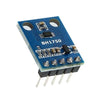
- BH1750 ambient light sensor module - provides lux measurements over I2C
- USB cable - powers and programs the Arduino
- Arduino IDE - used to install the library and run the example sketch
- BH1750 library by Christopher Laws (installed via Library Manager)
Note: Different Arduino models use different pin labels for I2C. You always need the same four connections on the BH1750 module: VCC, GND, SDA, and SCL. Match them to your board’s I2C pins.
Step-by-Step Guide
Step 1 - Physically connect the BH1750 (I2C)
Goal: Wire the BH1750 to your Arduino so it can communicate over I2C.
What to do: Use an Arduino Nano (as shown) or any Arduino model you prefer. Make these four I2C connections from the BH1750 module to your Arduino: VCC, GND, SDA, and SCL.
Different Arduino boards place SDA/SCL on different pins, so ensure you map SDA and SCL to the correct I2C pins for your specific board. Also verify the pin labels on your specific BH1750 module.

Expected result: The BH1750 is powered (VCC and GND) and connected to the Arduino’s I2C lines (SDA and SCL), ready for code testing.
Step 2 - Install the library and run the Arduino IDE example
Goal: Confirm the sensor is working by reading lux values using a known-good example sketch.
What to do: In the Arduino IDE, install the BH1750 library by Christopher Laws using the Library Manager.
Then open the example sketch: File > Examples > BH1750 > BH1750test.
Upload the sketch to your Arduino and monitor the output. Shine a light at the BH1750 and watch how the lux values change.
Expected result: The example sketch incrementally reads and outputs lux values, and the readings increase when you shine more light on the BH1750 sensor.
Conclusion
You connected a BH1750 ambient light sensor to an Arduino (like the Arduino Nano) over I2C and verified it by running the BH1750test example to read luminance values in lux. With this working baseline, you can build projects like smart lighting systems and environmental monitoring setups.
Want the parts for this build? Grab breadboards, jumper wires, and electronics kits from ShillehTek.com. If you want help customizing this project or integrating sensors into a product, check out our IoT consulting services.






.png?v=25000753014097803521791168436)

.png?v=68677308723310773341791168436)


