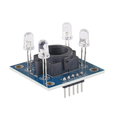
GY-31 TCS3200 Pre-Soldered RGB Color Recognition Sensor for Arduino & ESP32
SKU ST-ABWFA4WIHTLR
GY-31 TCS3200 RGB sensor for Arduino projects features a filtered photodiode array and light-to-frequency output, delivering precise digital color data for integration into microcontroller systems.
- Free Ground Shipping U.S. orders $35+
- Ships from USA Worldwide via DHL
- 30-day returns Free defect replacement
- 7-day support Fast email replies
 GY-31 TCS3200 Pre-Soldered RGB Color Recognition Sensor for Arduino & ESP32No reviews yet
$8.99
This item
GY-31 TCS3200 Pre-Soldered RGB Color Recognition Sensor for Arduino & ESP32No reviews yet
$8.99
This item
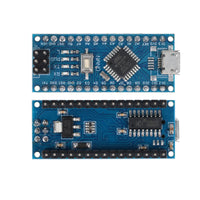
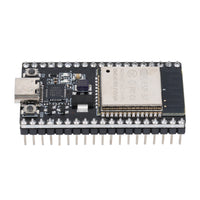
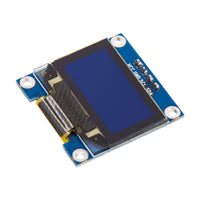
Products related to this item


Overview
Product Overview
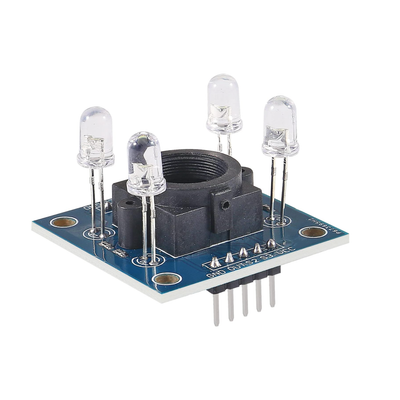
Teach your machine to detect specific hues with the GY-31 TCS3200: unlike basic light sensors that only measure brightness, this module uses a filtered photodiode array (a grid with Red, Green, Blue, and Clear filters) to break down an object’s color into RGB components, then converts that light information into a clean frequency-based square-wave output you can read with simple digital timing (no ADC needed); it also includes four bright white onboard LEDs to illuminate the target for consistent readings, supports selectable output scaling (2%, 20%, or 100%) to match your processor speed or maximize resolution, enables non-contact color checking for tasks like sorting candy, reading labels, or estimating ripeness, and runs on 2.7V to 5.5V logic so it works directly with both 3.3V boards like ESP32 and 5V microcontrollers without level shifting. The header pins ship pre-soldered, so it works out of the box with no soldering required.
Questions & answers
Frequently asked questions
Have other questions?
Chat with our US-based team — we usually reply fast.
What's included
Features & Specs
Reference
Documents
Full Product Manual ShillehTek GY-31 TCS3200 RGB Color Recognition Sensor for Arduino Projects | ShillehTek Product Manual In-depth setup guide with wiring, code examples, and troubleshooting.Learn
Related Tutorials

ESP32 TCS3200: Print RGB and Color Names

Arduino Nano TCS3200: Read RGB Values in Serial

Arduino TCS3200: Build a Color-Sorting Machine
Watch
Related Videos
Verified buyers
Customer Reviews
GY-31 TCS3200 Pre-Soldered RGB Color Recognition Sensor for Arduino & ESP32